23
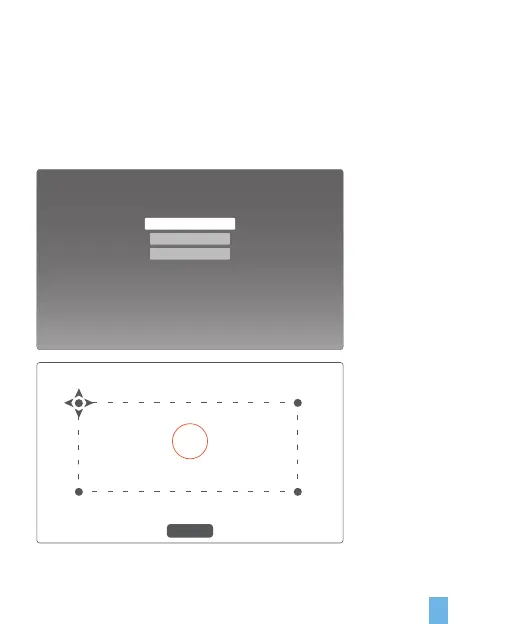
Keystone Correction:
I. Manual Setting: adjust the shape of trapezoid according to the offset, or click
Restore Defaults for automatic correction.
II. Correction of Four-angle Trapezoid: adjust the angleof trapezoid freely from four
diretions, and switch to the correction for next corner by clicking OK, and adjust
the angle through the direction button and restore the settings by long pressing
“Restore Defaults”
Keystone
Trapezoid correction
Manual setting
Keystone Manual
Press “OK” to select the point, adjusting teh angle using the direction button and long press “Reset” to restore
(0.0) (0.0)
(0.0) (0.0)
Reset


 To Next Page