30
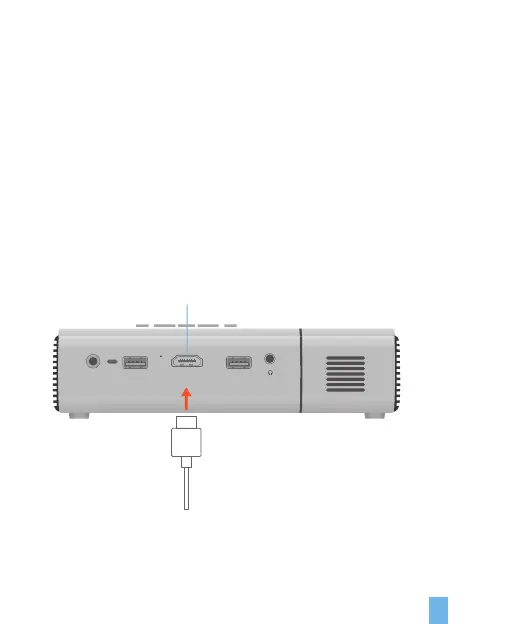
HDMI
DC IN
POWER
LED
BOOT
USB 1
HD IN
USB 2
Connect External Multi-media Interface
1. Enter Menu>Click HDMI
2. Connect HD multi-media HDMI wire to HDMI interface on the device.
3. The picture will be displayed automatically in about 5 seconds after inputting the
signal through HDMI
HDMI Settings
Note:
It can be combined with a TV Fire Stick to connect the projector and control via
AMAZON ECHO.
If you need to change the boot source to HDMI mode, you can switch it in the
setting option.
HDMI


 To Next Page