14
Operating Instructions
To perform the following functions you must be in the basic operating
mode of the PJ2+ COM. To ensure that you are in the basic operating
mode, press the Clear key until the last frequency that was entered
manually is displayed.
Manual Frequency Selection
The PJ2+ COM will receive and transmit on the 760 COM frequencies
(118.000 MHz to 136.975 MHz). The frequency currently selected
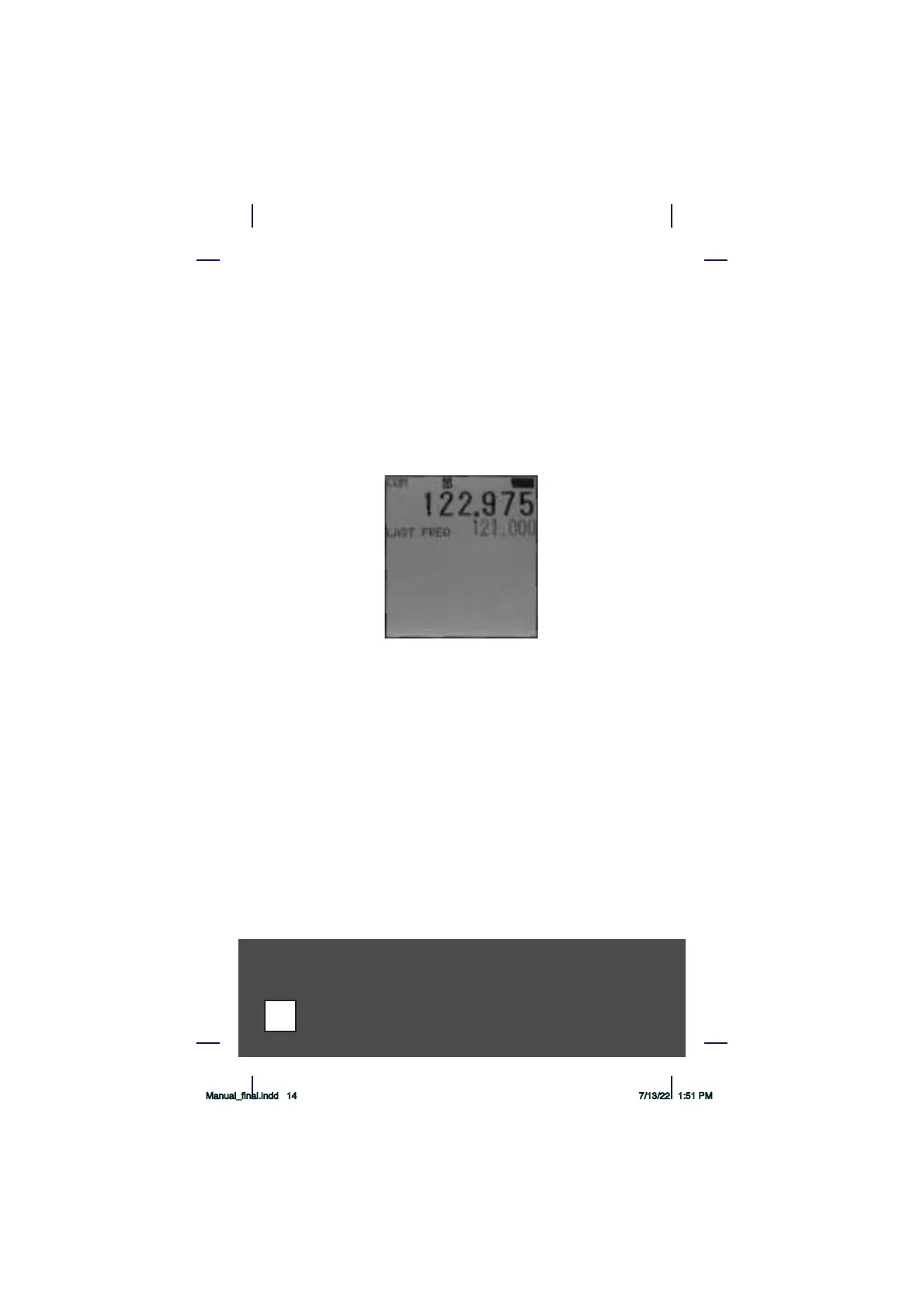
is always displayed at the top of the PJ2+ COM’s screen and the last
frequency is always underneath the current frequency.
From the example above, the PJ2+ COM is receiving 122.975 MHz with
the last frequency being 121.000 MHz. To manually enter a desired
frequency such as 118.700 MHz, enter 1 1 8 7 0 0 using the numeric
keypad. As each digit is entered, the flashing cursor moves to the next
digit. Six digits may be required to select a frequency.
The PJ2+ COM will return to the previous frequency if there is a pause
of five seconds between key entries while entering a new frequency. The
Clear key may be pressed at any time prior to entering the sixth digit to
clear the digits entered and return to the previous frequency.
Any frequency outside of the range listed above will not be accepted. The
PJ2+ COM will beep when such a digit is entered. For example, starting
any frequency selection with a number other than 1 or attempting to
place a 5, 6, 7, 8 or 9 in the second digit will result in a beep.
The PJ2+ COM can flip flop between the current frequency and the last
requency by pressing the button above the PTT on the side of the radio.
Manual_final.indd 14 7/13/22 1:51 PM



 To Next Page