Copyright 2011-2012, RFXCOM
RFXtrx Version 2.12 page 7 / 20
6.1. Receiver
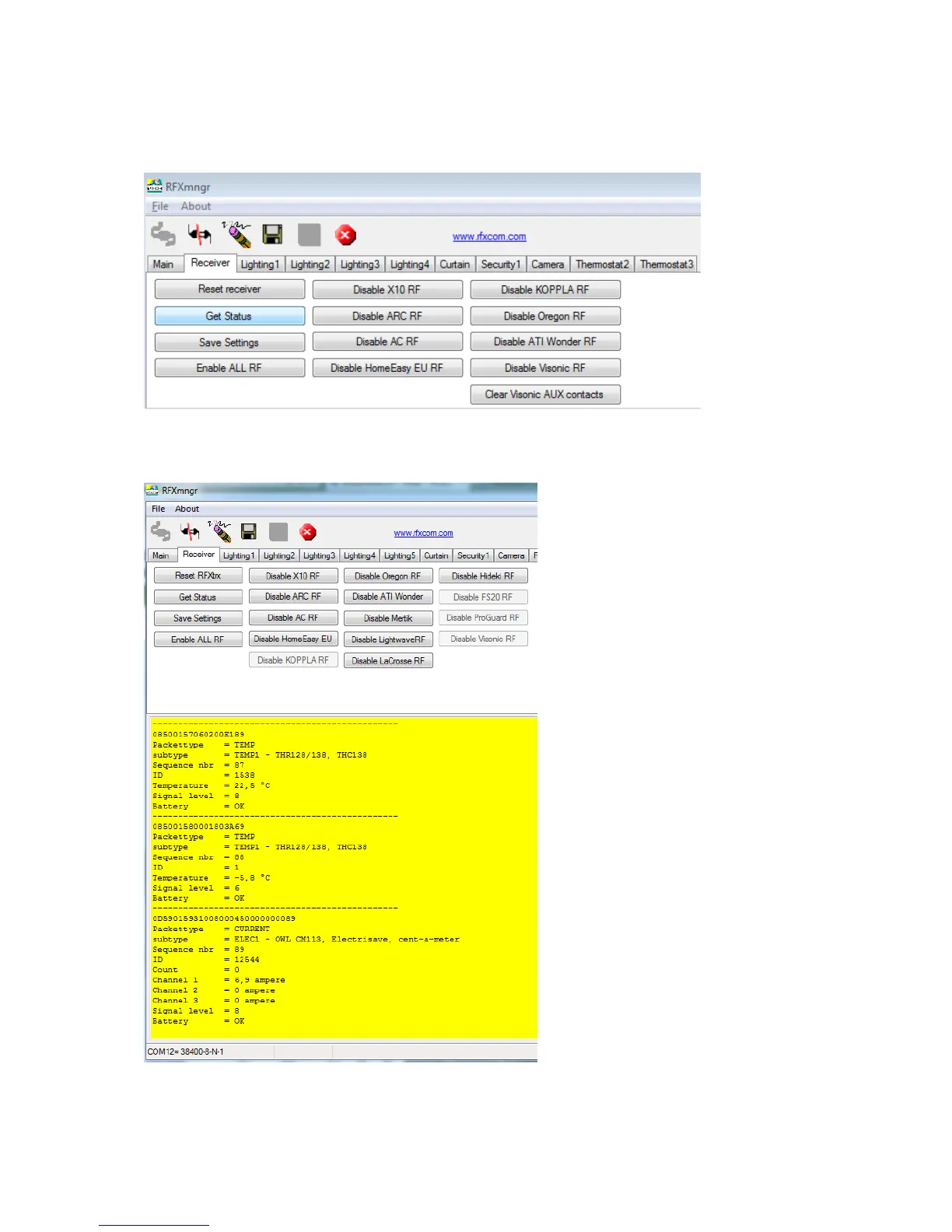
The RF protocols to be received can be configured on the Receiver tab or on the Main tab at
Set Mode.
Click Save Settings to save the selected protocols in non-volatile memory of the RFXtrx. This
configuration is now restored every time after a power up.
Note that these settings are lost after a firmware update and need to be set again.
The received RF data is decoded and displayed in the yellow window.


 To Next Page