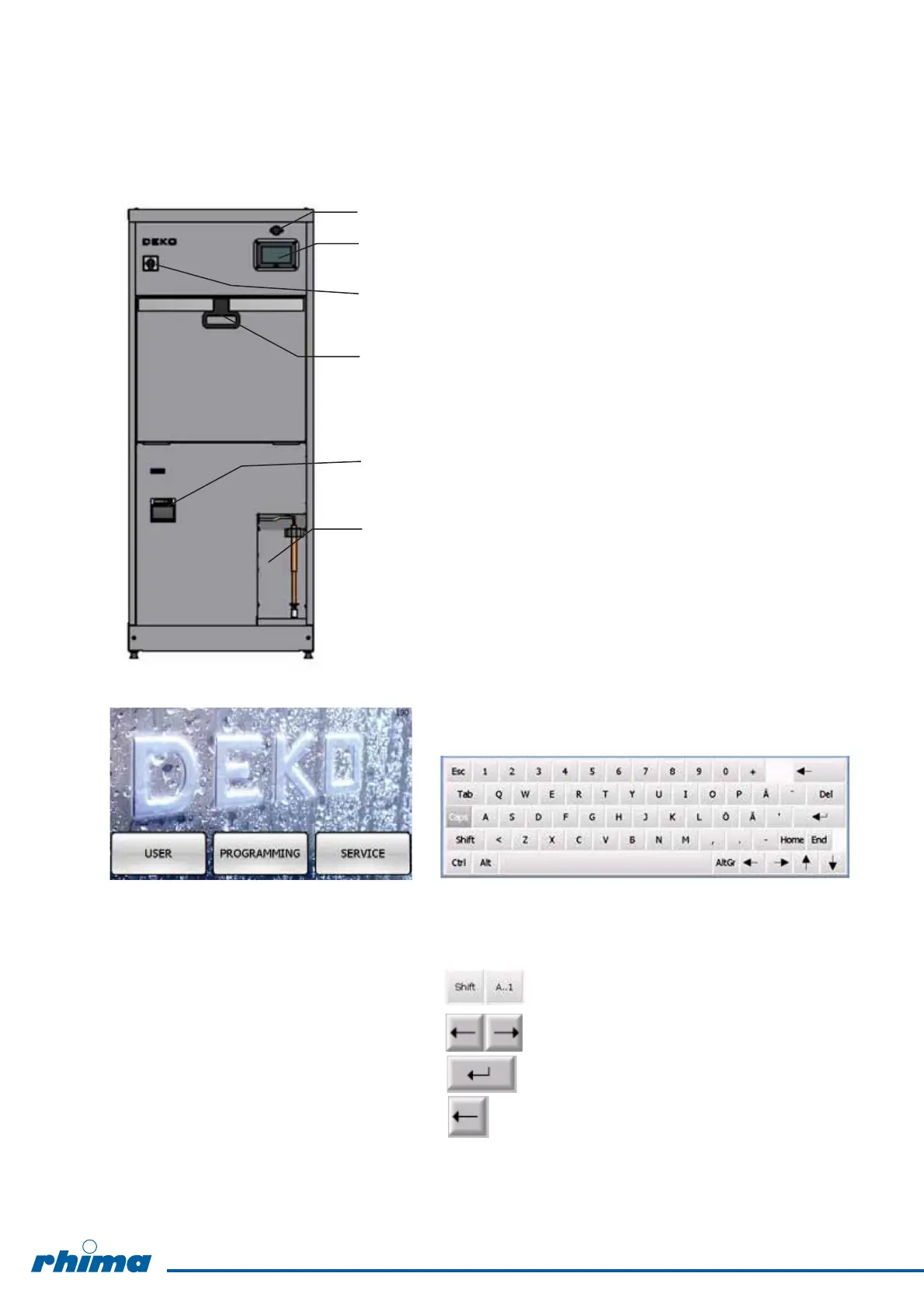
5.7 Controls
5.7.1 Operating systems, manual door
Touch screen display for user interface Alphanumeric keyboard to enter characters
USER = user mode Change to alphabet / number
PROGRAMMING = programming cycles
SERVICE = service mode Backward / Forward
ENTER
Note ! Delete backward
The door is interlocked without power
1. USB memory stick connector
2. Main display and operation keys
3. Main switch
4. Door handle
5. Panel printer (option)
6. Detergent container (lockable door as option)
14


 To Next Page