EasyManua.ls Logo

Rhymebus RM6E1-20P5B3 - User Manual

Default Icon
184 pages
Print Icon
To Next Page IconTo Next Page
Loading...
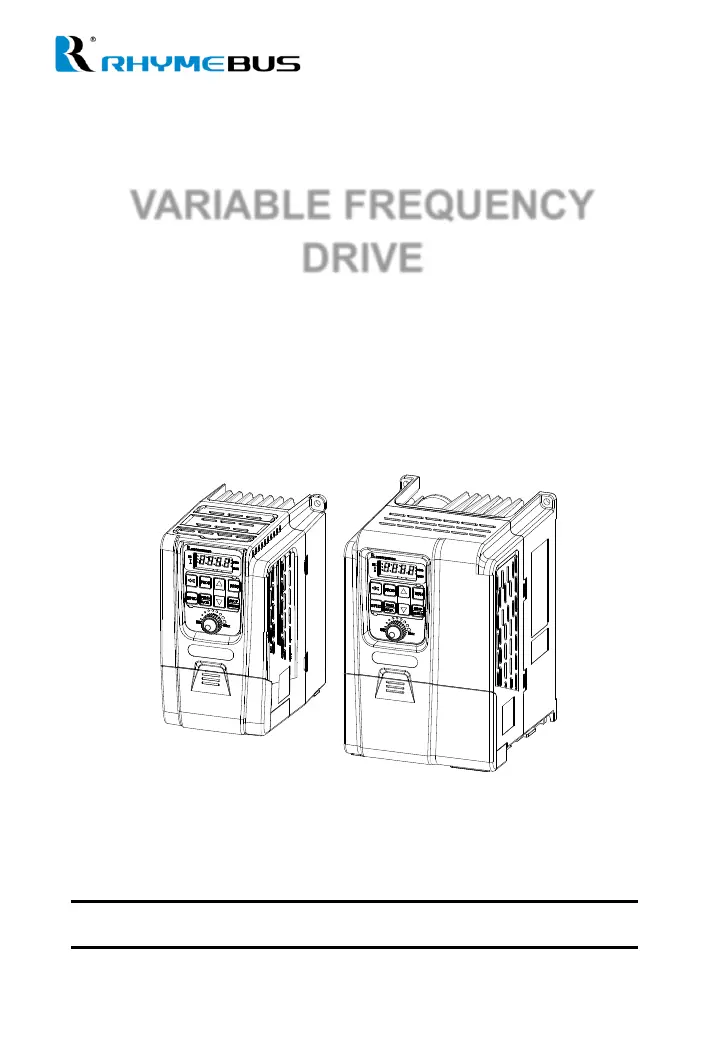
VARIABLE FREQUENCY
DRIVE
Operation Manual
RM6E1 series

Table of Contents

Questions and Answers

  • D
    Dennis BeltranAug 8, 2025
    What to do if there is a Modbus data range error in Rhymebus RM6E1-20P5B3 DC Drives?
    • T
      tammyhawkinsAug 8, 2025
      If you encounter a Modbus data range error with your Rhymebus DC Drives, it could be due to two reasons: either the data length in transmission does not match the protocol, or the data range exceeds the register length during a 'write' operation. Check these aspects to resolve the error.
  • M
    Melanie BurnettAug 13, 2025
    What causes Modbus OP code error in Rhymebus DC Drives?
    • K
      Kim FisherAug 13, 2025
      A Modbus OP code error in Rhymebus DC Drives occurs when the OP code is not one of the allowed values: 03H, 06H, 08H, or 10H. Check your OP code to ensure it is correct.
  • R
    Ricardo WebsterAug 18, 2025
    What to do if Modbus register characteristics error occurs in Rhymebus RM6E1-20P5B3?
    • R
      robertnealAug 18, 2025
      A Modbus register characteristics error in Rhymebus DC Drives happens when you attempt to write into read-only registers. Ensure you are writing to the correct registers.
  • R
    Richard CruzAug 23, 2025
    What is a data frame error in Rhymebus RM6E1-20P5B3?
    • S
      Stephen HunterAug 23, 2025
      A data frame error in Rhymebus DC Drives indicates an error in the data frame of serial communication. Inspect the serial communication data frame.
  • P
    Peter BurtonAug 28, 2025
    What does over-bit error mean in Rhymebus DC Drives?
    • A
      Amy OdomAug 28, 2025
      An over-bit error in Rhymebus DC Drives signifies an over-bit error in the serial communication. Review serial communication settings.
  • H
    Heather HaneySep 2, 2025
    Why am I getting a Modbus register error on my Rhymebus DC Drives?
    • T
      Thomas StoneSep 2, 2025
      A Modbus register error in Rhymebus DC Drives indicates the use of non-defined registers. Verify the register addresses you are using.

Summary

SAFETY PRECAUTION

Installation

Guidelines for safe installation, covering placement, materials, and environmental conditions.

Wiring

DANGER (Wiring)

Critical warnings regarding electrical shock and incorrect wiring during installation and maintenance.

CAUTION (Wiring)

Important cautions for wiring, including motor type compatibility and circuit separation.

Operation

DANGER (Operation)

Major safety risks during drive operation, such as unauthorized access or unexpected restarts.

CAUTION (Operation)

Precautions during operation, like avoiding contact with hot surfaces.

INTRODUCTIONS

Features

Overview of key drive features, including fan control, communication, and protection functions.

Chapter 1 Cautions Before Installation

1-2 Standard Specifications

Detailed technical specifications for different series of drives.

1-2-3 Three-Phase 200 V Series

Detailed technical specifications for the three-phase 200V series of drives.

1-2-4 Three-Phase 400 V Series

Detailed technical specifications for the three-phase 400V series of drives.

Chapter 2 Installation and Confirmation

2-2 Environmental Conditions

Guidelines for safe installation, covering placement, materials, and environmental conditions.

2-3 Descriptions of Terminal and Wiring Diagram

Provides detailed information on terminal layouts and electrical wiring diagrams for correct setup.

2-3-1 Wiring Diagram

Illustrates the electrical connections between the drive, power source, motor, and control terminals.

2-3-3 Description of Terminals

Provides detailed descriptions of main circuit and control circuit terminals, including their functions.

Chapter 3 The Setting of Operation Panel & Remote Controller

3-1 Functions of Operation Panel

Details the components and functionality of the drive's built-in operation panel.

3-2 Functions of Remote Controller(KP-601 keypad)

Explains the functions and operation of the optional KP-601 remote keypad.

3-3 The Operation of the Operation Panel and Monitor Mode

Guides users on operating the control panel and navigating through different display modes.

3-3-5 Parameter Setting Mode

Details the step-by-step process for entering and adjusting parameter settings via the operation panel.

3-3-7 Start;Stop of the Drive

Describes the procedure for starting and stopping the drive using the RUN and STOP/RESET keys.

Chapter 4 Parameter List

Chapter 5 Parameter Setting Description

F0 System Parameters

Lists system-related parameters such as software version, model number, and default settings.

F1 Operation Parameters

Covers parameters related to start commands, frequency selection, and display settings.

F1.00 Start Command Selection

Guides on configuring how start and direction commands are received (panel, terminals, communication).

F1.01 Primary Frequency Command Selection

Explains how to select the source for the primary frequency command (analog input, panel, communication).

F2 Frequency Parameters

Details parameters for setting preset speeds, jog speed, and frequency limits.

F3 Control Parameters

Explains parameters for controlling motor behavior like holding frequency, stall prevention, and boost voltage.

F4 Protection Parameters

Lists parameters for various protection functions like overload, overheat, and grounding faults.

F4.00 Grounding Fault Protection (GF)

Explains how to enable or disable grounding fault protection to detect earth faults.

F4.07 Motor 1 Overload Protection (OL)

Explains how to set motor overload protection to prevent damage from excessive current.

F5 Multi-function Parameters

Describes parameters for analog inputs, outputs, and multi-function terminal configurations.

Chapter 6 Communication Description

6-1 KP-601; Modbus Port (RJ-45)

Details the physical connection and pinout for the KP-601 keypad and Modbus communication port.

6-2 The Setting of Communication Parameter

Covers essential communication settings like address, baud rate, format, and overtime parameters.

6-8 Drive Registers and Command Code

Lists available registers for reading and writing drive parameters and commands via communication.

Chapter 7 Operation Procedures and Fault Protection

7-1 Operation Procedures

Guides on the correct sequence of steps for powering up, wiring, and operating the drive and motor.

DANGER (Safety during operation)

Highlights critical safety warnings related to operating the drive, especially concerning wiring and power.

CAUTION (Safety notes during wiring)

Provides important cautionary notes for safe wiring practices, including wire shielding and terminal fastening.

7-2 Fault Protection Display and Troubleshooting

Explains the drive's built-in protection functions and how faults are displayed and reset.

A: Description (Fault Protection)

Explains the drive's built-in protection functions and how faults are displayed and reset.

B: Protection and Troubleshooting List

A comprehensive list of drive error messages, their causes, and troubleshooting steps.

Appendix B Selection of AC Reactor(ACL)

Appendix C Selection of EMC Filter

Appendix E Selection of Motor

Appendix F Instruction of Drive Charging

Appendix G Dynamic Brake and Resistor

e. The Wiring of Braking Resistor

Details the wiring diagrams and safety considerations for installing braking resistors with thermal switches.

Attachment 2 Fault Displays

Rhymebus RM6E1-20P5B3 Specifications

General IconGeneral
BrandRhymebus
ModelRM6E1-20P5B3
CategoryDC Drives
LanguageEnglish

Related product manuals