Revison 0.8.6 Document No. 01424 Page 13
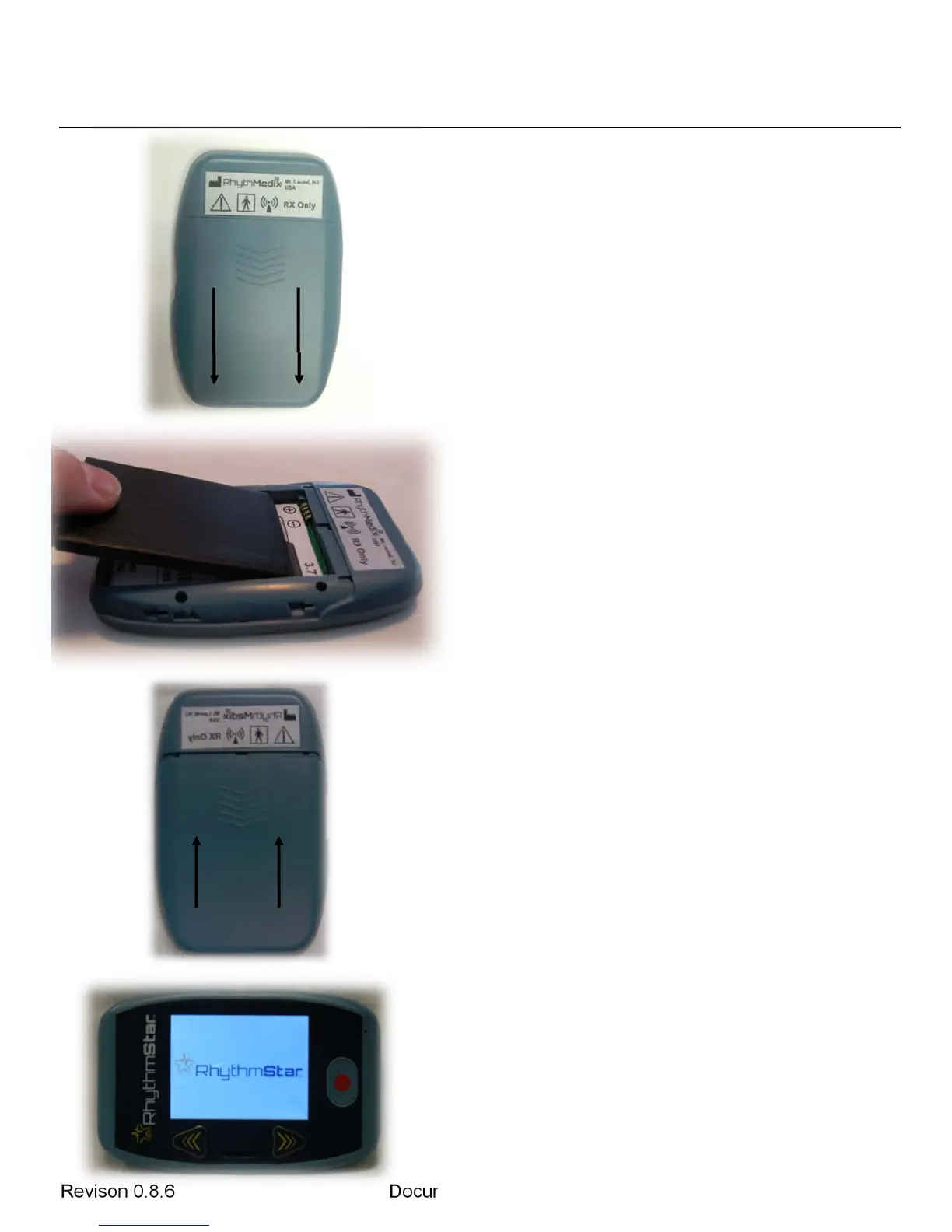
Step 1: Loca
te the battery cover on the
back of the monitor. Use your thumb to push
down and toward the bottom of the monitor to
slide the battery cover off.
Step 2: In
sert a 3.7 volt battery, included
with the RhythmStar, into the battery
compartment following the polarity instructions
(“+” on the battery to “+” on the wall of the
battery compartment and “-” on the battery to
“-” on the wall of the battery compartment).
Step 3: Replace battery cover on the back
of monitor by gently aligning it as pictured and
use your thumb to push up and toward the top
of the monitor to slide the battery cover on.
Step 4: If the battery was successfully
installed, after a few seconds, the screen
should show the RhythmStar name and logo
as pictured. RhythmStar is now powered and
ready for use.


 To Next Page