18 -
6.1.1 Windows® 98 Second Edition – Safety Remove Hardware
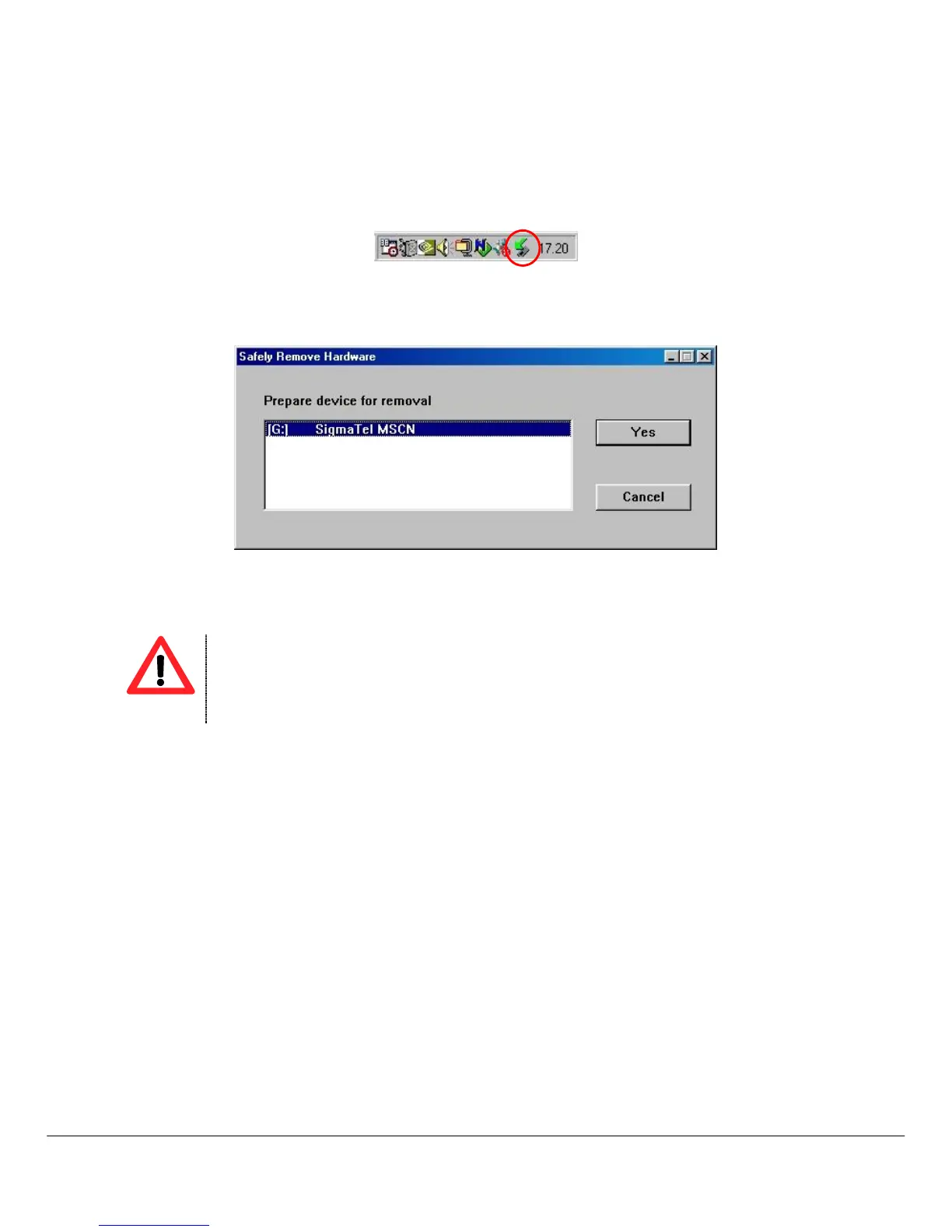
The Windows® 98 SE driver install the Safety Remove utility in the systray
Before to disconnect the MP4 Player to USB port please follow here below instruction:
1. Double click the utility available in the systray.
Windows® 98 SE – Systray
2. Select the MP4 Player unit then click on YES button (see the picture 2).
3. Now you can disconnect the MP4 Player to the computer.
Windows® 98 SE – Hardware Safety Remove
6.2 Windows® ME, Windows® 2000 and Windows® XP
Under Windows® 2000 and Windows® XP to install a new hardware device it is necessary to logon to the
system as “Administrator” or user with administrator rights. For more information about user account please refer
to Windows® documentation or to you network administrator.
To install the MP4 player in a computer with Windows® ME, Windows® 2000 or Windows® XP please follow
here below instruction:
1. Power ON the computer without connecting the MP4 Player to USB port.
2. When the operating system is ready connect the MP4 Player to USB port. The system will detect the
new hardware and it will install the device driver automatically.
3. Now you can browse the MP4 Player memory content by using “My Computer” or “Windows
Explorer”.



 To Next Page