10
RICKARD 2019
MLM INTEGRATION WITH BMS
BACnet ms/tp setup
For an MCU to be configured into a BACnet ms/tp network the following setup is required:
Please note: To connect the MLM Tool to a ms/tp configured MCU, the USB type B hardware port is used. Either
‘Basic View’ or ‘Project View’ can be selected in the MLM Tool application.
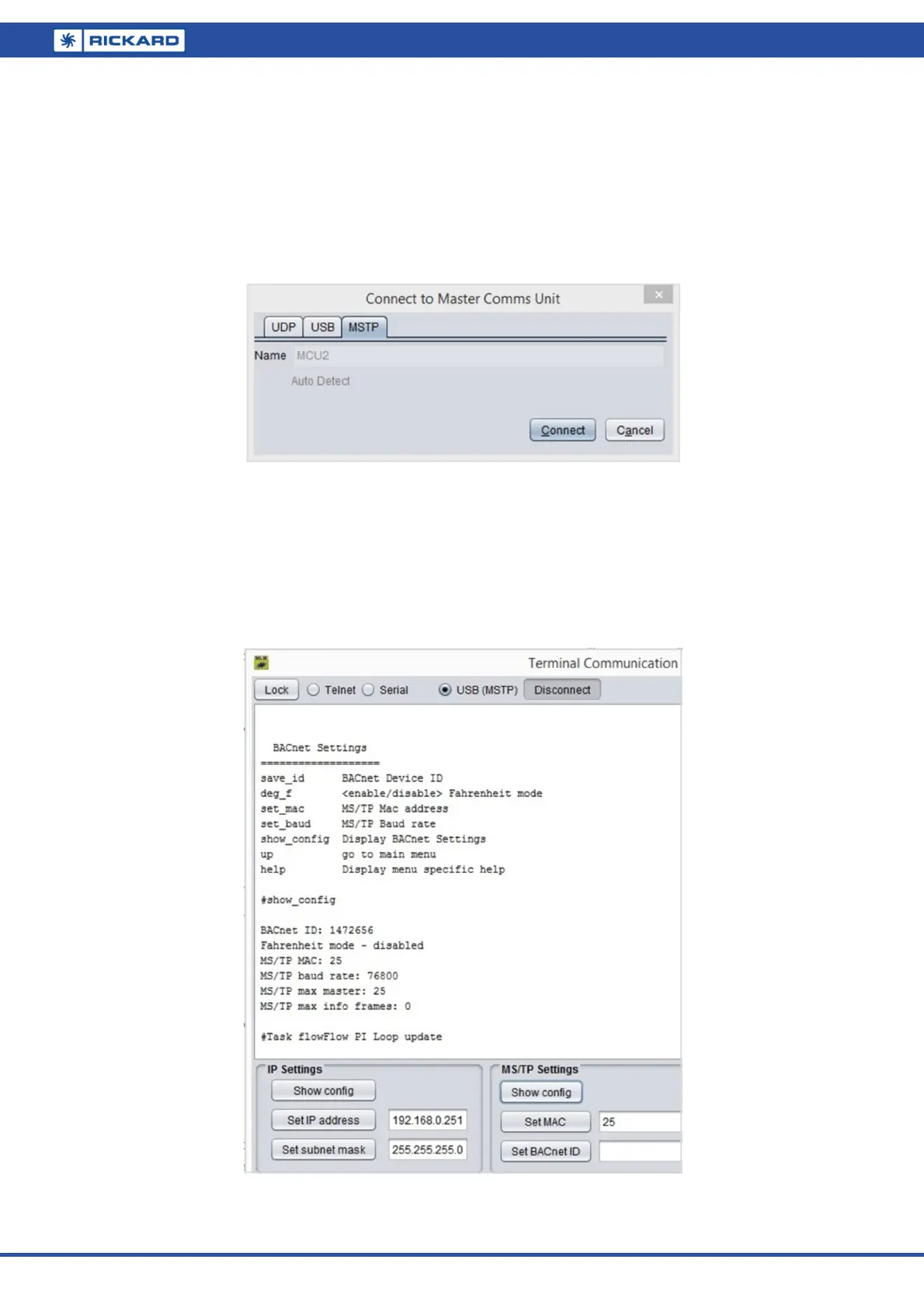
For Basic View access press the connect button and select the MSTP tab. The diffuser network will be displayed.
Select the View/Open New Terminal/USB (MSTP) tabs. Press Connect and then ‘Show config’ to verify the BAC-
net ID, MAC address and baud rate fields.
The ms/tp mac address is a crucial setting and each MCU must contain an individual mac address for cor-
rect operation. The default mac address is 25.
Please note the ms/tp standard limit for mac addresses are 0 to 127.
For optimum data throughput on ms/tp it is recommended that the mac addresses be allocated sequen-
tially from zero. Also the MaxMaster parameter in the BACnet Device Object should be set to the highest
mac address for all the devices on the network.
The default baud rate for ms/tp on the MCU is set at 76800 bps.
Once the diffuser network has been set up with the MLM Tool, it is recommended that the same Master List as
described in the MCU to Lon mapping section, now be extracted to map the diffuser network to BMS.


 To Next Page