16
RICKARD 2019
MLM INTEGRATION WITH BMS
Note: To enable any control override feature, including the occupancy override, the Control override (Enable)
function must be selected on the master controller of that zone.
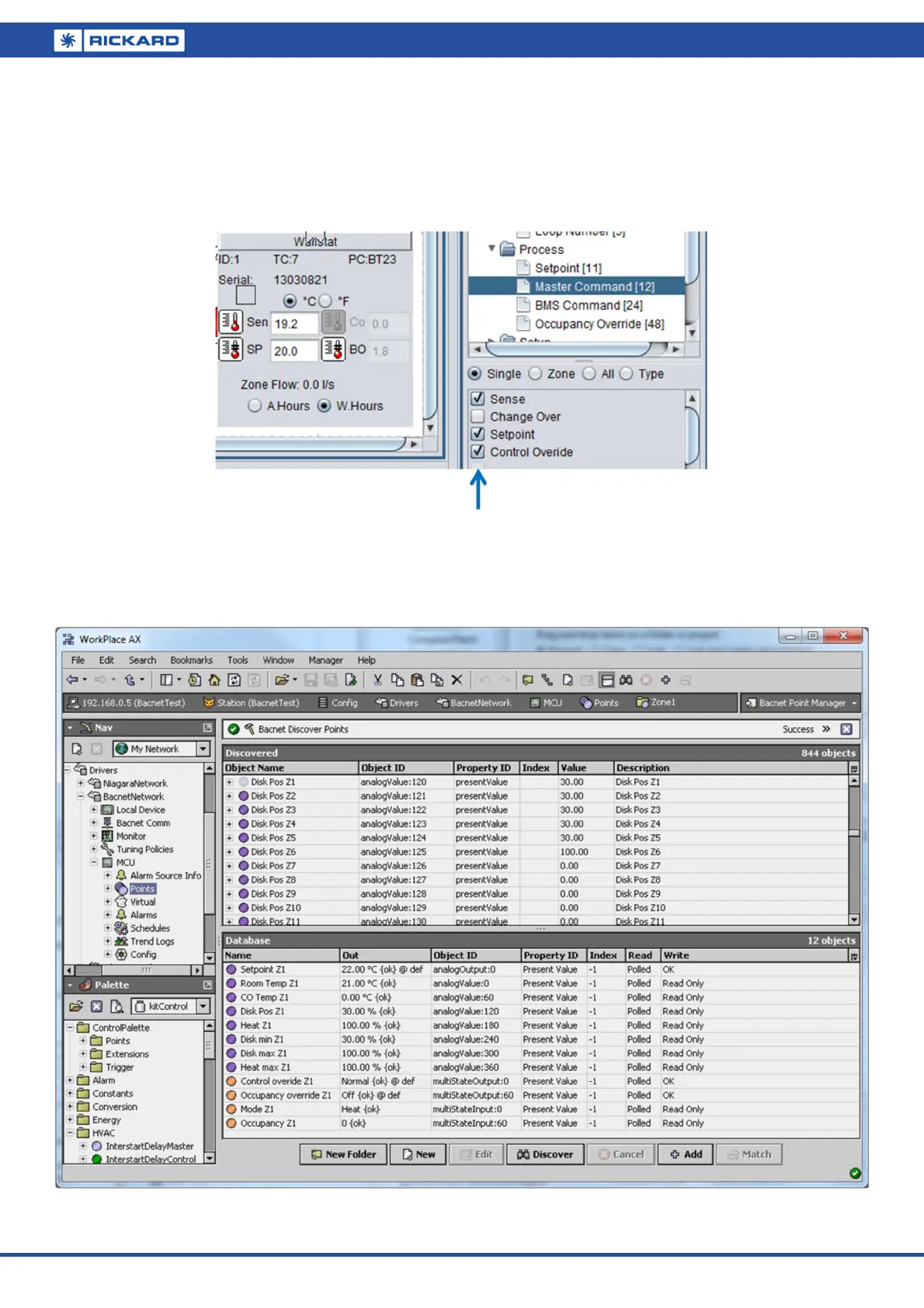
To activate using the MLM Tool, expand the master diffuser icon, select Process/Master Command and tick the
Control Override box. Press ‘Write’. The functions contained in the two tabs below the Master Command tab,
BMS Command and Occupancy override now becomes enabled. This is a non-volatile parameter. Also see the
next section about control override procedure.
Mapped MCU on a BMS Front-end
The following picture shows a typical MCU mapped on a BMS front-end, herewith Workplace AX running on a
Niagara platform showing data for Zone 1.
Please note the Read Only fields indicated in the Write (right hand) column.


 To Next Page