21
RICKARD 2019
MLM INTEGRATION WITH BMS
Wallstat
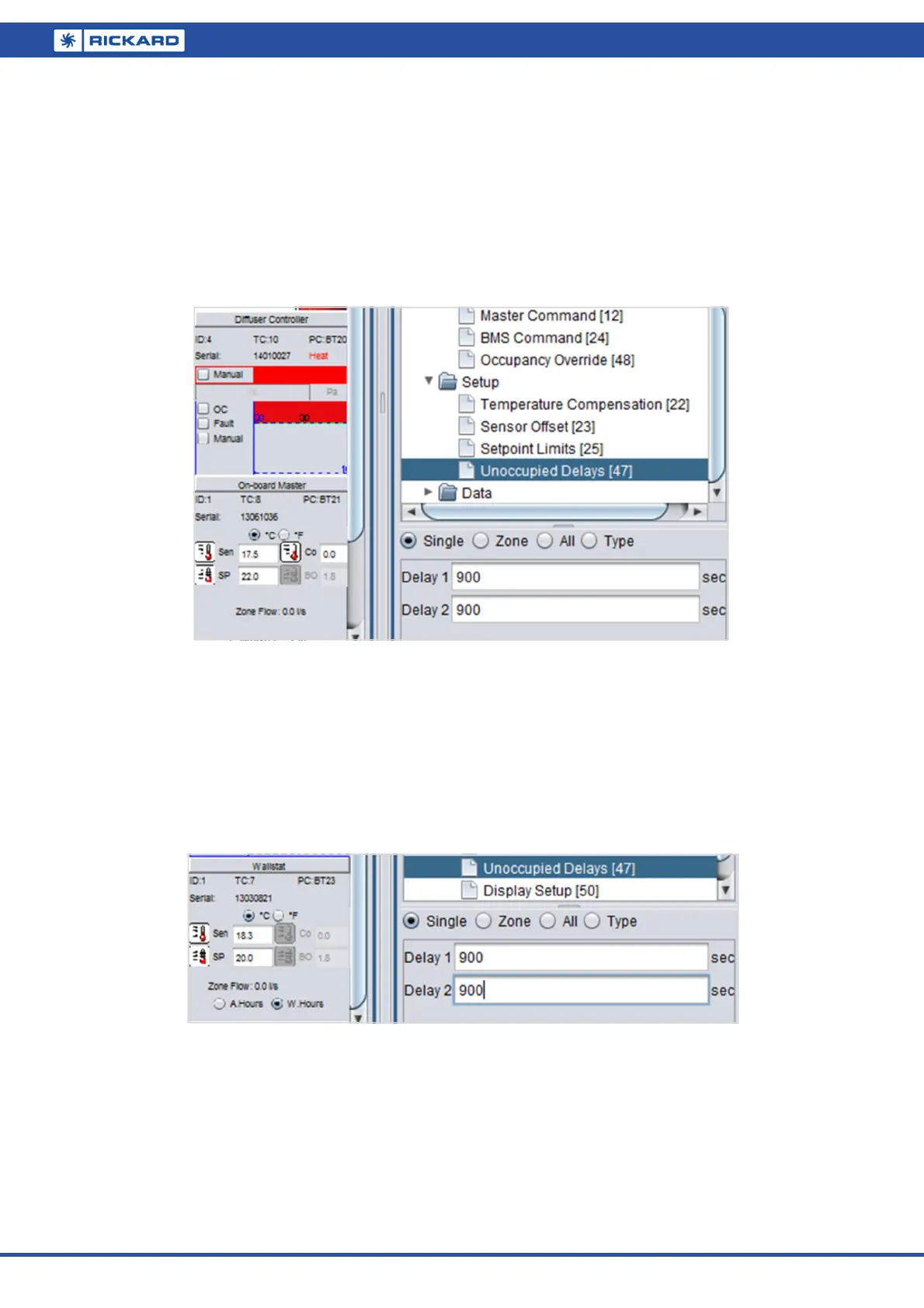
Expand the diffuser icon in the Logical screen and select the Wallstat (type code 7).
Under Setup/Unoccupied delays, verify and edit the delay 1 & delay 2 periods. Note the default of
900 seconds for a 15 minute delay.
Check and edit the Process/Setpoint/BackoffBand setting. The default is 1.8 °C.
Check and edit the RTC/Afterhours Backoff Band setting. The default is 1.8 °C.
Under Master Command, check and write the control override parameter.
Note: The three parameters of interest in setting up occupancy sense are:
Occupancy present as set on the Diffuser controller – this enables/arms that particular sensor to be active.
Unoccupied delays – setting these timers to zero will stop the timers and the controller unit (Wallstat or
On-board) will always indicate the zone as occupied.
Control override – by unchecking this box, the controller unit will still show the occupied status, but will
not command the Diffuser controllers into a back-off state.
Note: Occupancy present will be selected on all Diffuser controllers that are factory fitted with occupancy sen-
sors.
On-board master
Expand the diffuser icon in the Logical screen and select the On-board master (type code 8).
Under Setup/Unoccupied delays, verify and edit the delay 1 & delay 2 periods. Note the default of
900 seconds for a 15 minute delay.
Check and edit the BackoffBand setting under Setpoint. The default is 1.8 °C.
Under Master Command, check and write the control override parameter.


 To Next Page