141
MO-C1 Training
Slide 141
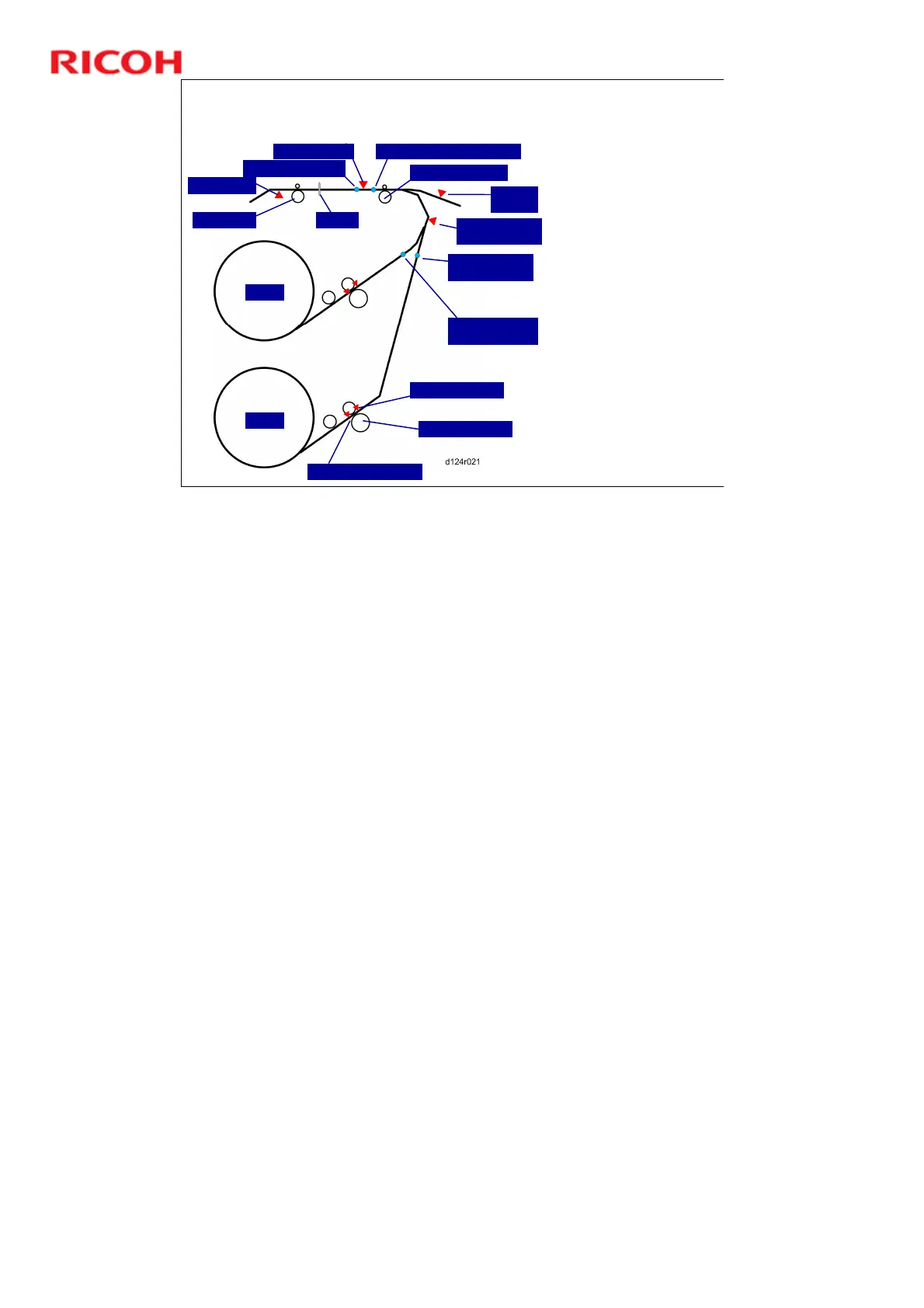
General Operation Sequence
3. Paper Feed
DRESS Sensor
Paper Leading Edge
Exit Sensor
Exit Roller Cutter
Registration Standby Position
Registration Roller
Bypass
Sensor
Pre-registration
Sensor
Paper Standby
Position (Roll 2)
Paper Standby
Position (Roll 1)
Roll 1
Roll 2
Paper Exit Sensor
Paper Entrance Sensor
Paper Feed Roller
1. Paper feed begins
immediately from Roll Unit
1 if it was selected for the
job.
If Roll Unit 2 was
selected for the job but
paper from Roll Unit 1
is at the registration
standby position, the
machine reverse feeds
the paper down to the
paper standby
position, and then
feeds paper from Roll
Unit 2.
2. Paper feeds past the
registration roller and
stops.
3. When paper reaches the
platen, the paper transport
fan below the platen
switches on. This provides
suction to hold the paper
on the platen.
DRESS: Direct Realization Edge Scanning Sensor



 To Next Page