19
MO-C1 Training
Slide 19
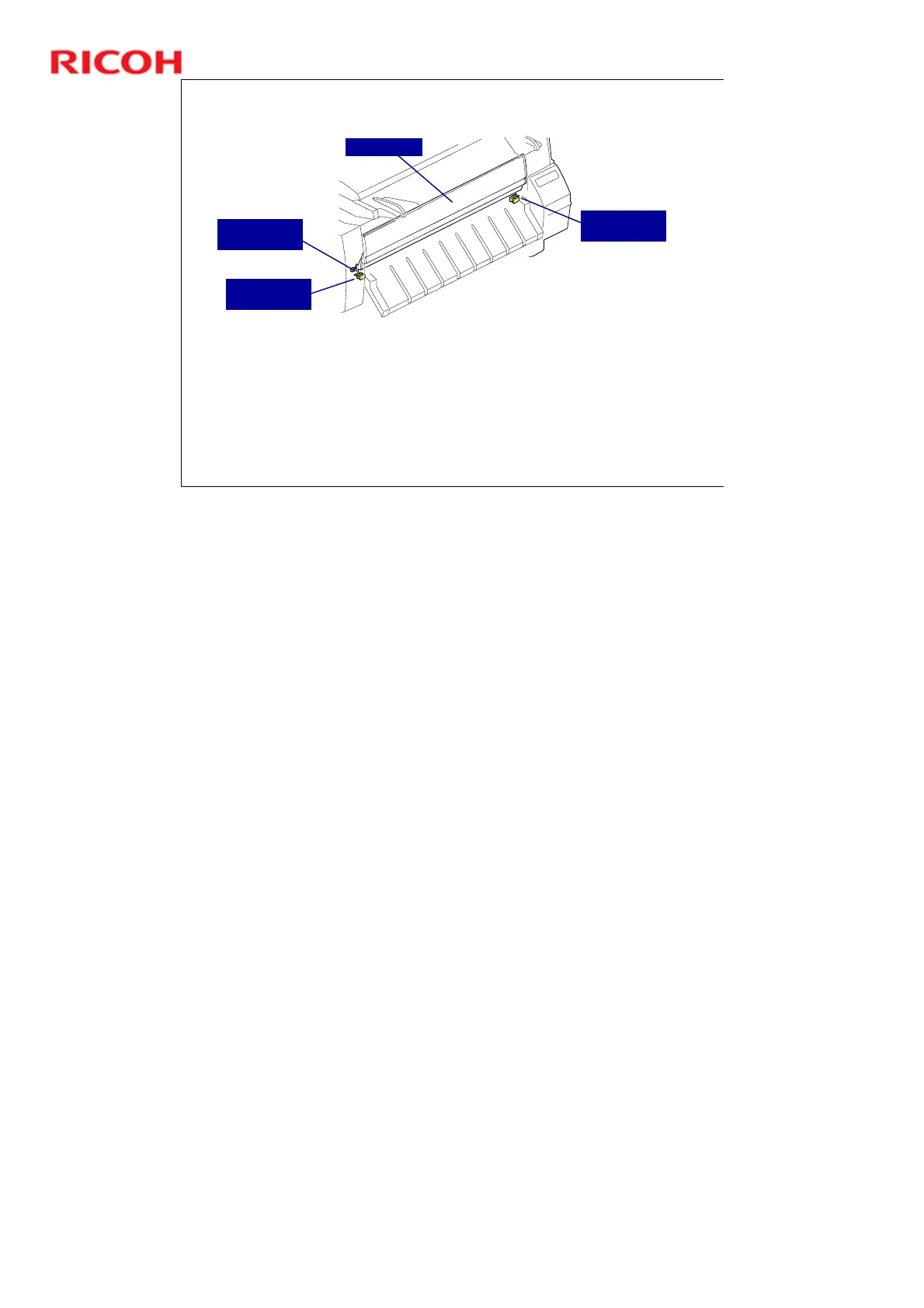
Front Cover - 3
If the front cover is opened during copying, the front cover track switch
opens first. When the machine detects this, the carriage slows down.
Then, when the left and right cover switches open, the carriage stops.
This mechanism ensures that the carriage will not stop suddenly if the
cover is opened.
The carriage will not start again until the track switch closes again.
Front Cover
Left Front
Cover Switch
Right Front
Cover Switch
Front Cover
Track Switch
No additional notes



 To Next Page