3.3 TONER DENSITY SENSOR REPLACEMENT
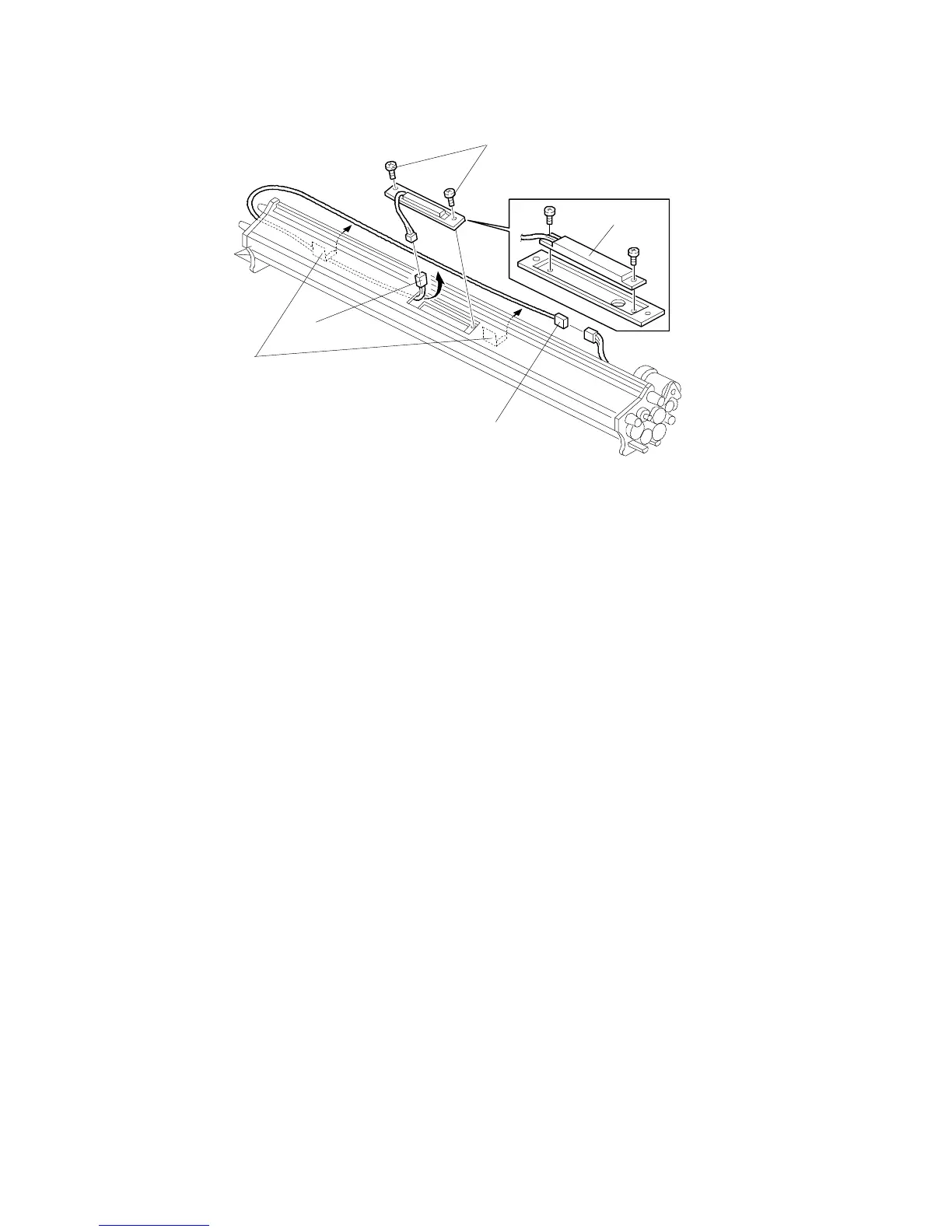
1. Remove the development unit.
2. Disconnect the harness connector [A] and take the harness from the 2
clamps [B].
3. Remove the 2 screws [C] of the toner density sensor holder.
4. Pull out the harness from the toner density sensor side until the relay
connector [D] appears.
5. Replace the toner density sensor [E] (2 screws and 1 connector).
[C]
[E]
[A]
[D]
[B]
SM 5-9 A163












 To Next Page