16
Appendix
2.2 Disc ejection
(1) Press the eject button
(2) Slowly take the disc out of the disc tray
(3) Press the eject button or push the disc tray and the tray will be brought
back into the drive.
After ejecting the disc, return the tray inside the unit quickly.
When the tray is in the ejected position, dust and other debris
will enter, possibly causing read errors, write errors, or drive
failure.
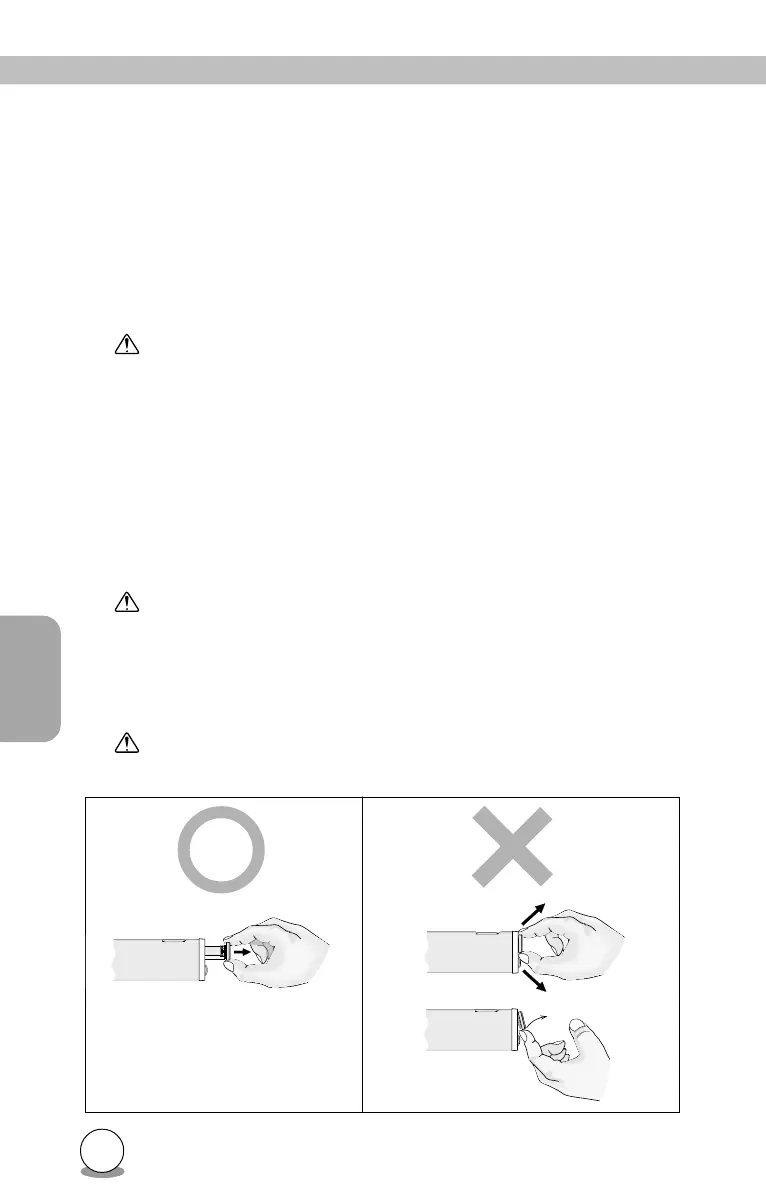
2.3 Emergency Eject
This drive has a function that allows the CD to be ejected manually if this
becomes necessary in an emergency such as failure of the drive or a
power outage. Follow the following procedures in such a case.
Don't use this feature except in an emergency.
(1) Turn the power to OFF.
(2) Pinch the disc tray door between the fingers, and slowly pull it straight
out.
This feature is a last measure to be used only in an emergency.
Using it excessively will cause malfunction.



 To Next Page