9
The MP 6200SR Series
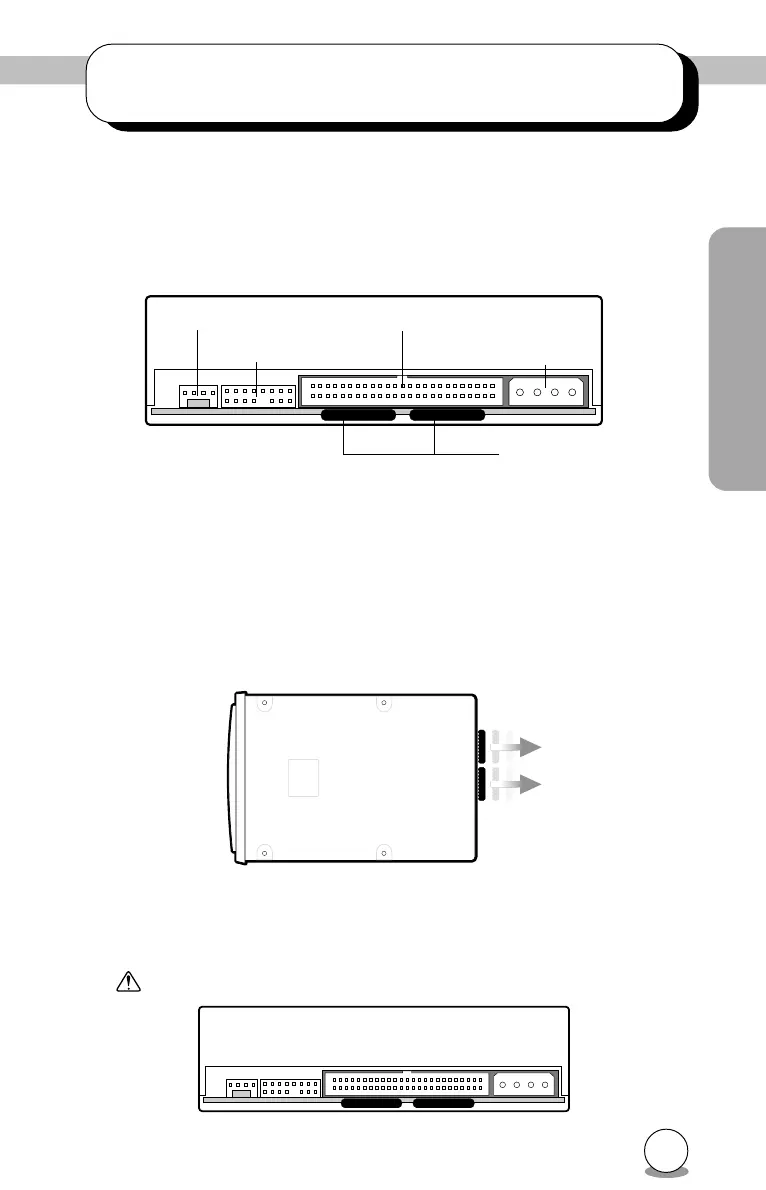
5. Terminator Settings
When no other SCSI peripheral devices besides the CD-R/RW drive are
connected to the host computer, a terminator must be attached to the drive.
Also, when multiple peripheral devices are connected, this drive needs a
terminator if it is the last in the line.
The terminator is attached when this unit is shipped from the factory. Re-
move and reattach it as needed.
5.1 Removal
Remove the terminator from the back of the unit by pulling it off in the
direction shown in the diagram.
5.2 Attachment
Be careful of the terminator attachment position at the back of the drive.
Pin 1 is on the side nearest the audio output connector.
Power connector
SCSI ID
SCSI connector
Audio output
Terminator
Front Back
Pull
Pin 1
Pin 1
Â
Â



 To Next Page