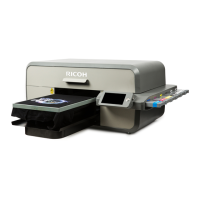
RICOH Ri 1000
User Maintenance Precautions
5-1 Error example 1
When CR
encoder error
(JAM) occurs
Do not leave the head positioned anywhere other than on
the maintenance unit. It may cause head nozzle clogging.
If the carriage unit gets stuck on the media on the table,
follow the steps below to recover.
(1) Remove the media.
(2) Press "CAP IN" displayed on the operation panel. The
carriage unit returns to the maintenance unit.
(3) Turn off and on the power and, restart.
―
5-2 Error example 2
When the ink
cartridge ends,
Or, Ink cartridge
not inserted
Do not leave the ink cartridge in the end state. Also, do not
leave the ink cartridge removed.
It may cause the ink pump to malfunction or the head
nozzle clogging. Replace it with a new ink cartridge as
soon as possible and check that it is in the "Ready" state.
Make sure you have spare inks available before you run
low.
<Ink cartridge ends state>
<Ink cartridge not inserted>
―
5-3 Error example 3
When the waste
ink bottle is full
Do not leave the waste liquid bottle full.
Since the automatic maintenance operation does not
operate, it may cause the head nozzle clogging.
―
5-4 Error example 4
Cover open
Do not leave the cover open.
Since the automatic maintenance operation does not
operate, it may cause the head nozzle clogging.
<Cover open state>
―



 To Next Page
 Loading...