EasyManua.ls Logo

Ricoh J011 - User Manual

Ricoh J011
670 pages
Print Icon
To Next Page IconTo Next Page
Loading...
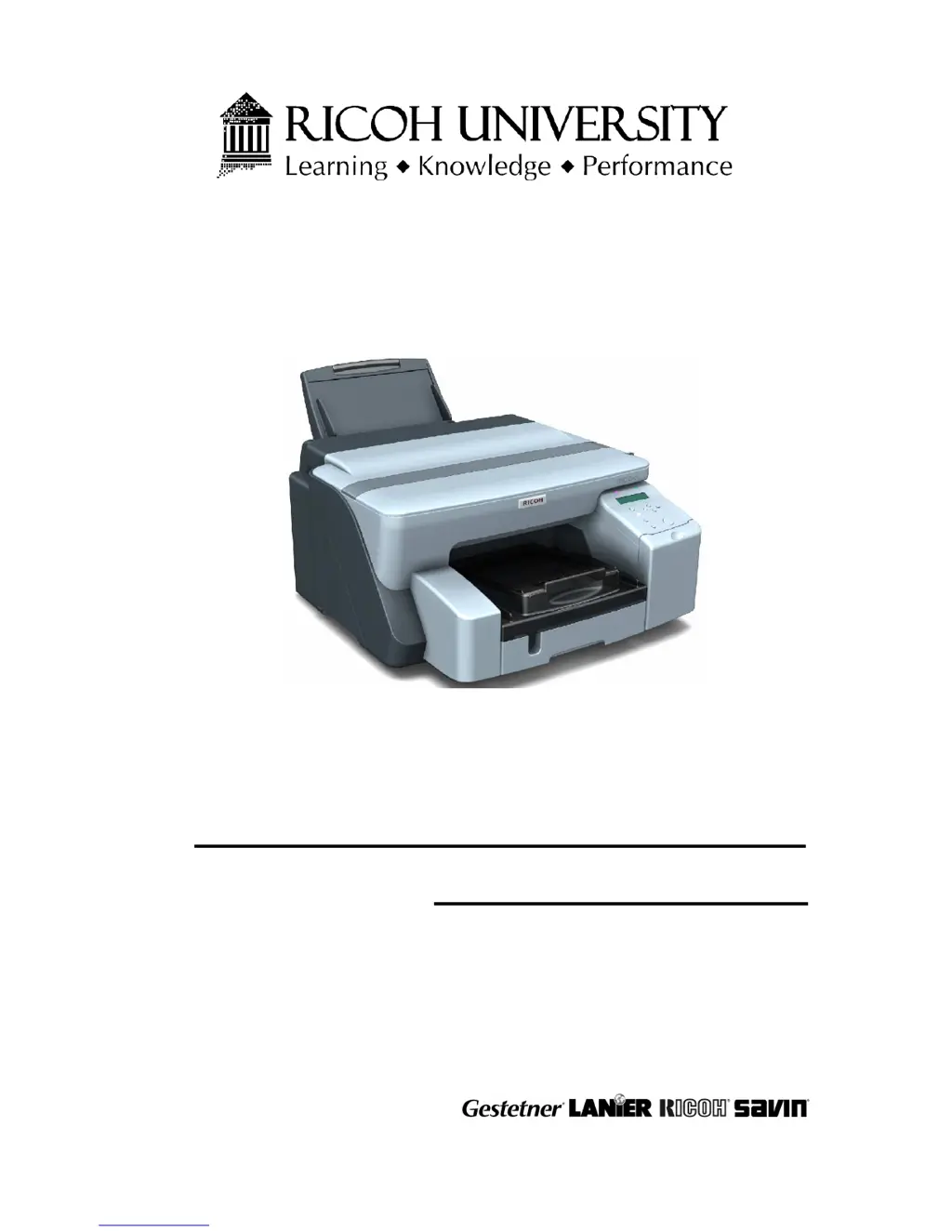
J001/J003/J006/J007/J010/J011
SERVICE MANUAL
002307MIU
CÓPIA NÃO CONTROLADA

Table of Contents

Other manuals for Ricoh J011

Questions and Answers

  • J
    James CollinsAug 19, 2025
    What to do if my Ricoh All in One Printer says 'SC978 Left ink collection tank'?
    • G
      greenaprilSep 12, 2025
      If your Ricoh All in One Printer displays the error 'SC978 Left ink collection tank', it means the ink collection tank sensor has detected a full condition. You can try cycling the printer off and on to see if that resolves the issue. If not, print the System Summary by pushing [Menu], selecting "List/Test Print" then push [#Enter] and check the Total Counter reading. If necessary, replace the left ink collection tank.
  • C
    Christopher SmithAug 21, 2025
    What to do if I see 'SC993 High voltage leak' on my Ricoh All in One Printer?
    • K
      Kaitlyn TownsendAug 21, 2025
      If your Ricoh All in One Printer shows the error 'SC993 High voltage leak', it means the leak detection signal went ON and didn't change, possibly due to ink or condensation on the transport belt. First, try cycling the printer off and on. Then, raise the top cover and inspect the transfer belt surface. You can also run the De-Condensation function by pushing [Menu], selecting "Maintenance"> "De-Condensation" to feed 3 sheets of blank paper through the paper path. Clean any ink from the transport belt. If the issue persists, the HVPS pack may need replacement.
  • T
    Tyler ChapmanAug 23, 2025
    How to fix 'SC994 Vertical motor error' on Ricoh All in One Printer?
    • J
      Jose JohnsonAug 23, 2025
      If your Ricoh All in One Printer displays the error 'SC994 Vertical motor error', it indicates that the vertical motor is not rotating, the encoder sensor signal did not change, or there is a paper jam. Try cycling the printer off and on. Also, remove any paper jams. If the problem continues, the encoder sensor or the vertical motor may need to be replaced.
  • B
    Beverly HoldenAug 26, 2025
    What causes 'SC996 No input from the horizontal encoder sensor' error on Ricoh All in One Printer?
    • M
      Maxwell SosaAug 26, 2025
      If your Ricoh All in One Printer shows the error 'SC996 No input from the horizontal encoder sensor', it could be due to several reasons: no input from the horizontal encoder sensor, the encoder sensor signal did not change, the encoder strip is dirty or scratched, or the horizontal motor is not rotating. First, try cycling the printer off and on. Confirm that the film encoder is not loose. If the issue persists, the horizontal motor may need to be replaced.
  • A
    Aaron CopelandAug 27, 2025
    How do I troubleshoot 'SC997 Horizontal encoder abnormal' on my Ricoh All in One Printer?
    • J
      Jessica RichardsonAug 27, 2025
      If your Ricoh All in One Printer displays the error 'SC997 Horizontal encoder abnormal', it means the encoder sensor signal did not change, or the encoder strip is dirty or scratched. To resolve this, start by cycling the printer off and on. If the problem persists, you may need to replace the encoder sensor. Also, check the encoder film position and the carriage FFC (Flat Film Connector).
  • E
    Edward ObrienAug 29, 2025
    Why is my Ricoh All in One Printer showing 'SC990 Ink level sensor feeler out of position'?
    • G
      Gregory MccoyAug 30, 2025
      If your Ricoh All in One Printer displays the error 'SC990 Ink level sensor feeler out of position', it could be due to the cap of the maintenance unit not rising toward the carriage. Try cycling the printer off and on. Clean the suction cap. If that doesn't work, consider replacing the horizontal encoder film strip or the maintenance unit. Also, check the position of the feelers attached to the sides of the tanks.
  • A
    Andrew Gutierrez Jr.Aug 31, 2025
    What does 'SC984 DRV circuit temperature abnormal' mean on my Ricoh All in One Printer?
    • C
      Crystal AndersonSep 1, 2025
      If your Ricoh All in One Printer displays the error 'SC984 DRV circuit temperature abnormal', it indicates that the signal from the temperature sensor on the control board did not change. Try cycling the printer off and on to see if it resolves the issue. Also, check the fan operation. If the problem persists, the control board may need to be replaced.
  • D
    daviscameronSep 3, 2025
    What to do if Ricoh All in One Printer displays 'SC973 EEPROM write error'?
    • D
      Diane BrownSep 3, 2025
      If your Ricoh All in One Printer displays the error 'SC973 EEPROM write error', it indicates that the NVRAM EEPROM is defective. First, try cycling the printer off and on. If the issue persists, you may need to replace the EEPROM (NVRAM) or the control board.
  • S
    Samuel RogersSep 5, 2025
    How to fix 'SC972 Flash ROM verify error' on Ricoh All in One Printer?
    • B
      Bobby YoungSep 5, 2025
      If your Ricoh All in One Printer displays the error 'SC972 Flash ROM verify error', it indicates a defective Flash ROM. Try cycling the printer off and on, and if the error persists, you may need to replace the control board.
  • D
    Dawn CookSep 7, 2025
    What causes 'SC971 Flash ROM write error' on Ricoh All in One Printer?
    • D
      Dennis HarveySep 7, 2025
      If your Ricoh All in One Printer displays the error 'SC971 Flash ROM write error', it indicates a defective Flash ROM. Try cycling the printer off and on. If the error persists, you may need to replace the control board.

Summary

1. Installation

1.1 Preparation

Details on preparing the printer for installation, including environmental factors.

1.2 Installation Procedure

Step-by-step guide for installing the printer and its components.

2. Preventive Maintenance

3. Replacement and Adjustment

3.2 Basic Removal Procedures

Step-by-step instructions for basic component removal.

3.7 Image Adjustment

Procedures for adjusting print quality and image alignment.

4. Troubleshooting

4.2 Self-Diagnostic Test Flow

Flowchart for diagnosing printer issues using self-diagnostic tests.

4.3 Service Call Errors

Lists and explains service call errors and their typical causes.

4.4 General Troubleshooting

Troubleshooting common problems like poor image quality and paper misfeeds.

4.4.2 Paper Misfeed

Detailed information on diagnosing and resolving paper misfeed issues.

4.4.3 Error Displays

Explains error messages indicated by LEDs and the display.

4.4.4 Poor Printer Performance (Miscellaneous)

Addresses various issues affecting printer performance.

4.5 Cleaning the Print Heads

Procedures for cleaning print heads to improve print quality.

7. Specifications

7.1 Specifications

General printer engine base specifications.

7.1.1 Printer Engine Base Specifications

Lists basic configuration, printing method, ink, and print head details.

7. Specifications (continued)

2. Paper Specifications

Details supported paper types, sizes, and feed sources for North America.

8. Displayed Messages

8.1 Jam Errors

Detailed troubleshooting for paper jams in Tray 1.

Ricoh J011 Specifications

General IconGeneral
BrandRicoh
ModelJ011
CategoryPrinter
LanguageEnglish

Related product manuals