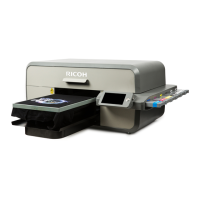
The RICOH Ri1000 Option Platen User Guide provides instructions for operating the RICOH Ri1000 Direct to Garment (DTG) printer with various optional platens, specifically the Hat Platen, Shoe Platen, and Sleeve Platen. This manual focuses on the printing methods and settings required when using these specialized platens, ensuring users can effectively print on non-flat or irregularly shaped items.
Function Description:
The RICOH Ri1000 is a direct-to-garment printer designed for high-quality printing on various textile items. The optional platens extend the printer's versatility, allowing it to print on items that would otherwise be difficult or impossible to print on with standard flat platens.
- Hat Platen: This platen is designed to hold hats securely, enabling printing on the curved surfaces of caps and other headwear.
- Shoe Platen: The shoe platen is specifically shaped to accommodate shoes, allowing for custom designs to be printed on footwear. The manual details how to set up printing for both individual shoes and pairs, including considerations for offset and scaling.
- Sleeve Platen: This platen is used for printing on sleeves of garments or other narrow, elongated items.
The core function of these platens is to provide a stable and correctly positioned surface for the items to be printed, ensuring accurate image placement and consistent print quality on challenging substrates. The manual guides users through the necessary software settings (Productionserver or AnaRIP) to adapt the print job to the specific platen type and item dimensions.
Usage Features:
The manual outlines a clear workflow for using the optional platens, primarily focusing on the software setup for printing.
- Software Integration: The printer integrates with RIP (Raster Image Processor) software such as Productionserver and AnaRIP. Users are instructed to start one of these applications and input their desired image.
- Platen Type Selection: A crucial step is selecting the correct platen type within the RIP software. For Hat, Sleeve, and Shoe platens, users must select the appropriate "Media size" (in Productionserver) or "Platen size" (in AnaRIP).
- Image Orientation (Hat Platen): For the Hat Platen, a specific caution is highlighted: the image is printed 180 degrees inverted from how it appears on the Productionserver display. Users are explicitly instructed to set a 180-degree rotation in the software to correct this. This ensures the final print on the hat is oriented as intended.
- Offset and Scaling (Shoe Platen): When using the Shoe Platen, users need to set "Offset/Scaling" parameters. This is particularly important for printing on both feet, where precise height, width, and X, Y offsets are required to align the images correctly on each shoe. The manual provides a table with recommended printable area dimensions and distances between printable areas for small, medium, and large shoe attachments, along with visual aids for setting these parameters in the software.
- Physical Setup and Height Adjustment: After software setup, the manual emphasizes the importance of installing a transparent mesh lid on the platen and setting the appropriate position and size based on confirmed values. Crucially, users are warned to lower the height of the platen according to the option platen being used. Failure to do so could result in the platen hitting the printer body, potentially causing damage.
- Initiating Print Jobs: Once all settings are configured in the RIP software and the physical platen is prepared, users initiate the print job from the printer panel by pressing the "Set" button.
Important Technical Specifications (implied from usage):
While explicit technical specifications like dimensions or weight of the platens are not provided in the excerpt, the manual implies certain operational parameters:
- Printable Area Dimensions: The Shoe Platen section provides specific printable area dimensions for different shoe attachment sizes:
- Small: 85 x 150 mm (Width x Height)
- Medium: 50 x 50 mm (Width x Height)
- Large: 60 x 60 mm (Width x Height)
- Offset Values: Recommended offset values (X and Y) are given for shoe attachments to ensure proper image placement, for example, X:20 Y:220 for small, X:40 Y:360 for medium, and X:40 Y:350 for large.
- Distance Between Printable Areas: For printing on both shoes, the manual specifies distances between printable areas: 205 mm for small, 40 mm for medium, and 40 mm for large shoe attachments.
- Rotation Capability: The software supports 180-degree image rotation, which is a critical feature for specific platen types like the Hat Platen.
- Media Size/Platen Size Options: The RIP software offers various platen size selections, including Medium (12.6 x 18 in), Large (16 x 19.6 in), Small (10.5 x 13 in), Hat (5.9 x 3.1 in), Sleeve (3.9 x 17.7 in), and Shoe (16 x 19.6 in). These indicate the maximum printable areas for each platen type.
Maintenance Features:
The provided excerpt does not detail specific maintenance features for the optional platens. However, general good practices for printer operation and longevity are implied through the "Notes" section in the "How to Read the Manuals" chapter:
- Careful Reading of Manuals: Users are advised to read the manual carefully and keep it handy for future reference, suggesting that adherence to operational guidelines is key to preventing issues.
- Safety Information: The importance of reading "Safety Information" before using the machine implies that proper handling and operation contribute to both user safety and machine maintenance.
- Genuine Parts and Ink: The manufacturer recommends using genuine parts and ink for good output quality and states that they will not be responsible for damage resulting from the use of non-genuine parts. This is a crucial aspect of maintenance, as using approved consumables and components helps maintain the printer's performance and prevents potential damage.
- Data Backup: Users are advised to always copy or back up data registered in the machine, indicating a focus on data integrity, which, while not direct hardware maintenance, is a critical aspect of overall system upkeep.
In summary, the RICOH Ri1000 Option Platen User Guide serves as a vital resource for users looking to expand the capabilities of their RICOH Ri1000 printer beyond standard flatbed printing. It provides clear, step-by-step instructions for configuring software settings and physically preparing the printer for specialized jobs on hats, shoes, and sleeves, emphasizing precision in setup to achieve high-quality results.

 Need help?

 To Next Page
 General