Quick Installation Guide
Lyninstallationsvejledning
Guia de Instalação Rápida
Rychlý průvodce instalací
Краткое руководство по установке
Kurzanleitung zur Installation
Guía de Instalación Rápida
Guia de Instalação Rápida
Gyors telepítési útmutató
Guide d’installation rapide
Verkorte Installatiehandleiding
Pika-asennusopas
Podręcznik szybkiej instalacji
Guida di installazione rapida
Hurtigveiledning for installasjon
Handbok för snabbinstallation
Hızlı Montaj Rehberi
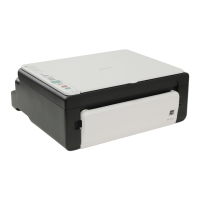
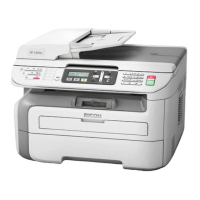
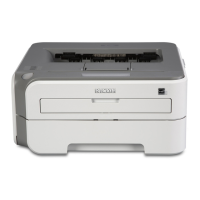
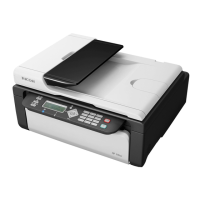
SP 110/110SU/110SF
/111/111SU/111SF
/112/112SU/112SF
SP 110/111/112
CXP056
Power Source / Stromquelle / Source d’alimentation / Alimentazione / Strømkilde /
Alimentación eléctrica / Stroombron / Strømkilde / Fonte de alimentação / Fonte de
alimentação / Virtalähde / Strömförsörjning / Napájení / Tápellátás / Źródło zasilania /
Güç Kaynağı / Параметры электрической сети
• 120 V, 50/60 Hz, 6 A
• 220 - 240 V, 50/60 Hz, 4 A
SP 110SF/111SF/112SF
CXP054
SP 110SU/111SU/112SU
CXP055
Read this manual carefully before you use the product and keep it handy for future reference. For safe and correct use, please
be sure to read the Safety Information before using the machine. This manual briefl y describes the procedure for installing
this machine. For more details about other information, see User Guide in the CD-ROM.
Lesen Sie diese Anleitung bitte sorgfältig, bevor Sie das Produkt verwenden, und bewahren Sie die Anleitung griffbereit auf.
Um einen sicheren und korrekten Gerätebetrieb zu gewährleisten, lesen Sie bitte die Sicherheitshinweise sorgfältig durch,
bevor Sie das Gerät verwenden. Dieses Handbuch beschreibt in Kurzform die Installation dieses Geräts. Weitere Einzelheiten
zu anderen Informationen fi nden Sie in der Anwenderanleitung auf CD-ROM.
Veuillez lire ce manuel avec attention avant d’utiliser l’appareil et conservez-le à portée de main pour une consultation ultéri-
eure. Afi n de garantir une utilisation correcte et sans danger, veuillez lire les consignes de sécurité avant d’utiliser l’appareil.
Le présent manuel décrit brièvement la procédure d’installation de cet appareil. Pour plus de détails relatifs à d’autres sujets,
reportez-vous au Guide utilisateur se trouvant sur le CD-ROM.
Si raccomanda di leggere attentamente questo manuale prima di usare il prodotto e di conservarlo in un luogo facilmente acces-
sibile per poterlo consultare in seguito. È sempre consigliabile leggere la sezione Informazioni sulla sicurezza per essere certi
di utilizzare la macchina in modo sicuro e corretto. Il presente manuale descrive brevemente la procedura per l’installazione
della macchina. Per informazioni, vedere la Guida per l’utente nel CD-ROM
Læs denne vejledning grundigt, inden maskinen benyttes, og opbevar den et lettilgængeligt sted. Husk først at læse sikkerheds-
oplysningerne for sikker og korrekt brug af maskinen. Denne vejledning beskriver proceduren for installation af denne maskine.
Oplysninger om andre emner fi ndes i brugervejledningen på cd-rommen.
Lea detenidamente este manual antes de utilizar el producto y téngalo a mano para futuras consultas. Para un uso correcto y
seguro, lea la Información de seguridad antes de utilizar esta máquina. Este manual describe brevemente el procedimiento de
instalación de la máquina. Para más información, consulte la Guía de usuario del CD-ROM.
Lees deze handleiding aandachtig door voor u dit product in gebruik neemt en bewaar deze op een handige plaats voor later
gebruik. Lees de veiligheidsinformatie door voordat u het apparaat in gebruik neemt. Zo weet u zeker dat u het apparaat veilig
en op de juiste wijze gebruikt. In deze handleiding wordt de procedure voor de installatie van dit apparaat in het kort beschreven.
Raadpleeg de Gebruikershandleiding op de cd-rom voor meer informatie.
Les denne brukerveiledningen nøye før du tar produktet i bruk, og oppbevar den lett tilgjengelig for fremtidig referanse. Av sik-
kerhetsårsaker og for å sikre korrekt bruk, bør du lese ”Sikkerhetsinformasjon” før du tar maskinen i bruk. Denne veiledningen
beskriver kort fremgangsmåten ved installasjon av maskinen. Du fi nner mer informasjon i ”Brukerveiledning” på CD-ROM-platen.
Leia cuidadosamente este manual antes de utilizar o produto e guarde-o num local acessível para consulta futura. Para uma
utilização segura e correcta, certifi que-se de que lê as Informações de Segurança antes de utilizar o equipamento. Este manual
descreve resumidamente o procedimento para instalação do equipamento. Para mais detalhes sobre outra informação, consulte
o Guia do Utilizador no CD-ROM.
Leia atentamente este manual antes de usar este produto e mantenha-o à mão para consulta futura. Para uma utilização
segura e correta, certifi que-se de ler as Informações de segurança antes de usar o equipamento. Este manual descreve
resumidamente o procedimento para instalar este equipamento. Para obter mais detalhes sobre outras informações, consulte
o Guia do usuário no CD-ROM.
Lue ohje huolellisesti ennen laitteen käyttämistä ja säilytä se helposti saatavilla. Varmista laitteen turvallinen ja oikea käyttö
lukemalla turvallisuustiedot ennen laitteen käyttämistä. Tässä oppaassa kerrotaan lyhyesti, miten laite asennetaan. Lisätietoja
saat cd-levyltä löytyvästä Käyttäjän oppaasta.
Läs den här handboken noga innan du använder produkten och förvara den nära till hands för framtida bruk. För säker och
korrekt användning ska du läsa ”Säkerhetsinformation” innan du använder maskinen. Den här handboken beskriver kort hur
du installerar maskinen. Mer information fi nns i Användarhandbok på CD-ROM-skivan.
Před použitím tohoto produktu si pečlivě přečtěte tuto příručku a potom ji uchovejte pro další použití. Pro bezpečné a správné
použití tiskárny si před zahájením práce pročtěte část Bezpečnostní informace. Tato příručka stručně popisuje postup instalace
tohoto zařízení. Více podrobností o jiných informacích najdete v Uživatelské příručce na CD-ROM.
A termék használata előtt fi gyelmesen olvassa el ezt a kézikönyvet, és tartsa könnyen hozzáférhető helyen. A biztonságos és
megfelelő üzemeltetés érdekében a készülék használata előtt olvassa el a Biztonsági tudnivalók-at. Ez az útmutató a készülék
telepítési eljárását mutatja be röviden. További részleteket a CD-ROM-on található felhasználói útmutatójában talál.
Przed rozpoczęciem użytkowania produktu należy uważnie przeczytać ten podręcznik i przechowywać go w łatwo dostępnym
miejscu, aby szybko znaleźć potrzebne informacje. Aby bezpiecznie i prawidłowo korzystać z urządzenia, patrz Zasady
bezpieczeństw. Ten podręcznik zawiera skrócony opis procedury instalowania urządzenia. Więcej informacji na temat innych
informacji, patrz Podręcznik użytkownika dostarczony na płycie CD-ROM.
Ürünü kullanmadan önce bu kılavuzu dikkatlice okuyun ve ileride bașvurmak amacıyla elinizin altında bulundurun. Güvenli
ve doğru kullanım için makineyi kullanmadan önce lütfen Güvenlik Bilgisi’ni okuduğunuzdan emin olun. Bu kılavuzda bu
makinenin kurulum prosedürü kısaca anlatılmaktadır. Bașka bilgiler hakkında daha fazla ayrıntı için, CD-ROM’daki Kullanıcı
Rehberi’ne bakın.
Перед началом эксплуатации продукта внимательно прочитайте данное руководство и сохраните его для
дальнейшего использования. В целях безопасного и правильного использования обязательно прочтите
руководство “Техника безопасности” перед началом эксплуатации аппарата. В настоящем руководстве
приведены краткие сведения по установке этого аппарата. Для получения другой информации см. руководство
пользователя на компакт-диске.



 To Next Page
 General