26 July 2002 MAIN PCB
B408-1
Peripherals
1. REPLACEMENT AND ADJUSTMENT
!CAUTION
Turn off the main power switch and unplug the machine before beginning
any of the procedures in this section.
NOTE: This manual uses the following symbols.
☛ : See or Refer to ! : Screws " : Connector # : Clip ring
$ : E-ring
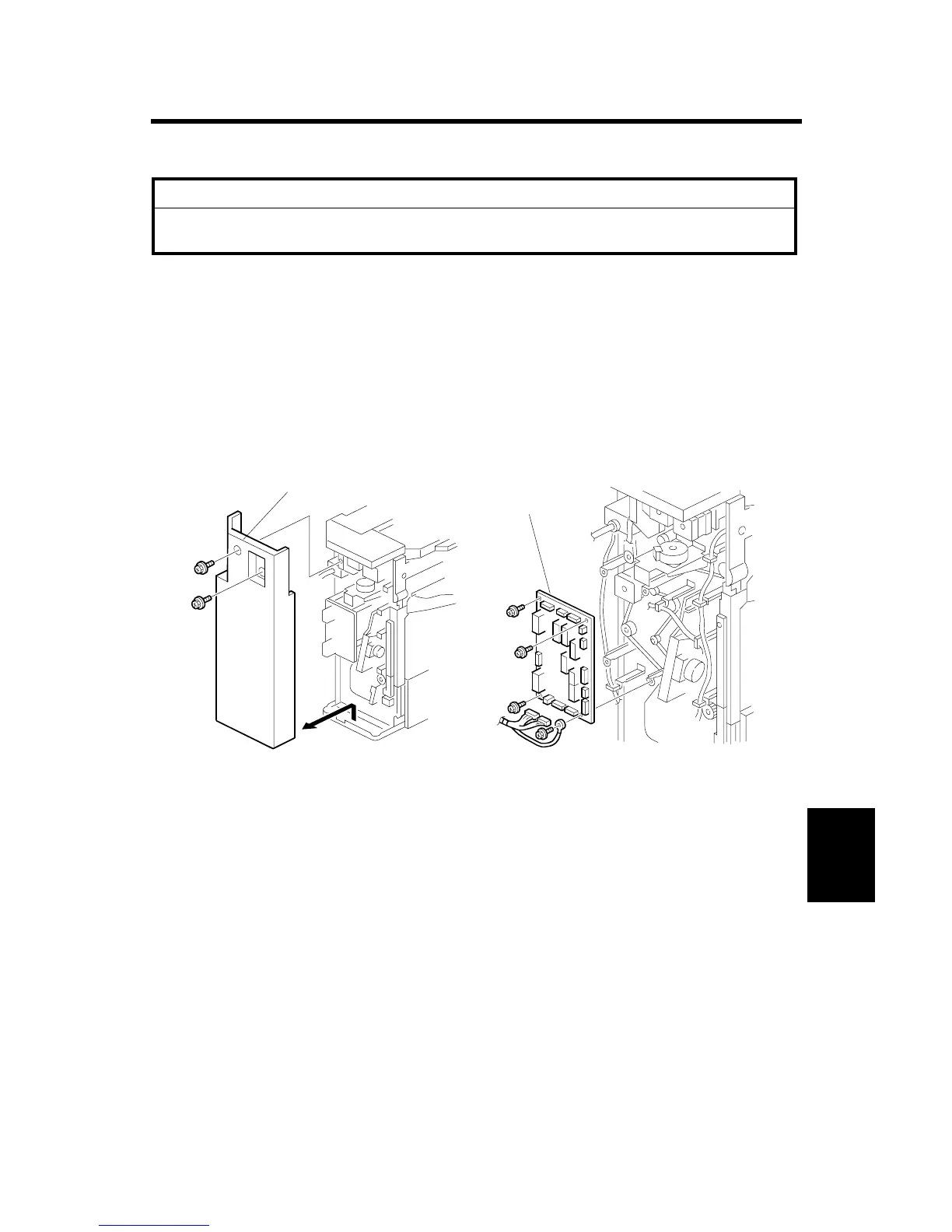
1.1 MAIN PCB
1. Rear cover [A] (! x 2)
2. Main PCB [B] (! x 4, All ")
B408R110.WMF
B408R109.WMF
[B]
[A]



 To Next Page