For the most up to date documents, bike models, additional information, instructional videos,
And more visit us at Ride1UP.com
NOTE: ◆ ALWAYS KEEP THE CHARGER PORT COVERED TO PROTECT AGAINST MOISTURE,
WHICH CAN DESTROY THE BATTERY. THIS IS ESPECIALLY IMPORTANT IF YOU LIVE IN A WET
CLIMATE.
4. Charging the Battery:
WARNING ◆ DO NOT LEAVE CHARGING BATTERY UNATTENDED
The battery’s voltage is indicated by the LED lights located on the top of the battery, and also on the
display unit located on the handlebars. Battery Level is indicated using 3 different colors; Blue when full,
Green when half or less than full, red when low battery. Your battery must be charged in an ambient
temperature, on a non-flammable & dry surface, away from any sources of heat, humidity or flammable
materials. Also, it must not be covered.
If you ever see a spark while charging your battery. Please inspect the charging port of the battery and
the tip of the charger. Please contact Support@Ride1UP.com and share pictures.
Follow the steps below when charging the battery:
Step 1. Turn the bike off. The LCD will be off.
Step 2. Plug the charger (which is off) into the socket and then insert the charger plug into the battery,
which is also off. Make sure the charger’s tip is not stressed or supporting the weight of the charger.
Do not wiggle the charger’s tip in the charging port of the battery.
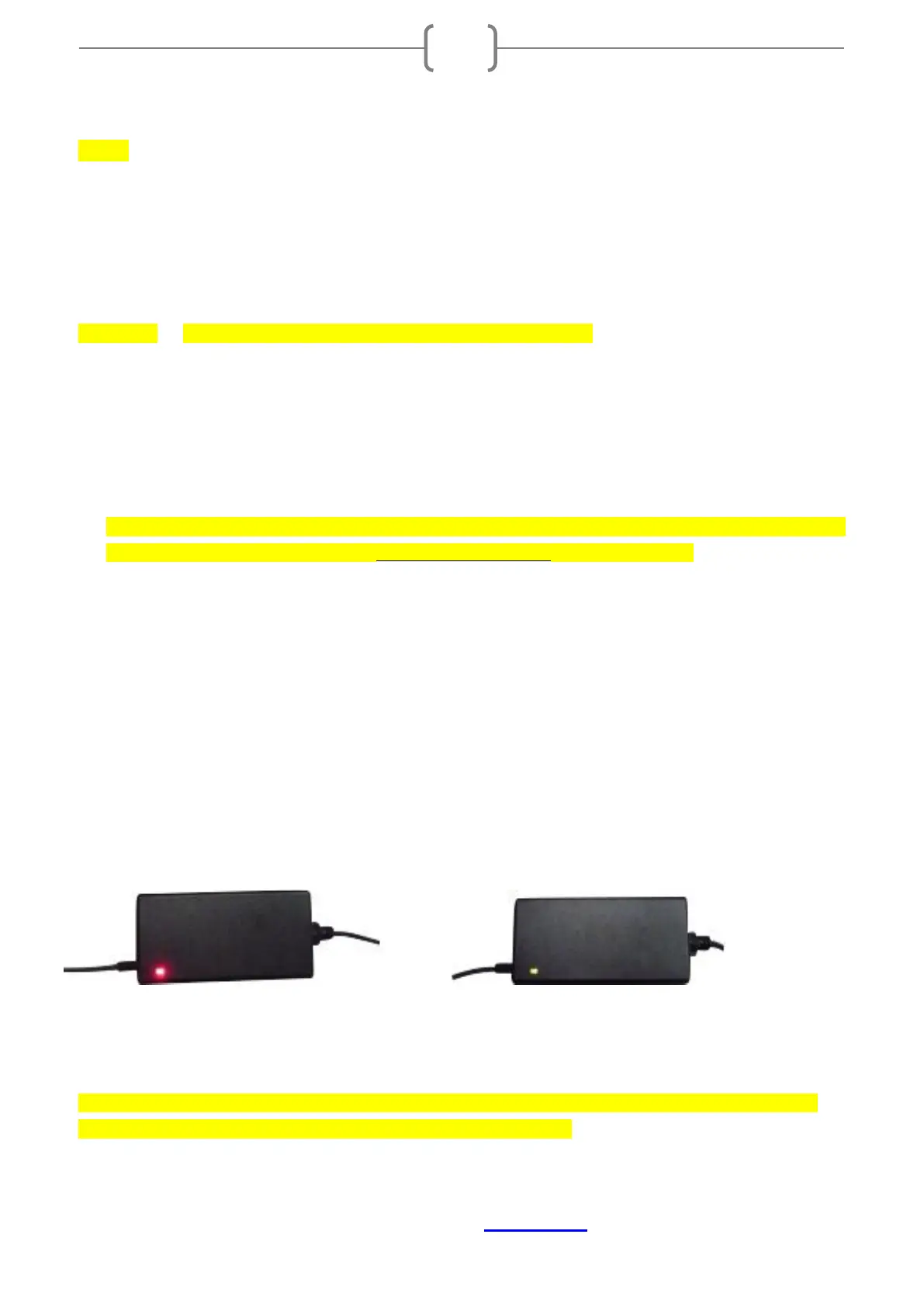
• The red LED lights on: The battery is being charged. ( A )
• The red LED light becomes green: The battery is fully charged, and you can unplug the charger.
(Figure B)
(A) (B)
NOTE: Depending on the charge level when plugged in, it takes 3-6 hours for the battery to fully
charge when using the standard charger supplied with the bike.


 To Next Page