For the most up to date documents, bike models, additional information, instructional videos,
and more visit us at Ride1UP.com
5.2 LCD KM/H to MPH:
To change from KMH to MPH and adjust other settings, turn on the display, within 10 seconds press and
hold the M button to enter the settings menu. This will open the display’s initial menu. Use up down buttons
to select “Unit”. Press the M button to select. Select your preferred units. Make sure your settings are saved.
6. Error Code Troubleshooting:
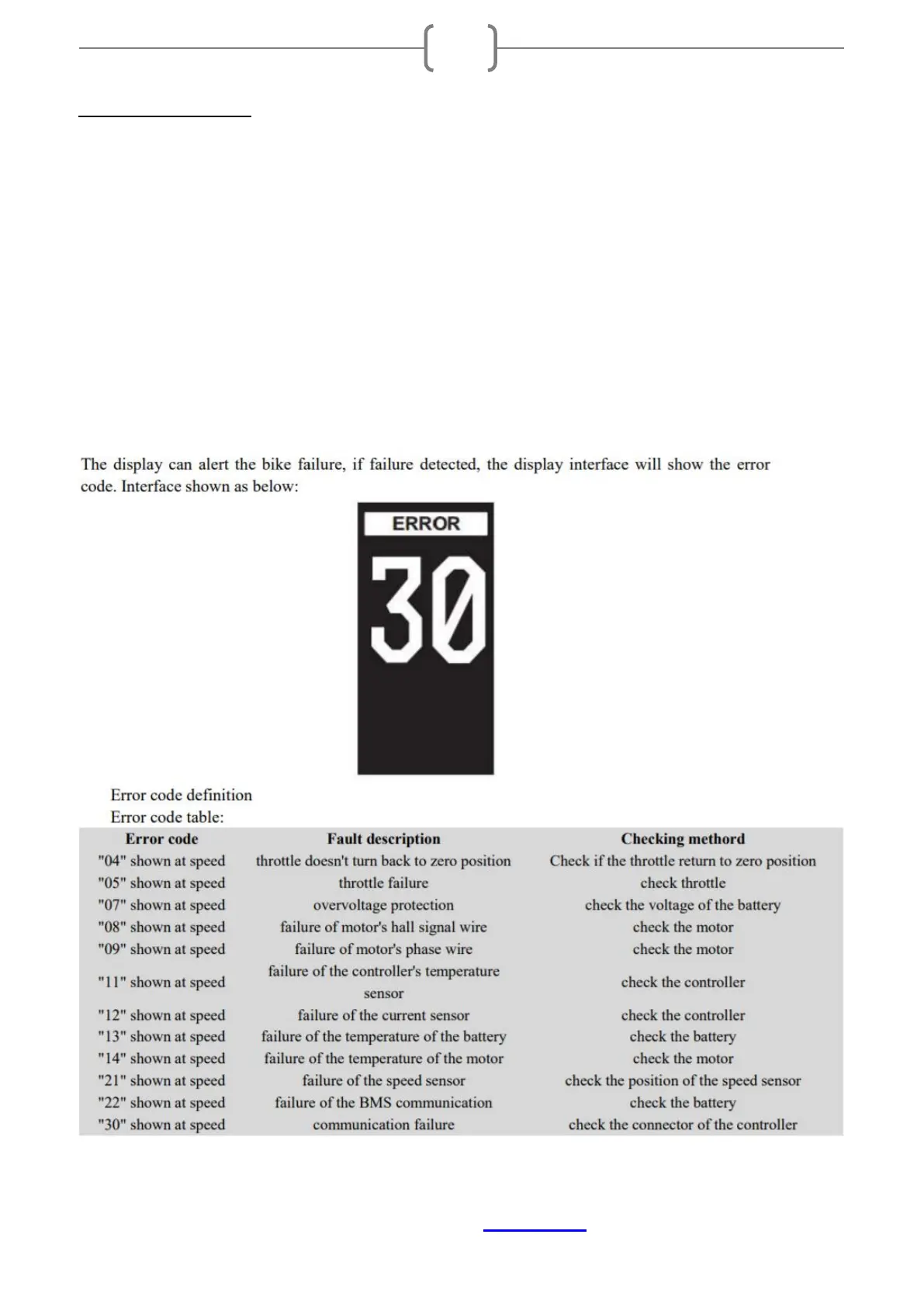
In the event of a problem with the electrical components of your bike, the display will show an error code.
The error code may only appear briefly when the problem occurs. If an error occurs and you can do so safely,
glance at your screen to see if an error code is present. Compare the code with this list below and how to
resolve:


 To Next Page