EasyManua.ls Logo

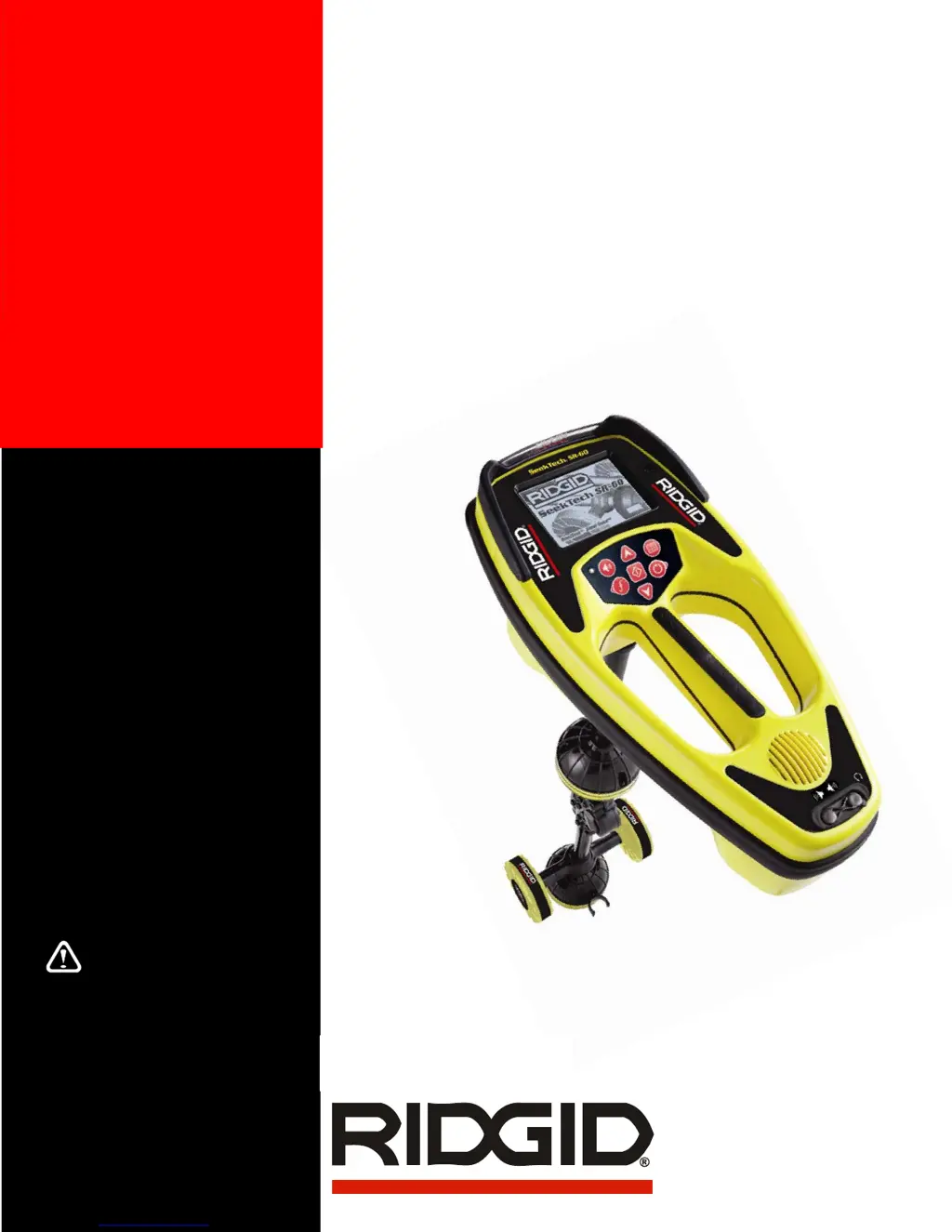
RIDGID SeekTech SR-60 - User Manual

RIDGID SeekTech SR-60
51 pages
Print Icon
To Next Page IconTo Next Page
Loading...
WARNING!
Read this operator’s manual
carefully before using this
tool. Failure to understand
and follow the contents of
this manual may result in
electrical shock, fire and/or
serious personal injury.
SeekTech
®
SR-60
Pipe, Cable and Sonde Locator
Operator’s
Manual
Patents Pending

Other manuals for RIDGID SeekTech SR-60

Questions and Answers

  • J
    Jeremiah GordonSep 3, 2025
    Why is the distance unequal between Sonde and either Pole on my RIDGID Diagnostic Equipment?
    • L
      lewisjasonSep 3, 2025
      The distance between the Sonde and either Pole may not be equal if the Sonde is tilted or if there is a cast-iron-to-plastic transition.
  • M
    Marc BrownSep 2, 2025
    How to fix no sound on RIDGID Diagnostic Equipment?
    • S
      Sandra SmithSep 2, 2025
      If there is no sound on your RIDGID Diagnostic Equipment, adjust the sound level in the sound menu. Also, verify that the Proximity Signal is greater than zero.
  • D
    David SmithAug 31, 2025
    What to do if my RIDGID Diagnostic Equipment acts erratic and won’t power down?
    • K
      Karen SimpsonAug 31, 2025
      If your RIDGID Diagnostic Equipment is acting erratically and won’t power down, replace the batteries with fresh ones and try powering it on again.
  • S
    Shannon SmithAug 29, 2025
    Why is the display dark or light on my RIDGID Diagnostic Equipment?
    • V
      vhutchinsonAug 29, 2025
      If the display on your RIDGID Diagnostic Equipment appears completely dark or completely light when switched on, try powering the unit off and then back on. If the issue persists, adjust the LCD screen contrast.
  • S
    Sean JohnsonAug 28, 2025
    What to do if my RIDGID Diagnostic Equipment SR-60 will not power on?
    • M
      Mrs. Alyssa BaldwinAug 28, 2025
      If your RIDGID Diagnostic Equipment SR-60 will not power on, check the orientation of the batteries and ensure they are charged. Also, inspect the battery contacts to make sure they are in good condition. It is possible that the unit may have blown a fuse, requiring factory service.
  • T
    Tracey PatelAug 26, 2025
    How to fix RIDGID Diagnostic Equipment SR-60 when it locks up?
    • N
      nathaniel86Aug 27, 2025
      If your RIDGID Diagnostic Equipment SR-60 locks up during use, power the unit off, and then back on. If the unit will not switch off, remove the batteries. If batteries are low, replace them.
  • M
    Mary JohnsonAug 25, 2025
    What to do if my RIDGID Diagnostic Equipment SR-60 will not pick up the signal?
    • A
      Amanda GravesAug 25, 2025
      If your RIDGID Diagnostic Equipment SR-60 isn't picking up a signal, verify that you've set the correct mode and frequency. Examine the circuit for potential improvements. Consider relocating the transmitter, changing the grounding or frequency, or adjusting the Signal Focus Control settings.
  • C
    campbelldanielAug 22, 2025
    Why are lines jumping all over the screen on my RIDGID Diagnostic Equipment while tracing?
    • M
      Mrs. Margaret ReedAug 23, 2025
      If lines are jumping all over the screen while tracing with your RIDGID Diagnostic Equipment, it could be due to a weak signal or interference. Ensure the transmitter is well connected and grounded, and point the SR-60 at either lead to ensure a complete circuit. You can also try using a higher frequency, connecting to a different point in the line, or switching to inductive mode. Attempt to identify and eliminate any sources of noise, like bonded grounding. Finally, check that the SR-60 batteries are fresh and fully charged.

Summary

Operators Manual

SeekTech SR-60 Pipe, Cable and Sonde Locator

Title of the operator's manual for the SeekTech SR-60.

Safety Warnings

General Safety Instructions

Essential safety guidelines to follow before operating the SR-60.

General Safety Information

Work Area, Electrical, and Battery Safety

Covers safety precautions for the work environment, electrical hazards, and battery handling.

Personal Safety Precautions

Guidelines for operator safety including alertness, protective gear, and traffic awareness.

SR-60 Use and Care

Service and Repair Information

Details on how to service and repair the SR-60 unit.

SR-60 Components Overview

Introduction and SR-60 Modes

Getting Started

Initial steps for setting up and using the SR-60.

SR-60 Operating Modes

Description of the three primary operating modes: Active, Passive, and Sonde.

Display Elements Explained

Overview of the elements displayed on the SR-60 screen.

Display Element Details

Common Display Elements

General display elements visible across different SR-60 modes.

Line Trace Mode Display

Specific display elements for Active and Passive Line Tracing modes.

Sonde Mode Display and Frequencies

Sonde Mode Display Elements

Unique display elements specific to Sonde locating.

Default Frequencies

List of default frequencies available for SR-60 operation.

Keypad and Frequency Management

Keypad Functions

Detailed explanation of the SR-60 keypad buttons and their functions.

Frequency Selection and Management

How to select, activate, and manage frequencies for SR-60 use.

Operation Time and Startup

Operation Time and Battery Warnings

Information on battery life and low battery indicators.

SR-60 Setup Procedures

Activating Frequencies

Process for making frequencies available for use.

Line Tracing Methods

Active Line Tracing

Procedure for tracing lines using a transmitter.

Key Locating Indicators

Explanation of key indicators used for line tracing.

Depth Measurement and Warnings

Measuring Depth (Line Tracing)

How to measure depth accurately in line tracing modes.

Depth Measurement Warnings

Conditions that affect depth reading accuracy.

Signal Readings and Tracing Tips

Current;Signal Angle, Clipping, and Optimization

Understanding signal readings and optimizing tracing.

Passive Line Tracing

OmniSeek Locating Capability

Using OmniSeek for simultaneous passive frequency band detection.

Sonde Locating Guide

Operating Tips for Passive Line Tracing

Guidance for effective passive line tracing.

Sonde Locating Steps

Step 1: Localize the Sonde

First step in locating a sonde: finding its general area.

Step 2: Pinpoint the Sonde

Second step: precisely locating the sonde using poles and equator.

Step 3: Verify the Sonde Location

Final step: confirming the sonde's location for accuracy.

Sonde Orientation and Tilt

Sonde Depth, Clipping, and SimulTrace

Measuring Depth (Sonde Mode)

How to measure depth when locating a sonde.

SimulTrace Mode Operation

Using SimulTrace to trace pushcable and sonde simultaneously.

Custom User Frequencies Setup

Menus and Settings Overview

Menu Options Control

Controlling various SR-60 settings through the menu system.

Display Element Configuration

Frequency Selection Control

Managing available frequencies for SR-60 operation.

Back Light Control

Adjusting the SR-60's screen backlight settings.

Display Element Features

LCD Contrast Adjustment

Adjusting the screen contrast for better readability.

Advanced Display Features

Race Track, Watermark, and Signal Focus

Configuring visual indicators like Race Track, Watermark, and Signal Focus.

No-Signal Icon and Suppression

Using the No-Signal icon to reduce display confusion.

Signal Muting and Tracing Line Settings

Tracing Line Response Options

Adjusting the Tracing Line's distortion display sensitivity.

Frequency Selection Control Sub-Menu

Accessing and managing frequencies within the menu.

Information Screen and Factory Defaults

SR-60 Menu Tree Structure

Informational Locating Principles

Operating with Distortion Line

Using the distortion line for field analysis.

Notes on Locating Accuracy

Factors affecting the accuracy of locating measurements.

Omnidirectional Antenna Advantages

SR-60 Maintenance and Handling

Transportation and Storage

Proper procedures for transporting and storing the SR-60.

Installing and Using Accessories

Guidance on installing and using SR-60 accessories.

Service and Repair Procedures

Maintenance and Cleaning Guide

Instructions for cleaning and maintaining the SR-60.

Icons and Symbols Reference

Glossary of Terms

Trouble Shooting Guide

Specifications and Equipment

Default Settings

Default operational settings for the SR-60.

Standard Equipment

List of standard items included with the SR-60 locator.

Optional Equipment

List of optional accessories available for the SR-60.

Available Frequencies Table

Manufacturers Frequency Table

RIDGID SeekTech SR-60 Specifications

General IconGeneral
DisplayLCD
Operating Temperature-4°F to 122°F (-20°C to 50°C)
Battery LifeUp to 12 hours
Mapping DisplayYes
Omnidirectional AntennasYes
GPSNo
Power SourceRechargeable battery
Depth RangeUp to 15 ft (4.5 m)
Water ResistanceIP54

Related product manuals