48
INSTALLATION
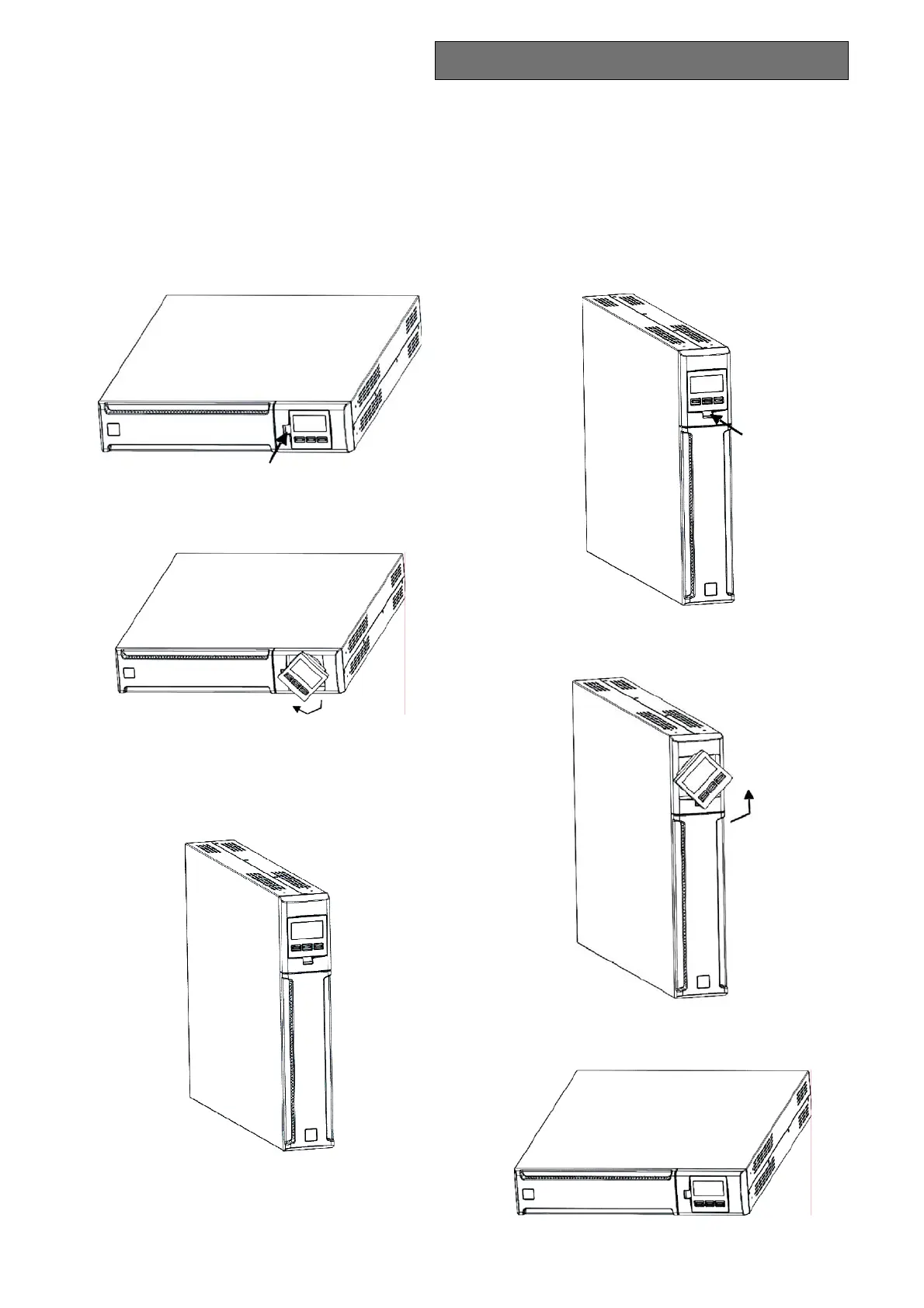
POSITIONING THE FRONT PANEL LCD FOR DVD MODELS
The DVD LCD can be rotated to suit the kind of installation (rack or tower).
The information below explains how to rotate the display:
A. From Rack to Tower
1. Place the UPS flat and press the key shown
2. Rotate the LCD display 90°
3. Reinsert the display in its housing
B. From Tower to Rack
1. Place the UPS flat and press the key shown
2. Rotate the LCD display 90°
3. Reinsert the display in its housing



 To Next Page