Troubleshooting
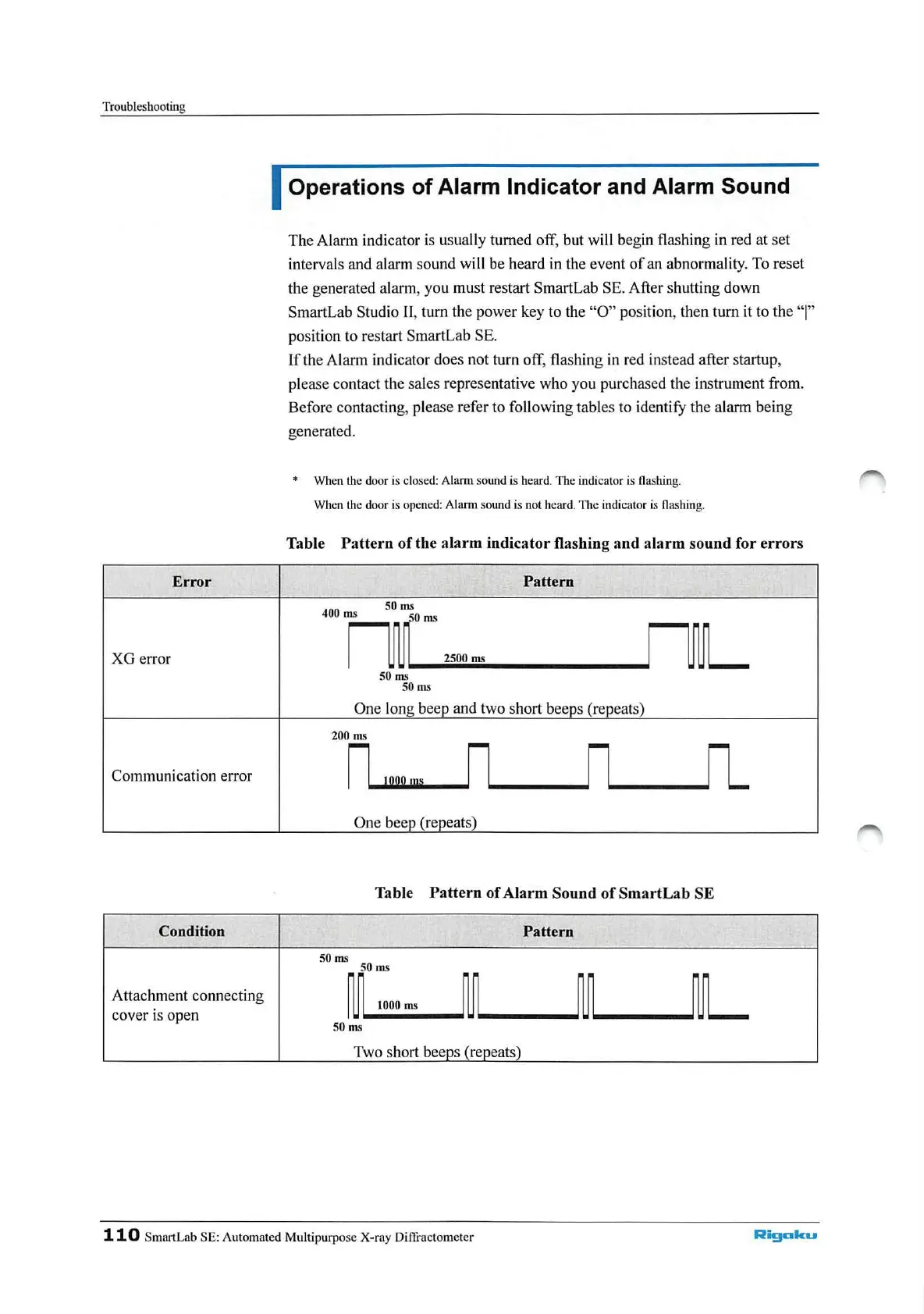
Error
XG
error
Communication error
Condition
Attachment connecting
cover is open
Operations of Alarm Indicator and Alarm Sound
The Alarm indicator is usually turned
off
, but will begin
fl
ashing in red at
set
intervals and alarm sound
wi
ll be heard in the event
of
an abnormality. To reset
the generated alarm, you must restart SmartLab SE. After shutting down
SmartLab Studio
11
, turn the power key to the
"O"
position, th
en
turn it to the "I"
position to restart SmartLab SE.
If
the Alarm indicator does not turn
off
, flashing in red
in
stead after startup,
please contact the sales representative who
yo
u purchased the instrum
ent
from.
Before contacting, please refer to following tables to ide
ntif
y the alarm b
eing
generated.
* When the door is close
d:
Alarm
so
und
is
heard. The indicator is
fl
ashing.
When the door is opened: Al
ann
sound is not heard. T
he
indicator
is
fla
shing.
Table
Pattern
of
the alarm indicator flashing and al
arm
sound for
errors
Pattern
400
ms
SO
ms
50 ms
2500
ms
50
ms
SO
ms
One Ion
200 ms
n
10
9Qu,s
n
__
n
__
n_
One bee (re eats)
Table
Pattern
of
Alarm Sound
of
SmartLab
SE
Pattern
SO
ms
SO
ms
~
1000
ms
~
~
L
50
ms
Two short beeps (repeats)
110
SmartLab
SE:
A
uto
mated Multipurpose
X-ray
Diffracto
meter
Rigaku



 To Next Page