Contact us at support@RIGDOO.tech
delete photos and cannot prevent data loss due to memory card
failure.
6) [Export files]: Export files from the memory card to
computer.
Turn off the camera, connect the USB cable.
HT-20 screen has displayed " MSDC " is indicated it has entered
the connection mode.A new removable disk will be displayed in
your computer.
At this point you can access the files on the memory card ,
just like you would use any other storage device.
HT-20's USB port also supports smartphone connection.
However. It requires you to purchase a separate OTG component
for expanding the smartphone interface to ensure connection to
the camera. (Type-C or Micro USB)
INSTALLATION
If you want to put the camera on a tree.
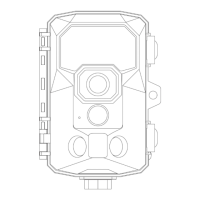
To install the back bracket onto the camera, follow these steps:
Locate the bottom nut on the camera.
Align the back bracket with the bottom nut.


 To Next Page