Contact us at support@RIGDOO.tech
10. Q: What kind of memory card should I buy for HT-20?
A: HT-20 uses SD card.
Type: CLASS 10, Less than 256 GB. Most SD cards below 256GB can
be used on the HT-20.
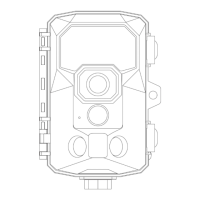
11. Q: How to determine whether the camera sensor is working
Properly?
A: To check the functionality of the camera sensor, please follow
these steps:
Refer to the instructions provided in the QUICK START GUIDE chapter
to set up your HT-20 camera.
Once the camera is configured, switch the power switch to the TEST
mode.
After approximately 15 seconds, walk in front of the camera within its
monitoring range.
Observe if the blue light on the camera flashes when motion is
detected.(The primary PIR will light up in red and the secondary PIR will
light up in blue)
If the blue light flashes, it indicates that the camera's infrared motion
sensor is working correctly.
This method also helps you adjust the direction and angle of the
HT-20 camera and determine if the current location is within its
monitoring range.
By following these steps, you can assess the proper functioning of the
camera sensor, ensure its motion detection capabilities, and verify the
monitoring range of the HT-20 camera.
12. Q: How to use OTG?
A: To connect the camera to an external device, an OTG-enabled


 To Next Page