EasyManua.ls Logo

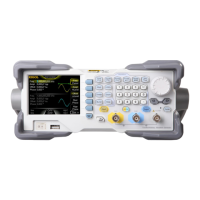
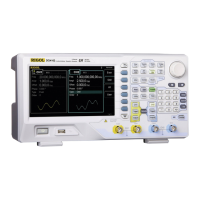
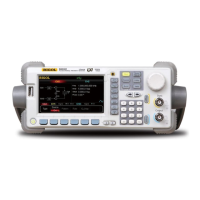
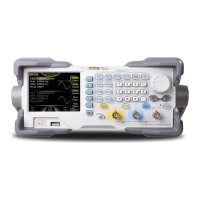
Rigol DG1062Z - User Manual

Rigol DG1062Z
180 pages
Print Icon
To Next Page IconTo Next Page
Loading...
RIGOL
Users Guide
DG1000Z Series Function/Arbitrary
Waveform Generator
Oct. 2016
RIGOL TECHNOLOGIES, INC.

Table of Contents

Other manuals for Rigol DG1062Z

Questions and Answers

  • O
    ochavezAug 1, 2025
    What to do if my Rigol DG1062Z settings are correct but no waveform is generated?
    • M
      Michael CardenasAug 1, 2025
      If your Rigol Inverter's settings are correct but no waveform is being generated, verify the following: * Ensure the BNC cable is securely connected to the appropriate channel output terminal ([CH1] or [CH2]). * Inspect the BNC cable for any internal damage. * Confirm the BNC cable is tightly connected to the test instrument. * Check if the backlight of Output1 or Output2 is illuminated; if not, press the corresponding key. After these checks, select “Last” in Utility ? System ? Power On and restart the instrument.
  • P
    perezwilliamAug 6, 2025
    How to adjust screen brightness on Rigol Inverter?
    • J
      Jennifer ThomasAug 6, 2025
      If the screen of your Rigol Inverter is too dark, it might be due to low brightness and contrast settings. To adjust this, go to Utility ? System ? Display to access the display settings menu. From there, select Bright and contrast and use the numeric keyboard or direction keys and knob to increase the brightness and contrast to suitable levels.
  • C
    Charles SuttonAug 12, 2025
    Why my Rigol Inverter does not recognize USB storage device?
    • M
      martinmarkAug 12, 2025
      If your Rigol Inverter's USB storage device isn't being recognized, first check if the USB device works correctly with other instruments or a PC. Ensure the USB storage device is formatted as FAT32 and is a flash type, as the generator does not support hardware USB storage devices. If problems persist, restart the instrument and reinsert the USB storage device.
  • J
    Joe HillAug 16, 2025
    What to do if Rigol DG1062Z screen is dark after pressing the power key?
    • A
      Amy ColeAug 16, 2025
      If the screen of your Rigol Inverter remains dark after pressing the power key, ensure the power is correctly connected and that the power key is fully pressed. After checking these, restart the instrument.
  • S
    Steven JacobsAug 22, 2025
    How to unlock Rigol DG1062Z Inverter?
    • M
      michelle09Aug 22, 2025
      If your Rigol Inverter is locked, it may be in remote mode, indicated by an icon in the status bar. To exit remote control mode and unlock the front panel, press Help. Alternatively, restarting the generator can also unlock it.
  • F
    fparkNov 25, 2025
    Why Rigol DG1062Z performance verification test is not passed?
    • S
      Sharon BryanNov 25, 2025
      If the performance verification test for your Rigol Inverter fails, check the following: * Ensure the generator is within its calibration period (1 year). * Confirm the generator has warmed up for at least 30 minutes before the test. * Verify the generator is operating under the specified temperature and not in a strong-magnetism environment. * Check for strong interference in the power supplies of the generator and test system. * Ensure the test device's performance meets requirements and is within its calibration period. * Confirm all connections are tight and cables are free from internal damage. * Verify operations conform to the performance verification manual's settings and processes. * Check for faults in error calculation and understand the definition of “typical v...

Summary

Guaranty and Declaration

Copyright Information

Legal notice regarding copyright ownership of the manual.

Trademark and Publication Details

Information on RIGOL trademarks and publication number.

Important Notices and Disclaimers

Key notices about product modifications, liability, and usage.

Product Certification and Contact

Details on product standards compliance and contact information for support.

Safety Requirement

General Safety Summary

Essential safety precautions to prevent personal injury and equipment damage during operation.

Safety Notices and Symbols

Explanation of safety notices and symbols used in the manual and on the product.

Care and Cleaning

Instrument Care Guidelines

Recommendations for proper storage and handling to maintain instrument condition.

Cleaning Procedures

Instructions for cleaning the external surfaces and LCD of the instrument safely.

Environmental Considerations

Product End-of-Life Handling

Guidelines for responsible recycling and disposal of the instrument.

DG1000 Z Series Overview

Key Features and Capabilities

Highlights the main features and functionalities of the DG1000Z series generator.

Document Overview

Manual Contents Outline

Lists the chapters and main subjects covered within the user's guide.

Format Conventions Explained

Clarifies the formatting used for buttons, menus, and operation steps in the manual.

Chapter 1 Quick Start

Initial Inspection Procedures

Steps for inspecting packaging, instrument, and accessories upon receipt.

Handle Adjustment

Instructions for adjusting the instrument's carrying handle to desired positions.

Appearance and Dimensions

Visual representation and measurements of the instrument's physical layout.

Front Panel Overview

Detailed description of all controls, connectors, and indicators on the front panel.

Rear Panel Overview

Detailed description of all connectors and indicators on the rear panel.

Power On and Initial Setup

Steps for connecting power, turning on the instrument, and initial checks.

User Interface Navigation

Explains the different display modes and elements of the instrument's interface.

Using the Built-in Help System

Guide on accessing and utilizing the instrument's integrated help features.

Chapter 2 Front Panel Operations

Basic Waveform Operations

Covers outputting, selecting, parameterizing, and aligning basic waveforms.

Arbitrary Waveform Operations

Procedures for outputting, selecting, and configuring arbitrary waveforms.

Harmonic Signal Generation

Steps to configure and generate harmonic output signals.

Modulation Functionality

Details on AM, FM, PM, ASK, FSK, PSK, and PWM modulation types.

Sweep Functionality

How to configure frequency sweep, type, timing, and trigger sources.

Burst Functionality

Procedures for generating burst waveforms with specified parameters.

Counter Operation and Settings

How to enable and configure the instrument's built-in counter.

Store and Recall Operations

Managing instrument states and arbitrary waveforms using internal/external memory.

Seamless Interconnection with Oscilloscope

Connecting the generator to an oscilloscope for data transfer and analysis.

Utility and System Settings

Accessing and configuring instrument settings like language, system info, I/O, and display.

Option Installation and Keyboard Lock

Procedures for installing optional features and locking the front panel keyboard.

Chapter 3 Remote Control

Remote Control Methods Overview

Describes user-defined programming and PC software control for remote operation.

Remote Control via USB

Steps for connecting and controlling the generator via the USB interface.

Remote Control via LAN

Setup and control procedures for the generator over a local area network.

Remote Control via GPIB (Option)

Instructions for connecting and controlling the generator using a GPIB interface converter.

Chapter 4 Troubleshooting

Display and Lock Issues

Solutions for screen display problems and generator lockups.

Waveform and USB Recognition Issues

Troubleshooting steps for no waveform generation and USB device recognition problems.

Amplitude and Verification Test Issues

Guidance on setting amplitude in dBm and resolving performance verification test failures.

Chapter 5 Specifications

Waveform and Frequency Specifications

Details on waveform types, frequency ranges, and sine wave purity.

Signal, Harmonic, and Output Specifications

Specifications for signal characteristics, harmonics, and output parameters.

Modulation, Burst, Sweep, Counter Specifications

Technical details for modulation, burst, sweep, and counter functions.

Channel, Clock, Protection, and General Specifications

Specs for channel coupling, clock reference, protection, power, display, and environment.

EMC and Electrical Safety Compliance

Information on the instrument's compliance with EMC and electrical safety standards.

Chapter 6 Appendix

Appendix A: Accessories and Options

List of standard accessories and optional hardware available for the DG1000Z.

Appendix B: Power Amplifier Specifications

Technical specifications for the optional PA1011 power amplifier.

Appendix C: Warranty Information

Details regarding the product's warranty terms, conditions, and service.

Rigol DG1062Z Specifications

General IconGeneral
BrandRigol
ModelDG1062Z
CategoryInverter
LanguageEnglish

Related product manuals