EasyManua.ls Logo

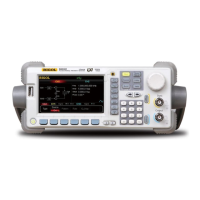
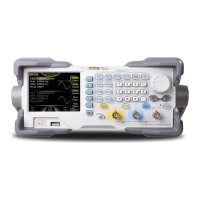
Rigol DG4162 - User Manual

Rigol DG4162
238 pages
Print Icon
To Next Page IconTo Next Page
Loading...
RIGOL
User’s Guide
DG4000 Series
Function/Arbitrary Waveform Generator
Dec. 2015
RIGOL TECHNOLOGIES, INC.

Table of Contents

Questions and Answers

  • A
    andersonjamesAug 2, 2025
    What to do if Rigol DG4162 screen is dark after pressing the power switch?
    • E
      Edward CastroAug 2, 2025
      If your Rigol Inverter's screen remains dark after pressing the power switch, ensure the power cord is correctly connected and the power switch is actually in the 'on' position. After checking these, try restarting the instrument. If the problem persists, it is recommended to contact RIGOL.
  • J
    janetduncanAug 6, 2025
    Why Rigol DG4162 Inverter settings are correct but no waveform is generated?
    • R
      Richard MitchellAug 7, 2025
      If your Rigol Inverter is not generating a waveform despite correct settings, verify the following: * The BNC cable is securely connected to the appropriate channel output terminal ([Output]). * The BNC cable isn't damaged internally. * The BNC cable is tightly connected to the test instrument. * The backlight of Output1 or Output2 is on (if not, press the corresponding key). After checking, set the PowerOn option to 'Last' in the Utility ? System menu and restart the instrument. If the issue continues, contact RIGOL.
  • B
    brandon20Aug 11, 2025
    How to adjust brightness on Rigol DG4162 Inverter screen?
    • J
      Jose GarciaAug 11, 2025
      If the screen of your Rigol Inverter is too dark, check the screen's brightness setting. You can adjust the brightness by going to Utility ? System ? Bright and using the numeric keyboard or knob to set it to a suitable level.
  • E
    Emily RoyAug 17, 2025
    What to do if my Rigol DG4162 Inverter is locked?
    • V
      vegathomasAug 17, 2025
      If your Rigol Inverter is locked, it might be in remote mode (indicated by in the status bar). Press Burst to exit remote control. Restarting the generator may also unlock it. Also, check if the front panel keys are locked and unlock them by referring to 'To Lock the Keys'.
  • J
    John DawsonAug 21, 2025
    Why Rigol DG4162 USB storage device cannot be recognized?
    • T
      Tyler TranAug 22, 2025
      If your Rigol Inverter isn't recognizing the USB storage device, first, check if the USB device works normally with other instruments or a PC. Ensure you're using a FAT32 formatted flash-type USB device, as hard drive-based USB storage isn't supported. Try restarting the instrument and re-inserting the USB device. If it still fails, contact RIGOL.
  • G
    Gary MartinAug 27, 2025
    Why Rigol Inverter does not pass the performance verification test?
    • T
      tinasmithAug 27, 2025
      If the Rigol Inverter fails the performance verification test, verify the following: 1. The generator is within its calibration period (1 year). 2. The generator has warmed up for at least 30 minutes. 3. The ambient temperature is within the specified range. 4. The environment isn't strongly magnetic. 5. The power supplies of the generator and test system are free from strong interference. 6. The test device meets the requirements and is within its calibration period, operating under specified conditions. 7. All connections are tight, and cables are undamaged. 8. Operations align with the performance verification guide, and error calculations are correct. 9. Understand the definition of 'typical value'.

Summary

Safety Requirement

General Safety Summary

Crucial safety precautions to prevent injury or instrument damage.

Chapter 1 Quick Start

General Inspection

Steps to inspect packaging, instrument, and accessories upon receipt.

Front Panel Overview

Detailed description of all controls, connectors, and indicators on the front panel.

Rear Panel Overview

Identification and description of rear panel connectors and ports.

Connecting to Power

Instructions for safely connecting the instrument to an AC power source.

Parameter Setting Method

Guide to using the numeric keyboard, knob, and direction keys for parameter input.

Chapter 2 Basic Waveform Output

Setting Frequency and Amplitude

Procedures for configuring waveform frequency and amplitude values.

Enabling Channel Output

Steps to activate the waveform output from a selected channel.

Chapter 3 Arbitrary Waveform Output

Enabling Arbitrary Waveform Function

Activating the arbitrary waveform generation mode and its main options.

Chapter 5 Modulated Waveform Output

Chapter 6 Sweep

Enabling Frequency Sweep

Steps to activate the frequency sweep function for outputting variable frequencies.

Setting Sweep Frequency Boundaries

How to define the start, end, center frequencies, and frequency span.

Chapter 7 Burst

Enabling and Configuring Burst Mode

Activating burst output and selecting burst types (N Cycle, Infinite, Gated).

Chapter 8 Counter

Enabling and Setting the Counter

Activating the counter and configuring its measurement parameters.

Chapter 10 Utility Functions and System Settings

Remote Interface Configuration

Setting up LAN and USB interfaces for remote communication and control.

Chapter 11 Remote Control

Remote Control via USB

Step-by-step guide for setting up remote control using a USB connection and Ultra Sigma.

Remote Control via LAN

Instructions for establishing remote control over a network using LAN and Ultra Sigma.

Chapter 12 Troubleshooting

Common Instrument Issues

Solutions for common problems like screen issues, generator lock, and no waveform.

Chapter 13 Specifications

Rigol DG4162 Specifications

General IconGeneral
BrandRigol
ModelDG4162
CategoryInverter
LanguageEnglish

Related product manuals