11 12
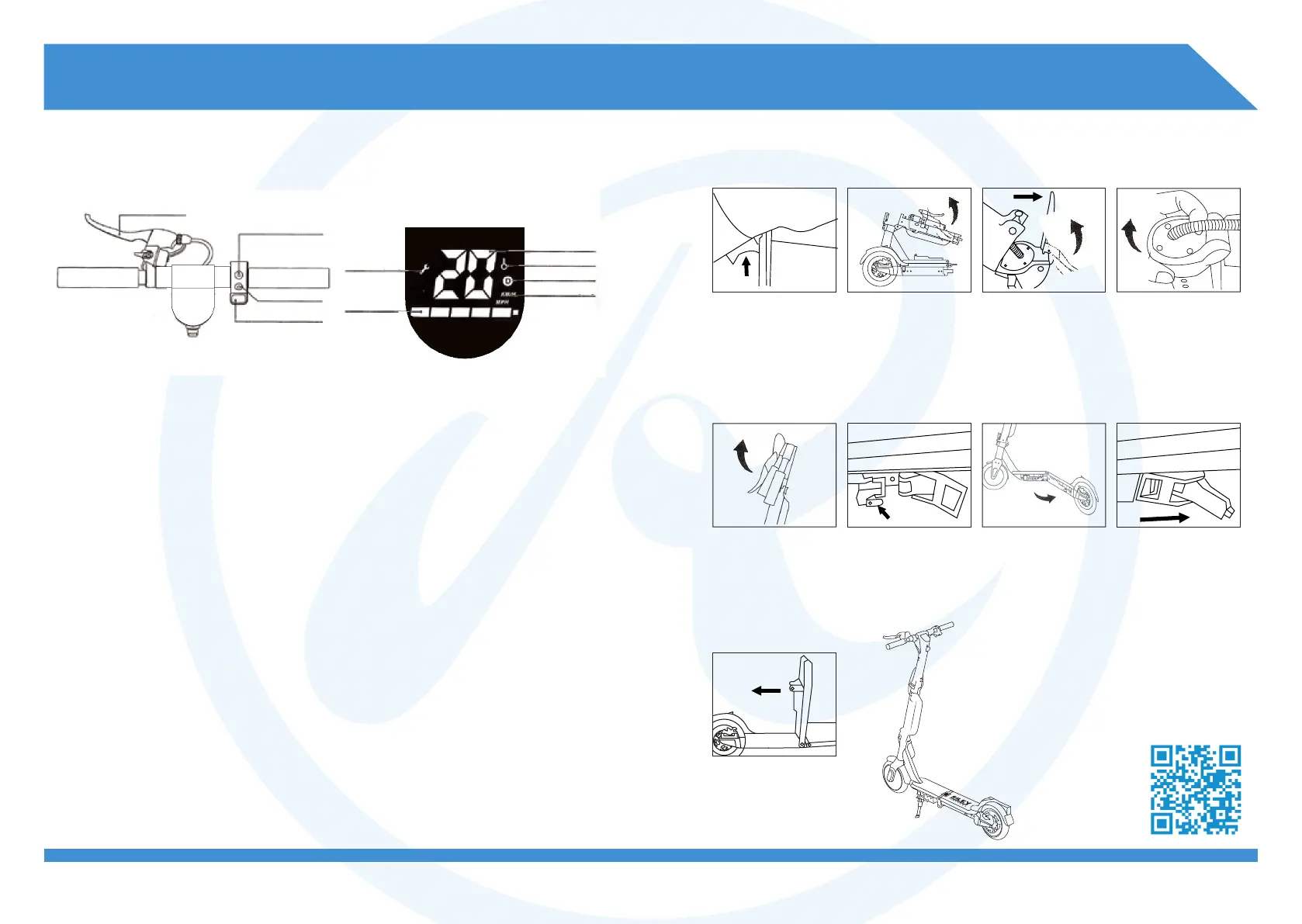
2.2 Operation of buttons
Brake lever
Function button
Power switch
Throttle button
Speed
Multifunction
Gear
Unit display
Fault display
Power
LED display
Power Switch: Press and hold
the power button to turn on/off.
Function button:
A. Press function key to switch
riding modes.
Beginner mode (10km/h limit)
Gear indicator is not displayed.
Normal mode (15/h limit)
Gear indicator shows white.
Sports mode (25km/h limit)
Gear indicator shows red.
B. Press the power button twice
to turn the headlights on/off.
The tail lights are always on.
Throttle: Press down the throttle
button to accelerate.
Brake: Apply pressure to the
brake lever to brake. Lightly step
on the rear fender to assist the
brakes.
Cruise mode: Maintain a set
speed for 6 seconds to enter
the cruise mode. Exit the cruise
mode by pressing down the
throttle again, or by braking.
2.3 Assembly instructions
latch
clip
1. Pull-out folding
latch to release
stem from base
plate.
2. Pull stem up
until it is vertical.
3. Pull stem into
place and secure
the folding
spanner.
4. Pull latch to
release the upper
stem. Fold stem
upwards until
vertical with the
lower stem.
5. Pull both
handle bars
upwards until
they click into
place.
6. Unhook base
plate hook. Pull
and hold the base
plate latch.
7. While holding
the latch, push
the folded deck
outwards till
aligned with
upper deck.
8. Once in place
secure the base
plate clip. Ensure it
is fastened tightly.
9. Push the deck
down to secure it
in place against
the rear fender.
View our
instructional
video here


 To Next Page