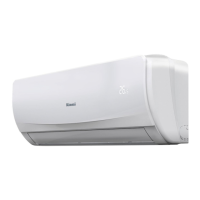
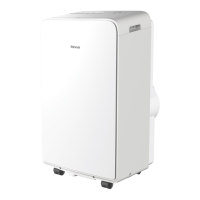
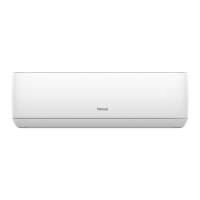
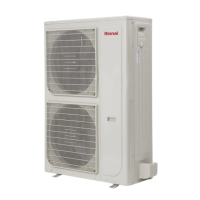
This document is an operation manual for Rinnai Split Type Wall Mounted Air Conditioners, covering models RINV25RC, RINV34RC, RIN51RC, and RINV70RC. It provides comprehensive information on the appliance's function, technical specifications, usage, and maintenance.
Function Description
The Rinnai Split Type Wall Mounted Air Conditioner is designed to provide climatic comfort for humans in various settings, including ordinary domestic residential premises (houses, apartments), individual motel units, hotel rooms, caravans, mobile homes, nursing homes, retirement village complexes, schools, and other care institutions. It operates as both a cooling and heating appliance, with additional modes for dehumidifying and fan-only operation. The system consists of an indoor unit and an outdoor unit, working together to regulate room temperature and air quality.
Important Technical Specifications
- Refrigerant: The appliance uses R410A refrigerant.
- Power Supply: The electrical wiring must be maintained by an authorized person.
- Operational Temperature Range:
- Cooling/Heating (Adjustable inside temperature): 16°C to 32°C
- Cooling/Heating (Ambient outside temperature): -12°C to 47°C
- Remote Control Batteries: AAA (1.5 V) batteries are used for the remote control.
- Wi-Fi Module: The appliance includes a Wi-Fi module, which can be activated or reset by pressing the HEALTH button 8 times in quick succession. Further details are available on the Rinnai website.
Usage Features
The air conditioner can be operated using a remote control, which features both basic and advanced operation buttons.
Basic Operation:
- ON/OFF: Turns the appliance on or off. When turned on, it resumes operation with the last settings.
- COOL Mode: Activates cooling. Temperature can be adjusted between 16°C and 32°C in 0.5°C increments. Fan speed defaults to the last used setting.
- HEAT Mode: Activates heating. Temperature can be adjusted between 16°C and 32°C in 0.5°C increments. Fan speed defaults to the last used setting.
- FAN Speed: Adjustable to AUTO, LOW (2 bars), MEDIUM (4 bars), or HIGH (6 bars). AUTO mode allows the appliance to adjust fan speed automatically.
- Vertical Air Flow (SWING↑): Activates continuous cyclic movement of the louvre for even air circulation. Can also be set to a fixed direction. Manual adjustment of the louvre is not recommended to prevent damage.
- Horizontal Air Flow (SWING↔): Activates continuous cyclic movement of the vanes for even air circulation. Can also be set to a fixed direction. Manual adjustment of the vanes is not recommended to prevent damage.
- MODE - AUTO: Automatically adjusts fan speed, heating/cooling, and temperature based on current room temperature. Temperature and swing operations for air direction can still be adjusted, but fan speeds cannot.
- ≥ 27°C: Set to 24°C, Cooling Mode
- 20°C ~ 27°C: Set to 24°C, Dry Mode
- ≤ 20°C: Set to 24°C, Heating Mode
- MODE - DRY (Dehumidifying): Removes excess moisture to prevent mold and mildew, automatically adjusting room temperature and fan speed for optimal humidity. Room temperature or fan speed cannot be manually adjusted in this mode.
- MODE - FAN ONLY: Circulates room air without changing temperature. Fan speed can be manually adjusted (LOW, MEDIUM, HIGH). Swing operations can be adjusted, but AUTO fan speed is not available.
- TURBO: Rapidly cools or warms the room. Operates at maximum output. Not available in AUTO, FAN, or DRY modes. Altering fan speed in TURBO mode cancels it.
- QUIET: Operates the appliance at the lowest noise level. Not available in AUTO, FAN, or DRY modes. Altering fan speed in QUIET mode cancels it.
- HEALTH (Wi-Fi): Activates or resets the Wi-Fi module.
- SLEEP Mode: Automatically adjusts set temperature over a 10-hour period to maintain comfort and save energy.
- Cooling: Set temperature increases and decreases.
- Heating: Set temperature decreases and increases.
- Not available in FAN only mode. Can be used with the Delay Off Timer.
- DELAY ON TIMER: Turns the appliance on after a set period (0.5 to 24 hours in 0.5-hour increments).
- DELAY OFF TIMER: Turns the appliance off after a set period (0.5 to 24 hours in 0.5-hour increments).
- Cancelling ON/OFF Timers: Pressing the TIMER button cancels any active timers.
- ROOM TEMPERATURE DISPLAY: Displays either the set temperature or the current ambient room temperature on the remote control LCD. The large digital display on the indoor unit can also be activated to show temperature.
- AUTO FRESH: Runs the fan for 3 minutes after every shut-down to remove moisture and prevent odors. Not available in TIMER OFF or SLEEP modes.
- SPOT SWING: Allows selection of 5 pre-set fixed air flow directions horizontally, or continuous circulation.
- ECONOMY (Cooling Only): Automatically sets operation for the most economical cooling. Runs for an 8-hour period, after which normal cooling resumes. Cooling times may be longer than non-ECO mode.
- CLEANING OPERATION: Runs a 35-minute cycle to remove dust and moisture from the indoor unit, especially when not in use for extended periods, to prevent odors. The appliance automatically shuts off after completion.
- Operating Without Remote Control: The Manual ON/OFF (Auto) button on the indoor unit allows operation in AUTO mode, with automatic adjustment of cooling, heating, and fan speed.
- Power Interruption Automatic Restart: The system automatically restarts with previous settings after power is restored. The restart cycle takes approximately 5 minutes, during which settings should not be adjusted.
Maintenance Features
Regular maintenance is crucial for optimal performance and energy efficiency.
- General Maintenance:
- Indoor Unit: Clean the outer surface with a soft, dry cloth regularly. Replace remote control batteries as needed or once per year. Professional service is recommended once per year.
- Outdoor Unit: Professional service is recommended once per year.
- Safety Precautions: Always turn off power before maintenance to avoid electric shock. Do not use water hotter than 40°C or volatile substances to clean filters, as this can cause deformation, discoloration, or damage.
- Air Filter Cleaning:
- Clean the air filter every 2 weeks or more frequently if necessary.
- Turn off power, open the front cover, and remove the filter.
- Clean with a vacuum cleaner or warm water. For difficult dirt, use lukewarm water with mild detergent.
- Dry the filter in the shade.
- Re-insert the filter securely, observing its original orientation.
- Failure to clean filters regularly can lead to condensation and dripping from the indoor unit during humid cooling conditions. Additional filters can be obtained from Rinnai.
- Professional Servicing: It is recommended to have the appliance professionally serviced once per year to maintain operational efficiency and prevent increased energy consumption.
Rinnai provides a warranty against defects in material and workmanship for products purchased in Australia.
- Warranty Period:
- Domestic Use: 5 years (Parts and Labour)
- Commercial Use: 1 year (Parts and Labour)
The warranty period commences from the installation date (as per Compliance Certificate) or 2 months after manufacture if the installation date cannot be established.
- Claim Requirements: To make a claim, provide proof of purchase/Compliance Certificate and ensure the product was installed and maintained according to the manual and regulations.
- Rinnai's Responsibility: Rinnai will arrange for repair or replacement, or pay an equivalent amount. Rinnai covers reasonable costs for legitimate warranty claims, including authorized service provider call-outs.
- Exclusions: The warranty does not cover defects from improper installation, misuse, accidental damage, acts of God, environmental conditions, unauthorized modifications, use of non-Rinnai parts, normal wear and tear, failure to respond to malfunctions, abuse, improper maintenance/storage, service by unauthorized persons, or issues not related to product fault (e.g., electrical/gas supply failure). It also excludes parts not supplied by Rinnai (e.g., power isolation, refrigeration piping, drain lines).

 Need help?
 General

 To Next Page