Rip Curl Rifles Auto-Set Instruction Manual
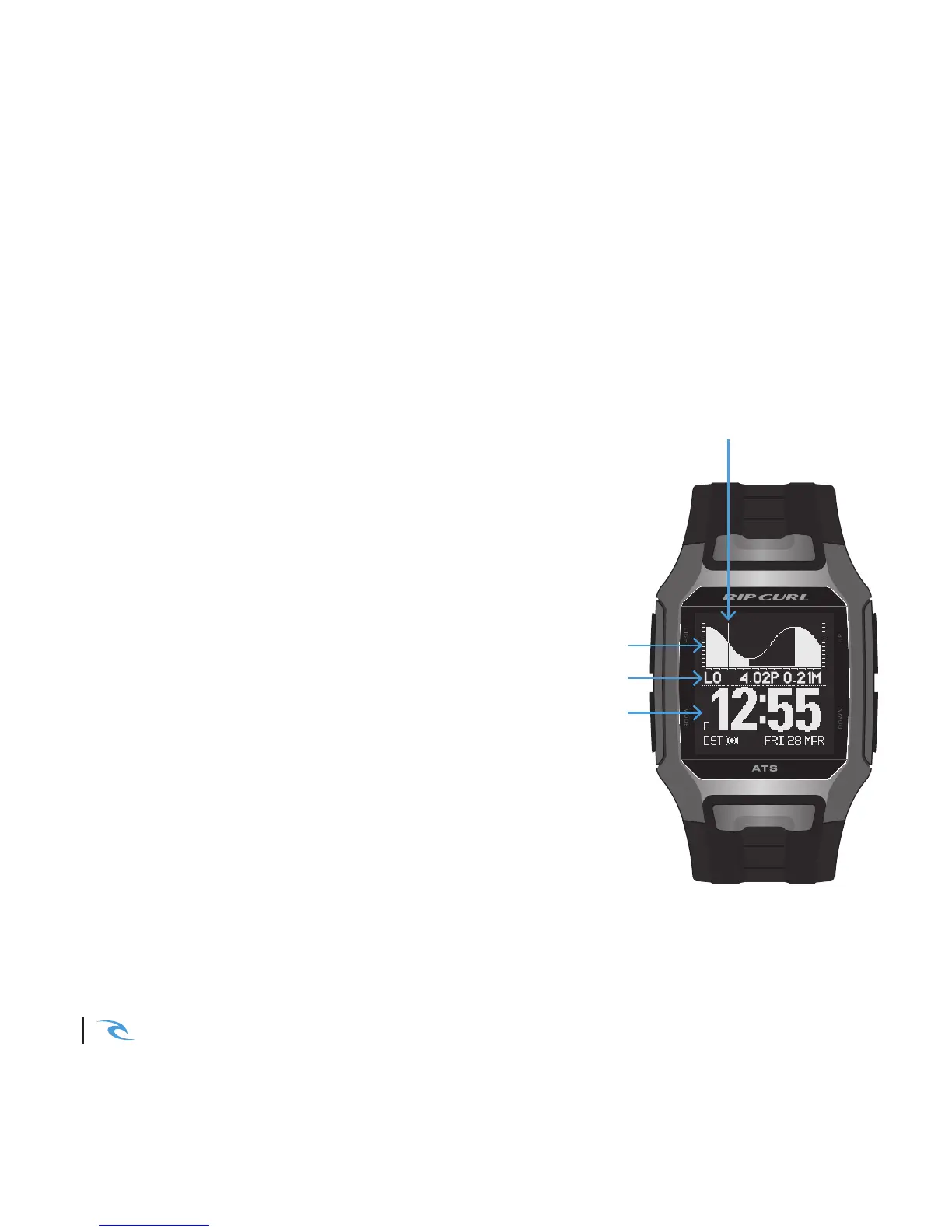
TIME MODE
TIDE GRAPH
Displays the current tide position.
The graph shows tide 3 hours prior
to current time and 12 hours ahead.
TIDE DATA
Displays the next tide change, time
& height
TIME & DATE
Displays the current time, day, date,
month, DST (Daylight Savings
Time), and alarm (on/o).
• Battery symbol appears when watch battery is below 10%. Recharge required.
• Press and hold UP to select / deselect DST (Daylight Savings Time)
• Press and hold MODE to enter ‘One Touch Auto-Set’ setting. Details page 4
TIME MODE shows the following information:
CURRENT TIDE POSITION
TIDE DATA
TIDE GRAPH
TIME & DATE
3













 To Next Page