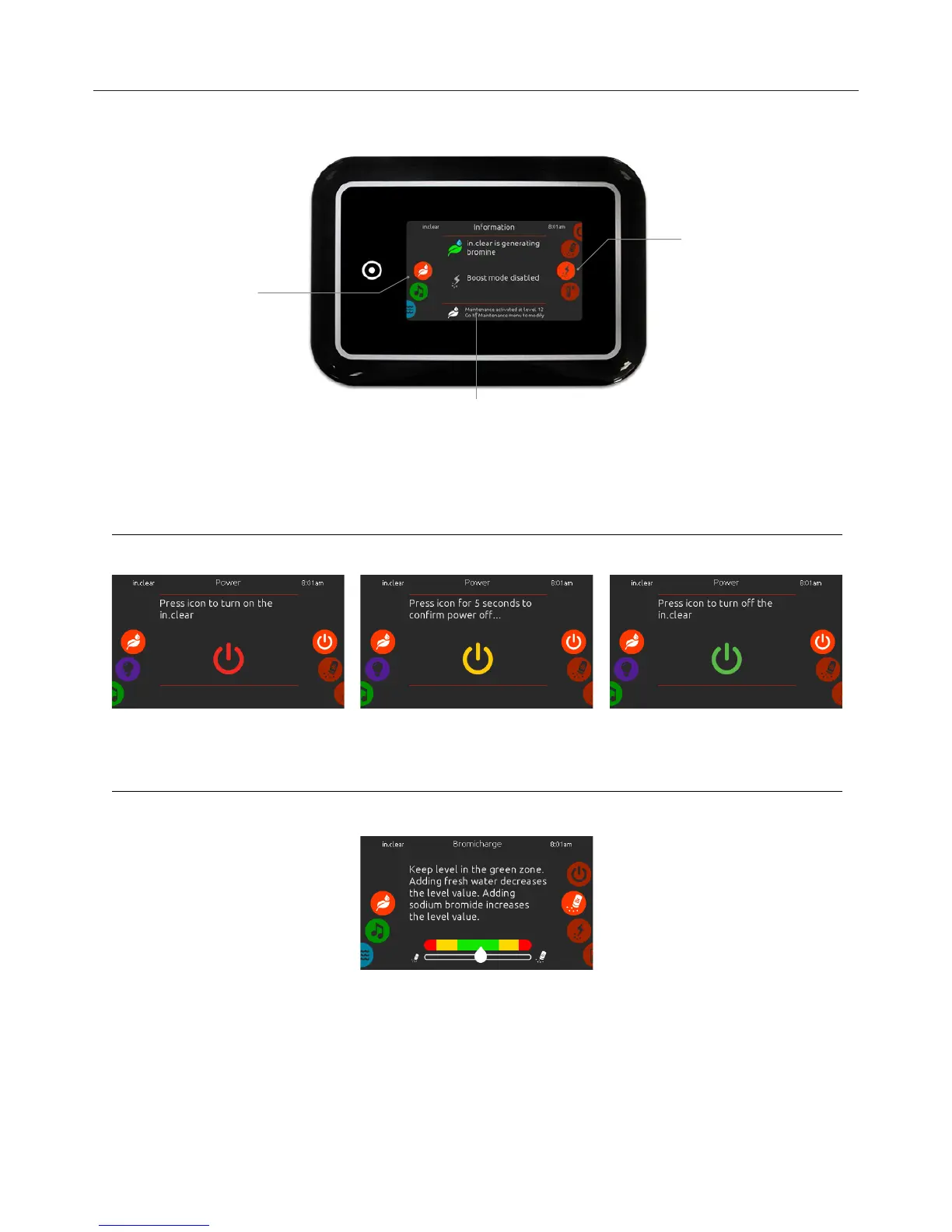
(only available if the system detects a connected in.clear water sanitization system)
To select the sanitization mode, slide the left wheel up or down until the in.clear icon menu is
highlighted in the middle.
In the sanitization page you can access the following:
• in.clear on/off • boost level
• bromicharge • maintenance level
To select an item, slide the right wheel until the desired icon is highlighted in the middle.
on/off
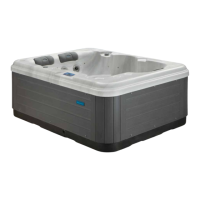
bromicharge™ level
turn in.clear ON - Step 1 (icon red)
Slide the right wheel until the power on/off icon is
highlighted in the middle. Press the icon to turn
in.clear on.
turn in.clear OFF - Step 2 (icon yellow)
Press icon for 5 seconds to confirm power off.
To perform a water test, slide the right wheel until
the add BromiChar
ge™ icon is highlighted in the
middle.
There is no need to add sodium bromide if the
indicator is in the green zone.
When adding sodium bromide, the gauge
indicator will gradually shift to the right. When
adding clean water to the spa, the indicator will
shift to the left.
In order to achieve the proper level, start pumps
and add 227g (.5 lb) of BromiCharge™ at a time
and always allow 5 minutes for the gauge to react
before adding more sodium bromide.
When performing a test, the BromiCharge™
gauge indicates the approximate sodium bromide
level of the spa water.
The green zone in the center area of the gauge
should be targeted for optimal performance.
turn in
.clear OFF - Step 3 (icon green)
Press the icon to turn off the in.clear.


 To Next Page