EasyManua.ls Logo

Riptide CHANCELLOR - Troubleshooting Guide; Installation Error Messages; Diagnostics - In.k 1000 Error Codes

Riptide CHANCELLOR
28 pages
Print Icon
To Next Page IconTo Next Page
To Previous Page IconTo Previous Page
Loading...
DIAGNOSTICS - IN.K 1000 ERROR CODES
n.YJ2
control
system. The error messages listed below display on the keypad. For more information on error messages.
Please refer to the IN.YE5 control system techbook at www.geckodocs.com
If this guide does not help you solve the problem please contact your dealer.
ERROR CODE MESSAGE
 
CFLO NO FLOW CONDITION
COMM VERIFY CABLE CONNECTIONS
 
 
 
 
 
 
FLO NO FLOW CONDITION
HIBR ADD FRESH WATER TO THE SPA
 
 
 
 
 
 
 
RH ID IN.XM2 AND IN.THERM INCOMPATIBLE
RH NC COMM. ERROR BETWEEN IN.XM2 - IN.THERM
 
 
 
 

TROUBLESHOOTING GUIDE
19
1
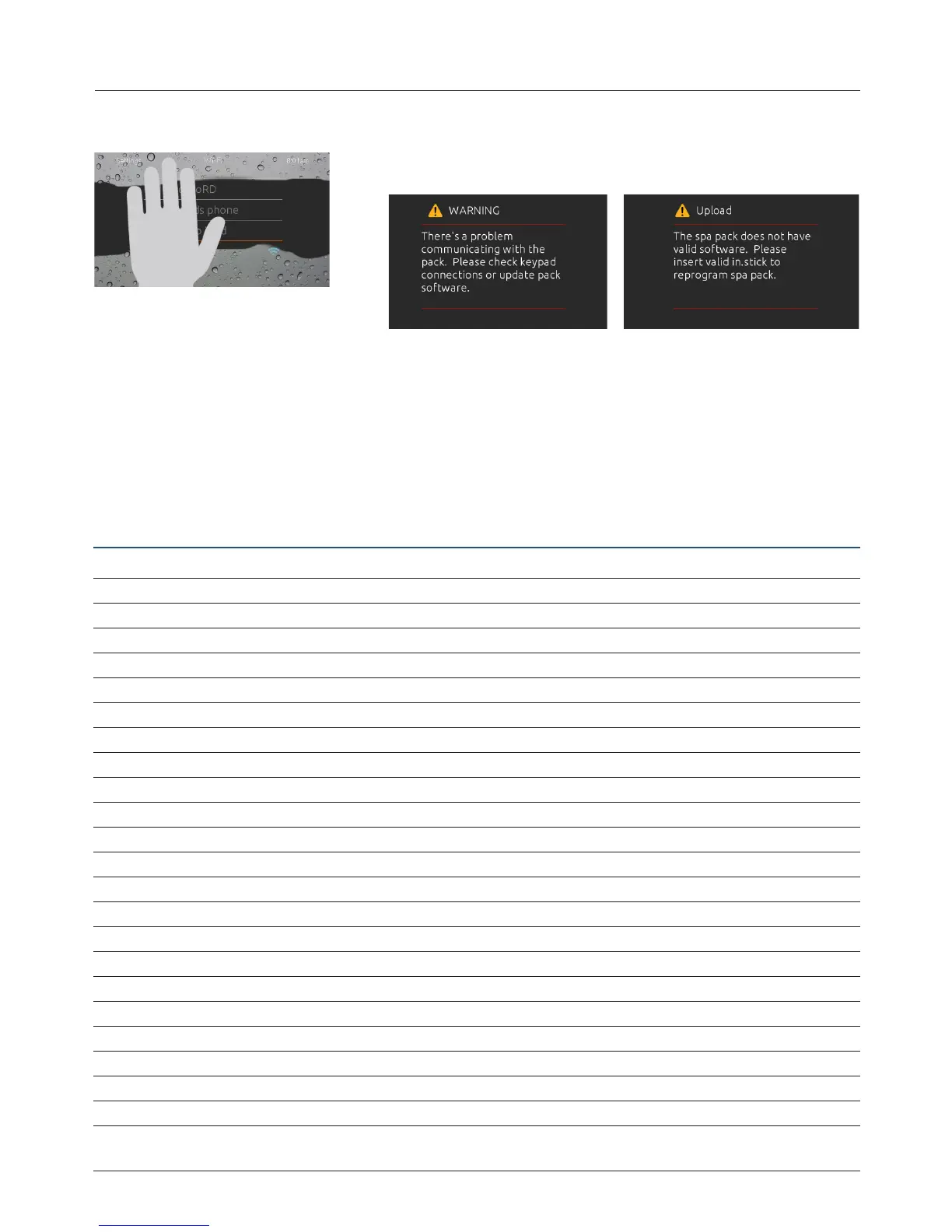
too much water on display
wipe screen
This message appears when too much water is
detected on the touch screen. Simply wipe away
excess water.
installation error messages
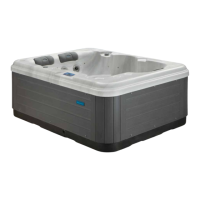
Upon connecting the in.k1000 to your spa system you may see one of two error messages.
Please follow the instructions in the message or contact your dealer for more information.
Error messages on-screen list and definitions:
http://geckokeypads.com/k1000errormessages/
9919-101453-C Rev. 02-2017
www.geckoalliance.com
© Groupe Gecko Alliance Inc., 2017
All trademarks or registered trademarks are the property of their respective owners. Printed in Canada

1
too much water on display
wipe screen
This message appears when too much water is
detected on the touch screen. Simply wipe away
excess water.
installation error messages
Upon connecting the in.k1000 to your spa system you may see one of two error messages.
Please follow the instructions in the message or contact your dealer for more information.
Error messages on-screen list and definitions:
http://geckokeypads.com/k1000errormessages/
9919-101453-C Rev. 02-2017
www.geckoalliance.com
© Groupe Gecko Alliance Inc., 2017
All trademarks or registered trademarks are the property of their respective owners. Printed in Canada

Related product manuals