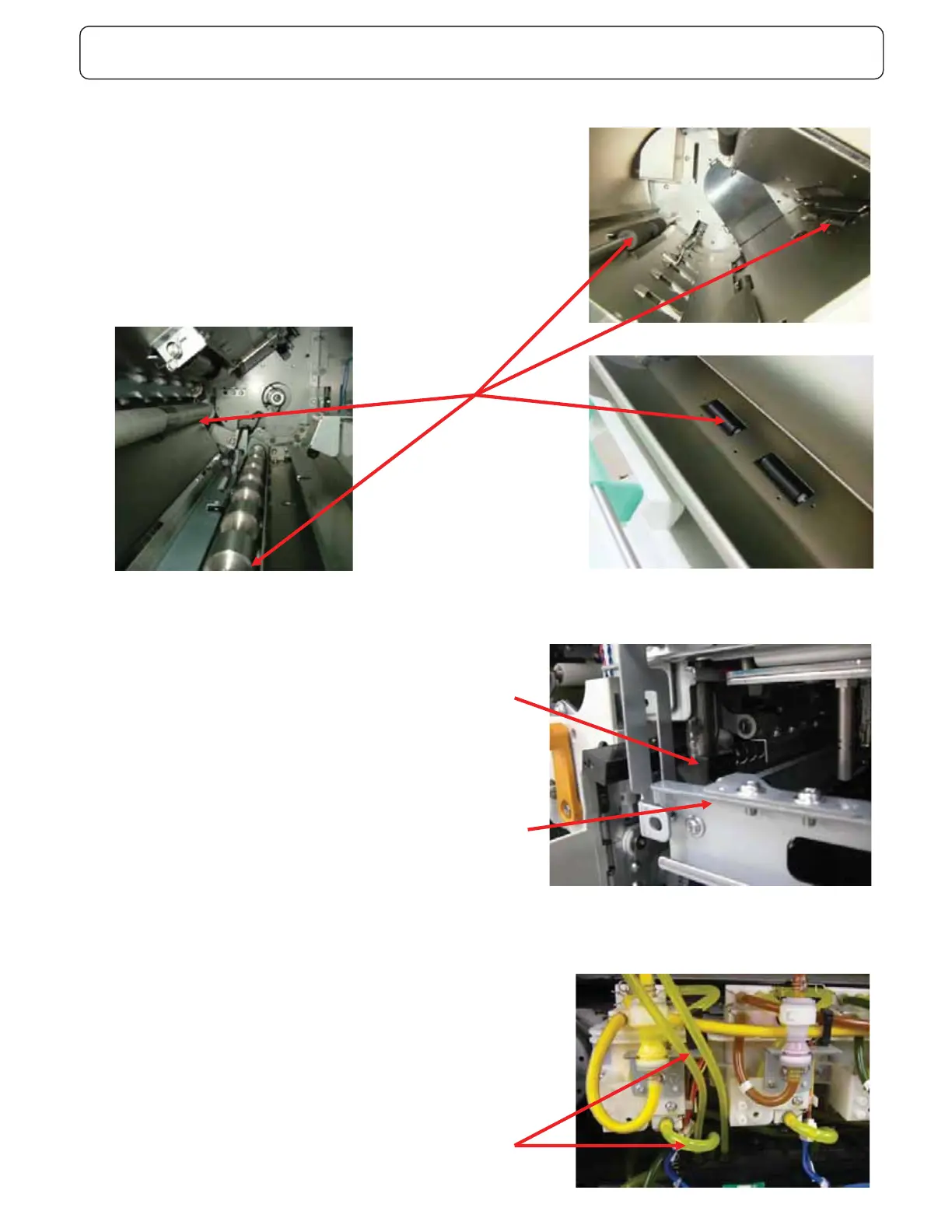
Check point in periodical maintenance Item 20-1
- Clean the rollers.
- Clean the sensors.
- Clean the side registration unit㩷 (CCD unit).
- Confirm whether Pickup rollers and Stripper pad are not worn out.
- Confirm whether there is no miss fire or miss direction by SE mode 9.1.
- Confirm whether the first print paper is fed straight.
- Clean the top and reverse surface of transfer belt.
- Confirm whether the duplex unit can open and close smoothly.
- Check whether the slide hole on the maintenance unit has moderate grease.
- If this part does not have any grease, S03-201 error occurs easily.
- Check whether the movement of stripper shaft in multi tray unit is smooth
- Confirm whether Print-heads take opposite position with Suction Head
straight.
- Check whether Ink have never flowed from reservoir to overflow tank.
Clean the rollers
Ink does not usually flow in this tube
Slide hole
Maintenance unit



 To Next Page