Document number R2019-10-01 Span Calibration Guide
Revision 02
Page 12 of 16
www.ritchie-uk.com
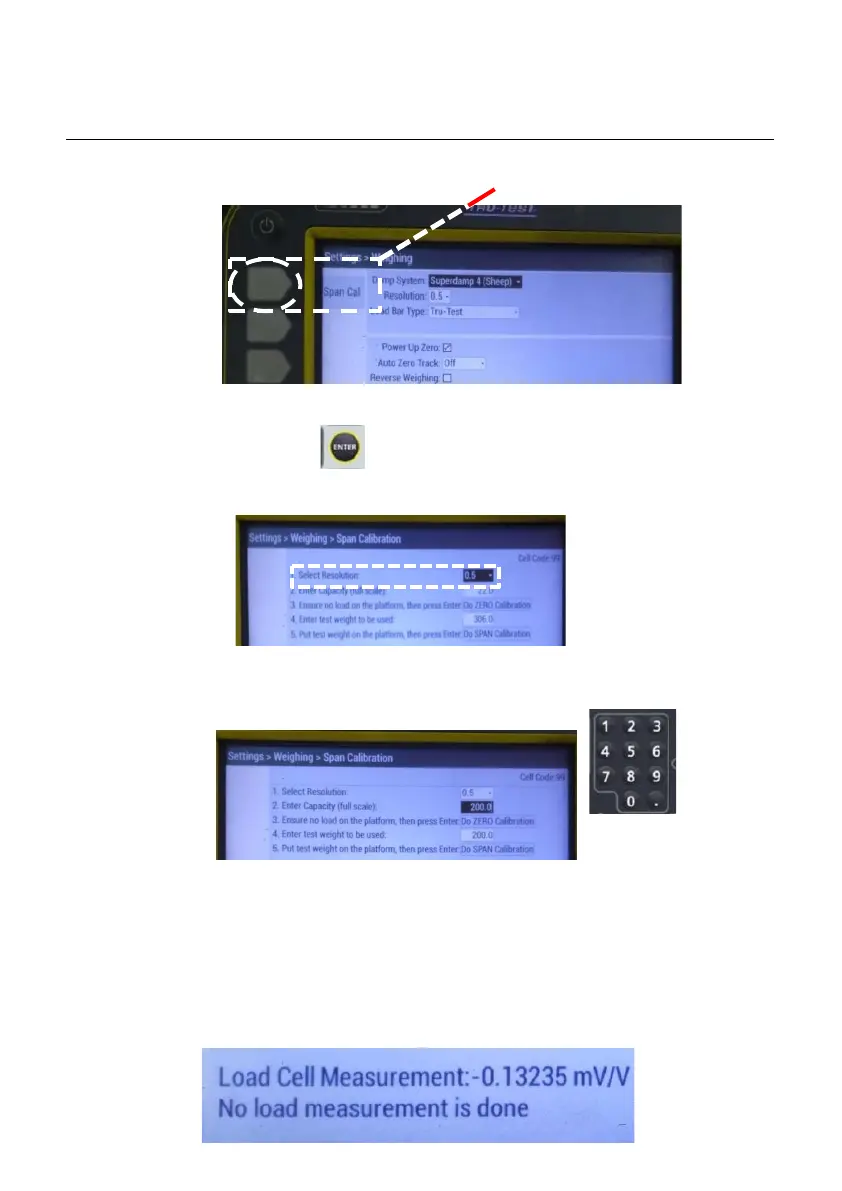
3.3.5 Select Span Cal, by using the grey button at the side.
3.3.6 Select 0.5 resolution.
Press enter to access the drop down box.
Use down arrow to select 0.5 resolution.
Press enter to confirm selection.
3.3.7 Enter capacity (full scale) of 200.0 using the keypad,
press enter to confirm.
3.3.8 Carry out zero weight calibration. DO NOT touch
weight scale while calibration is being carried out.
Press enter to start calibration. Screen will display “No
load measurement is done”
Screen display:



 To Next Page