EasyManua.ls Logo

RITE-HITE Genisys HL-900 - User Manual

RITE-HITE Genisys HL-900
44 pages
Print Icon
To Next Page IconTo Next Page
Loading...
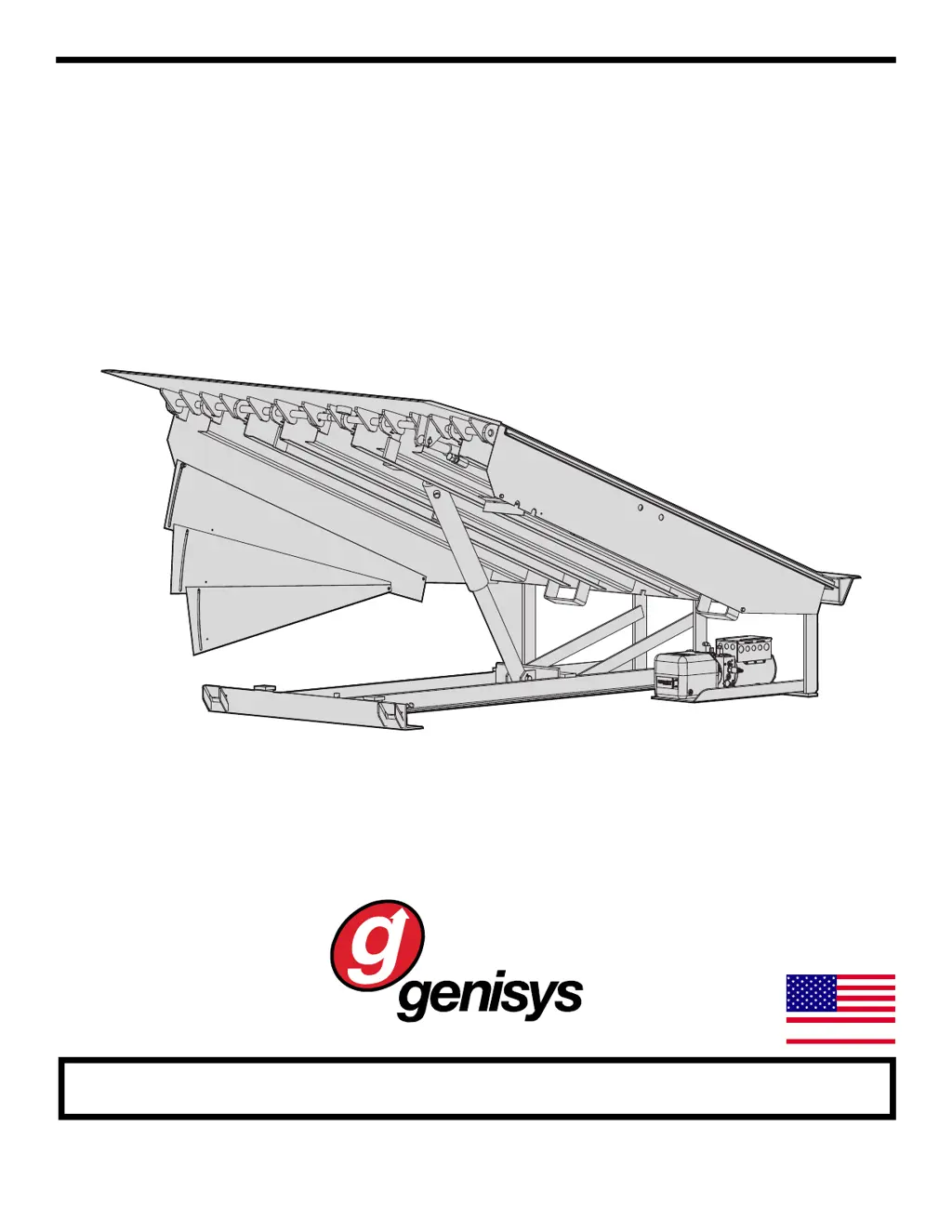
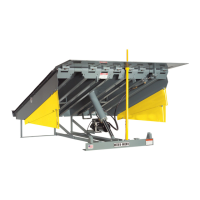
HL-900
Dock Leveler
Owners Manual
This Manual Covers Dock Levelers Built After Serial Numbers:
13GD480708M and up
PRINTED IN U.S.A.
RITE-HITE PRINT SHOP
PUBLICATION NO. 1213
APRIL 2016
part of the SMOOTH TRANSITION DOK SYSTEM
TM
By Rite-Hite
MADE IN U.S.A.

Questions and Answers

  • M
    mark75Aug 2, 2025
    How to troubleshoot RITE-HITE Genisys HL-900 platform that does not raise?
    • L
      lgonzalezAug 2, 2025
      If the RITE-HITE Lifting Systems platform doesn't raise, first, ensure that the power is connected and that the circuit breaker or fuses haven't tripped. Next, check if the motor is wired correctly according to the wiring diagram. Also, verify that the overload hasn't tripped by pushing the RESET button on the overload relay. Clear any debris around the leveler. Finally, check the hydraulic fluid level when the unit is held open with the maintenance support and refill if necessary.
  • J
    jessicawalshAug 6, 2025
    Why is my RITE-HITE Genisys HL-900 Lifting Systems platform raising so slowly?
    • A
      Ashley AdamsAug 7, 2025
      If the RITE-HITE Lifting Systems platform raises very slowly, start by removing any weight from the platform. Then, check the hydraulic fluid level when the unit is held open with the maintenance support and refill if needed. Verify that the voltage is within ± 10% of the nominal voltage while the unit is running. If these steps don't resolve the issue, the power unit assembly may need to be replaced.
  • J
    Jared KnappAug 11, 2025
    What to do if the fuse or circuit breaker trips on my RITE-HITE Lifting Systems?
    • J
      Jordan DillonAug 11, 2025
      If the fuse or circuit breaker trips in your RITE-HITE Lifting Systems, first verify that you are using the correct fuse or circuit breaker size (20 amp for 120VAC and 15 amp for 240VAC). Next, check that the voltage is within ± 10% of the nominal voltage while the unit is running. Inspect the wiring connections for any short circuits. Also, ensure the wire gauge is correct for the distance, referring to the chart on page 19.
  • W
    wyoungAug 14, 2025
    Why does the lip on my RITE-HITE Genisys HL-900 extend slowly or not at all?
    • D
      dwarnerAug 15, 2025
      If the lip of your RITE-HITE Lifting Systems extends slowly or not at all, begin by removing any debris from the lip hinge. Next, check if the lip is impacted or bent; if so, lubricate it according to the maintenance procedures or replace the lip. Also, check the hydraulic fluid level when the unit is held open with the maintenance support and refill if necessary.
  • S
    Scott WellsAug 19, 2025
    What to do if RITE-HITE Genisys HL-900 Lifting Systems platform does not lower?
    • A
      Alison LeeAug 19, 2025
      If the RITE-HITE Lifting Systems platform won't lower, try raising the unit to unlock the velocity fuse. Also, check for any debris lodged on or around the leveler and remove it.
  • K
    Kelsey DaviesAug 25, 2025
    Why does my RITE-HITE Genisys HL-900 leveler run continuously?
    • D
      Dennis SkinnerAug 25, 2025
      If the RITE-HITE Lifting Systems leveler runs continuously, the pushbutton, contact block, or motor contactor may be damaged. Repair or replace these components as needed.
  • M
    mcgeemonicaAug 27, 2025
    How to fix a RITE-HITE Genisys HL-900 Lifting Systems lip that does not store properly?
    • E
      Eugene VaughanAug 27, 2025
      If the lip on your RITE-HITE Lifting Systems doesn't store properly, first check that the lip stop bolt is adjusted correctly. Next, remove any debris that may be obstructing the lip. Finally, inspect the lip supports and repair or replace them if necessary.

Summary

Notice to User and Warranty Information

Rite-Hite Planned Maintenance Program

Your local Rite-Hite representative provides a Planned Maintenance Program (P.M.P.) which can be fitted to your specific operation. Call your local representative or Rite-Hite at 414-355-2600.

HL9 Dock Leveler Warranty Details

Rite-Hite warrants the HL9 Dock Leveler for one-year parts and labor from date of shipment in accordance with Rite-Hite's Standard Warranty Policy.

Safety Warnings and Procedures

Lockout;Tagout Procedures

The Occupational Safety and Health Administration (OSHA) requires, in addition to posting safety warnings and barricading the work area...

Safety Alert Level Definitions

Defines the meaning of DANGER, CAUTION, WARNING, and IMPORTANT safety alert levels.

Operational Safety Warnings

Under-Leveler Safety Precautions

Never be under the dock leveler platform or lip without installing the Safe-T-Strut™ or other supporting device.

Barricading and Inspection Warnings

Always barricade the dock leveler at ground level and dock level from any form of traffic when maintenance is required.

Safety Devices and Procedures

Maintenance Strut Installation Procedure

Detailed procedure for installing the Maintenance Strut for safe work under the leveler.

Safety Warning and Barricading

Post warnings and barricades at dock level and at drive level to indicate that work is being done around and under the leveler platform.

Owner Responsibility

Operator Training and Information

Owner's duty to train operators on safe use of dock equipment and verify receipt of all information.

Maintenance and Warranty Compliance

Owner must follow recommended maintenance, keep records, and ensure safety labels are visible.

Operation Instructions

Normal Dock Leveler Operation

Step-by-step instructions for the normal operation of the dock leveler.

Below Dock Loading Operation

Instructions for operating the dock leveler for below dock loading.

Operation Instructions Continued

Dock Level End Loading Operation

Instructions for dock level or lower end loading operations.

Storing the Dock Leveler

Steps to properly store the dock leveler when not in use.

Maintenance Procedures

Suggested Leveler Maintenance Schedule

Outlines suggested daily, 90-day, and 360-day maintenance tasks.

Daily Maintenance Tasks

Specific tasks for daily maintenance of the dock leveler.

Maintenance Procedures - Lubrication

Hydraulic Leveler Lubrication Diagram

Illustration detailing hydraulic powered leveler lubrication points.

Leveler Adjustments

Hydraulic Leveler Adjustments Overview

Explains general hydraulic leveler adjustments and factory averages.

Lip Stop Bolt Adjustment

How to adjust the lip stop bolt for proper lip positioning when stored.

Leveler Adjustments Continued

Haldex Power Unit Hydraulic Valve Adjustments

Adjustments for hydraulic valves on the Haldex power unit.

Shuttle Valve Adjustment for Descent

Procedure to adjust the shuttle valve for controlling leveler descent speed.

Leveler Adjustments Continued

Sequence Valve Adjustment for Lip Extension

How to adjust the sequence valve for lip extension control.

Leveler Adjustments Continued

Bucher Power Unit Hydraulic Valve Adjustments

Adjustments for hydraulic valves on the Bucher power unit.

Flow Control Valve Adjustment for Descent

Procedure to adjust the flow control valve for leveler descent speed.

Leveler Adjustments Continued

Sequence Valve Adjustment for Lip Extension

Adjusting the sequence valve for controlling lip extension.

Leveler Troubleshooting

Platform Issues Troubleshooting

Troubleshooting steps for platform not raising or raising slowly.

Lip Extension and Storage Issues

Steps to troubleshoot slow or non-extending lip and improper storage.

Lowering and Circuit Tripping Issues

Troubleshooting steps for platform not lowering and fuse/breaker tripping.

Hydraulic Schematics

Haldex Power Unit Hydraulic Schematic

Schematic diagram of the hydraulic system for the Haldex power unit.

Bucher Power Unit Hydraulic Schematic

Schematic diagram of the hydraulic system for the Bucher power unit.

LED Status Chart - Standalone

Standalone Control Key and Status

Explanation of the key for understanding LED status indicators and run fault state.

LED Status Chart - Dok-Commander

Dok-Commander Control Key and Status

Explanation of the key for LED status indicators and run fault state for Dok-Commander.

Electrical Wiring Charts

Motor Connection and FLA Details

Details on motor connection and Full Load Amps (FLA) ratings.

Wire Size Chart by Load and Length

Chart specifying minimum wire gauge based on line length and load.

Electrical Schematic

Type 1 Control Box Schematic (120;208-240 V)

Electrical schematic for Type 1 control box, 120/208-240V single phase.

Electrical Schematic Continued

115 V Control Box Schematic - Part 1

Part 1 of the electrical schematic for the 115V single-phase control box.

Electrical Schematic Continued

115 V Control Box Schematic - Part 2

Part 2 of the electrical schematic for the 115V single-phase control box.

Electrical Schematic Continued

230 V Control Box Schematic - Part 1

Part 1 of the electrical schematic for the 230V single-phase control box.

Electrical Schematic Continued

230 V Control Box Schematic - Part 2

Part 2 of the electrical schematic for the 230V single-phase control box.

Electrical Schematic Continued

Three Phase Control Box Schematic - Part 1

Part 1 of the electrical schematic for the three-phase control box.

Electrical Schematic Continued

Three Phase Control Box Schematic - Part 2

Part 2 of the electrical schematic for the three-phase control box.

Electrical Schematic Continued

Three Phase Control Box Schematic - Part 3

Part 3 of the electrical schematic for the three-phase control box.

Replacement Parts

Dock Leveler Replacement Parts List

List of common replacement parts for the dock leveler.

Replacement Parts List Continued

Continued Dock Leveler Parts List

Continuation of the replacement parts list with more items.

Type 1 Control Box Parts

Type 1 Control Box Component Part Numbers

List of part numbers for Type 1 control box components.

Control Box Parts

Control Box Decal Placement Notes

Notes regarding the placement of exterior and interior decals on the control box.

Control Box Replacement Parts List

Control Box Replacement Parts List

Comprehensive list of replacement parts for the control box.

Type 3 Control Box Parts Continued

Type 3 Control Box Decal Placement Notes

Notes on placing exterior and interior decals on the control box for Type 3.

Control Box Replacement Parts List Continued

Continued Control Box Replacement Parts List

Continuation of the control box replacement parts list.

Hydraulic Replacement Parts - Base (Haldex Power Unit)

Solenoid Valve Torque Specification

Important torque specification for solenoid valve steam nut to prevent damage.

Hydraulic Replacement Parts List (Haldex Power Unit)

Haldex Power Unit Hydraulic Parts List

List of hydraulic replacement parts for the Haldex power unit.

Hydraulic Replacement Parts - Base (Bucher Power Unit)

Bucher Power Unit Hydraulic Parts Diagram

Diagram showing hydraulic replacement parts for the Bucher power unit.

Hydraulic Replacement Parts List - Base - (Bucher Power Unit)

Bucher Power Unit Hydraulic Parts List

List of hydraulic replacement parts for the Bucher power unit.

Optional Automatic Return to Dock Parts (ARTD)

ARTD Components Parts List

List of parts for the optional Automatic Return to Dock (ARTD) feature.

Warranty Information

Standard Warranty Policy Details

Details Rite-Hite's standard warranty policy for Genisys Dock Levelers.

Warranty Component Scope

Specific components covered under the Genisys Dock Leveler warranty.

Warranty Void Conditions

Conditions that will void the limited warranty for the product.

RITE-HITE Genisys HL-900 Specifications

General IconGeneral
BrandRITE-HITE
ModelGenisys HL-900
CategoryLifting Systems
LanguageEnglish

Related product manuals