Page 4/ 24 34-81 10/2013
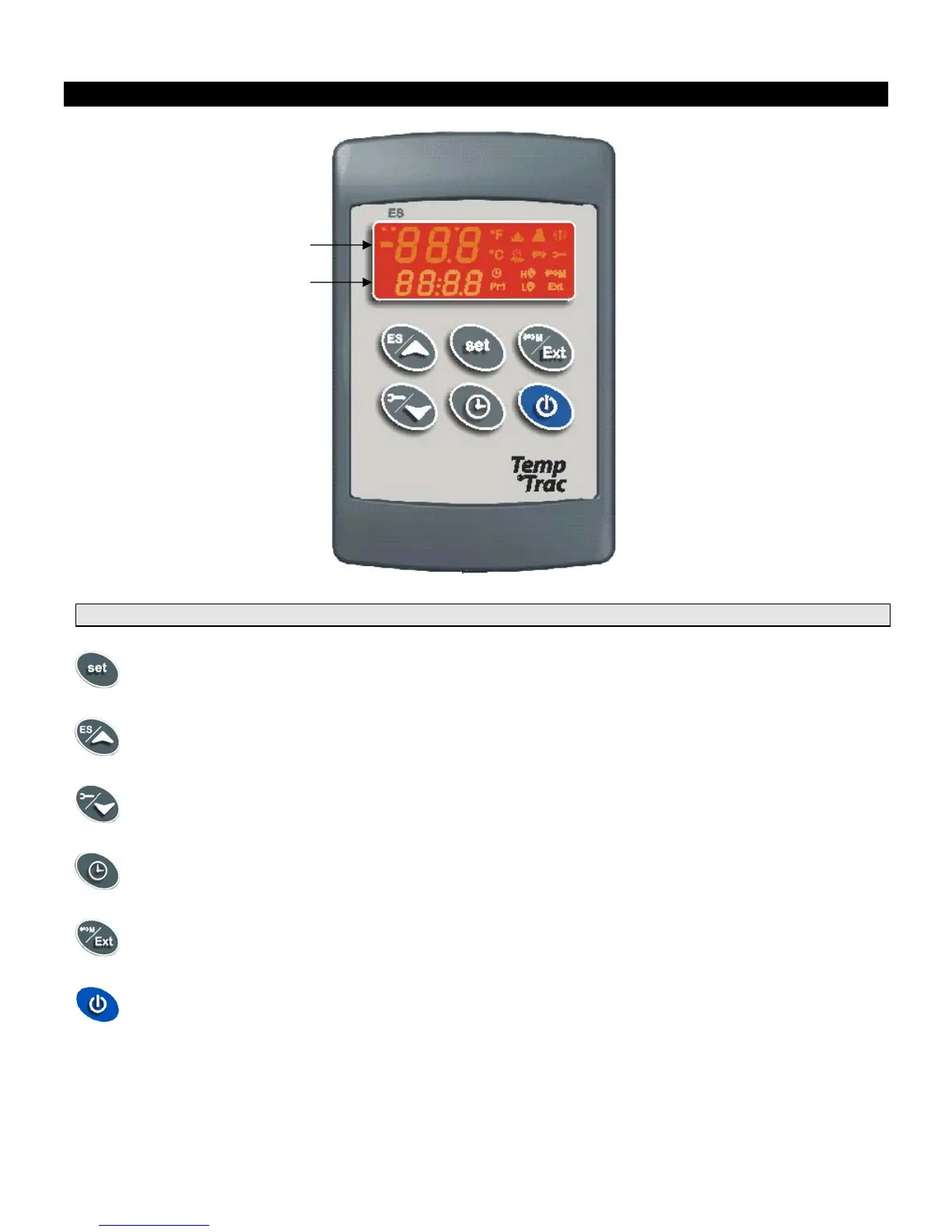
3. DISPLAY AND INTERFACE
3.1 KEYBOARD
SET
- Displays and modifies the temperature set points.
- In programming mode it selects a parameter or confirms an operation.
UP
- Displays and modifies the energy saving (Night Time Setback) settings.
- In programming mode it browses the parameter codes or increases the displayed value.
DOWN
- Displays the working hours of the load relays.
- In programming mode it browses the parameter codes or decreases the displayed value.
CLOCK
- Changes lower display from inlet temperature to current time and day.
- To set the current time and day.
EXT
- Changes upper display between outlet temperature, inlet temperature, outdoor reset temperature,
modulation % or the temperature difference between the inlet and outlet temperatures.
- In programming mode it sets the modulation output (4-20mA). (Password is required (321).
ON/OFF
- Switches the control ON or OFF.
UPPER LED READOUT
LOWER LED READOUT



 To Next Page