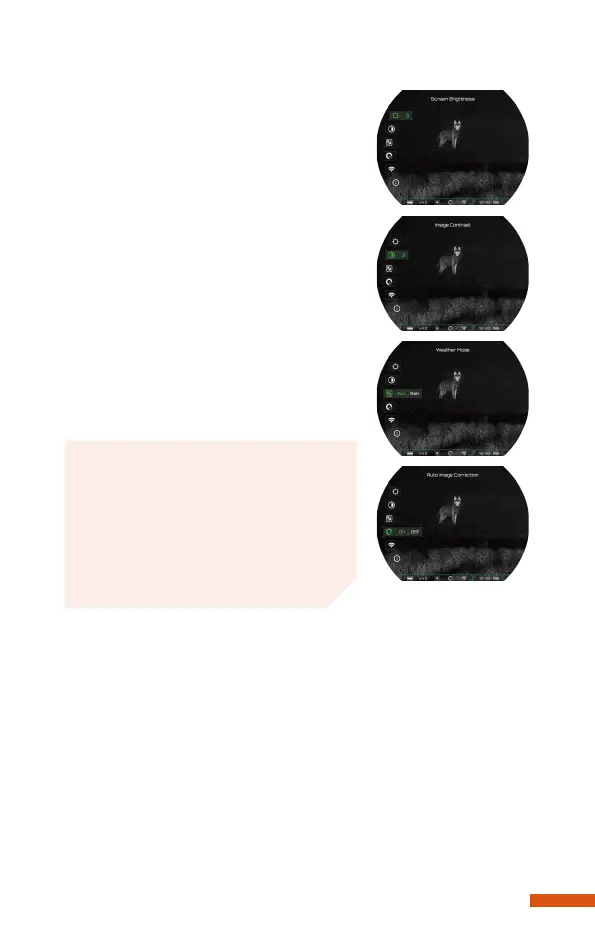
1-5, with 3 being the default.
Weather mode
Press the menu button to set the weath-
er mode, choosing sun or rain.
Auto Image Correction
Press the menu button to set the auto
image correction on or off.
When the function is on, the device will
automatically correct the image accord-
ing to the software algorithm. When the
function is off, on the home screen, you
can press the Zoom button to correct it
manually.
Wi-Fi
The device has a built-in Wi-Fi module and can connect to an
external device (computer or smartphone) via Wi-Fi.
1. Press the menu button to choose on/off.
2. Search for the Wi-Fi named "POCKET_KX_XXXXXX" on a
phone or computer.
3. Select the Wi-Fi and enter the password to connect. The initial
password is 12345678.
After a successful connection to Wi-Fi, the device can be con-
trolled via the mobile app.
1-5, with 3 being the default.
Weather mode
Press the menu button to set the weath-
er mode, choosing sun or rain.
Auto Image Correction
Press the menu button to set the auto
image correction on or off.
When the function is on, the device will
automatically correct the image accord-
ing to the software algorithm. When the
function is off, on the home screen, you
can press the Zoom button to correct it
manually.
Wi-Fi
The device has a built-in Wi-Fi module and can connect to an
external device (computer or smartphone) via Wi-Fi.
1. Press the menu button to choose on/off.
2. Search for the Wi-Fi named "POCKET_KX_XXXXXX" on a
phone or computer.
3. Select the Wi-Fi and enter the password to connect. The initial
password is 12345678.
After a successful connection to Wi-Fi, the device can be con-
trolled via the mobile app.
12
Note
No matter the function is on or off,
the manual image correction func-
tion can be used on the home
screen.


 To Next Page