Owner’s manual | Aviada adjustable bed10
Remote control guide
Massage
START MASSAGE (12)
Press the up button to activate the massage feature on
the bed. Intensity starts at level 3. Press the up or down
button to increase or decrease the intensity of the massage.
NOTE: This feature has an Auto Shutoff Timer that automatically
turns off the massage after 15 minutes of continuous use.
WAVE MODE (13)
Press this button to activate and select from different massage feels.
The LED lights (7) indicate the mode you have selected. You can also
press this button to turn massage on. Intensity for the wave modes
start at level 4.
STOP MASSAGE (11)
Press this button to disable any active massage.
Understanding the remote control features
• The adjustable bed uses 2.4 GHz RF (radio frequency) remote control system.
• The buttons are backlit when pressed to aid in the visibility of the remote control in low-light environments.
• It is not necessary to face the receiver when operating the remote control. Remote signal is best transmitted within 9 feet
(3 meters) of the bed.
NOTE: The bed may show minor intermittent performance because of typical radio frequency interference. This is normal in the
operation of the bed, not a defect.
Customizing the preset buons
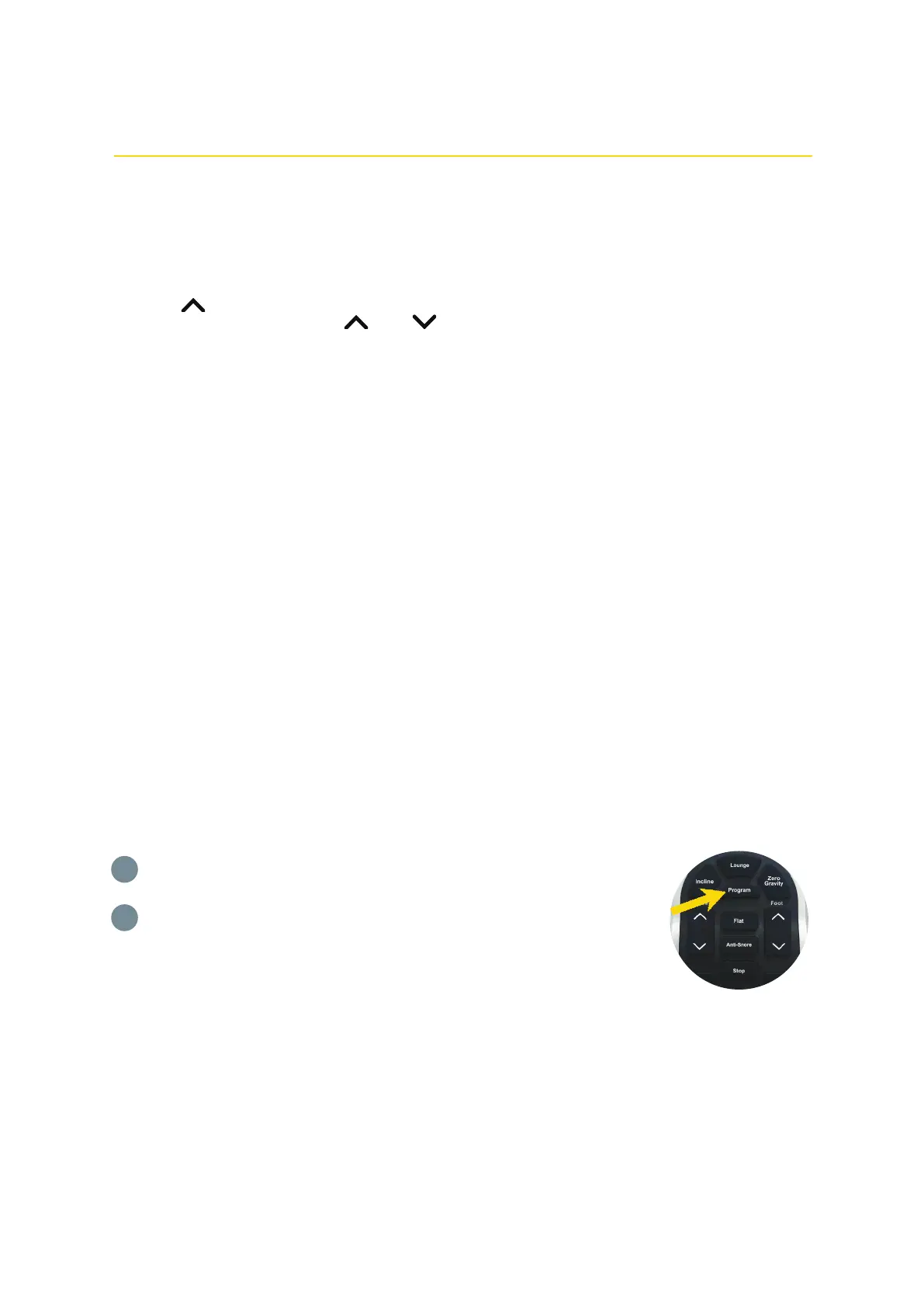
Move the head and/or foot sections to your desired position.
Press and hold the Program button and the preset button that you want to customize at
the same time for 2.5 seconds.
The new bed position is now stored in your selected preset button overriding the factory
default.
To restore the presets to their factory settings, see "Resetting your system".
1
2
You can store new head and foot positions by customizing the preset buttons: Incline, Lounge, and Zero Gravity. These can
be reprogrammed with your desired positions at any time. For safety reasons, the Anti-Snore and Flat buttons cannot be
customized.


 To Next Page