9
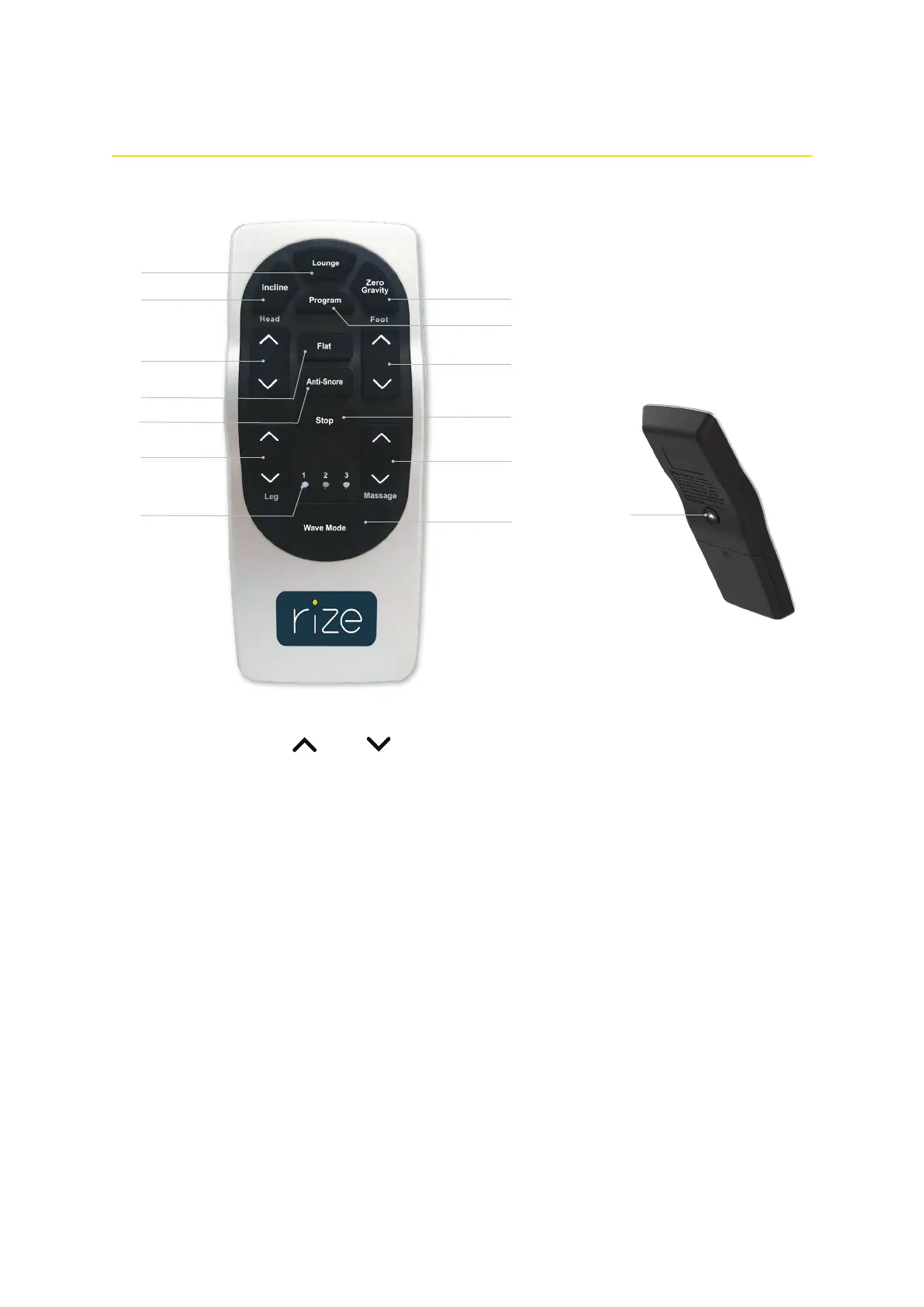
Head, Leg, and Foot Position Adjustments (3, 6, 10)
Press and hold the up or down button to raise or lower the head, leg, and foot sections of your bed.
Presets
LOUNGE (1)
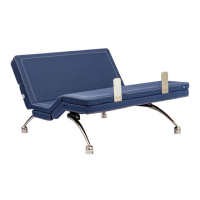
Press this button to adjust the bed into a chaise lounge position
to remove stress and tension from your lower back.
INCLINE (2)
Press this button to raise the head section to an ideal position for
watching TV, reading, or laptop use.
FLAT (4)
Press this button to return the bed to a flat position.
NOTES:
• Make sure your bed is in a flat position before using it.
Press the Flat button after plugging in the power cord.
• If massage is on when pressing the Flat button, the massage
motors continue to operate while the bed lowers.
ANTI-SNORE (5)
Press this button to gently raise the head section and allow easier
air intake which can help reduce snoring.
ZERO GRAVITY (8)
Press this button to elevate the legs slightly higher than the
chest, in effect allowing the blood to flow back to the heart to
help reduce stress and fatigue.
PROGRAM (9)
Press and hold this button together with a preset button to
override factory default presets with your customized presets.
For more information, see " Customizing the preset buttons".
14
Remote control guide
1
2
3
6
10
8
9
5
12
4
11
7
13
Under-bed Light (14)
Press this button to turn the under-bed lighting on, helping you safely navigate in and out of bed during the night. The under-bed light has seven
(7) colors. Press the button repeatedly to change colors. Press and hold the button to turn the under-bed light off.


 To Next Page