Owner’s manual | Aviada adjustable bed12
Reseing your system
Resetting the system is sometimes necessary to restore any customizations on the preset
buttons to its factory settings.
On the remote control, press and hold the Program and Flat buttons for
2.5 seconds until the remote backlight flashes.
All customized settings on the remote control are now restored to their
default settings.
Remote control guide
Synchronizing two beds for tandem operation
To operate two adjustable beds simultaneously, you must connect both beds using the sync cable.
Plug both Bed A and Bed B to working and grounded electrical outlets. A surge protector
is recommended.
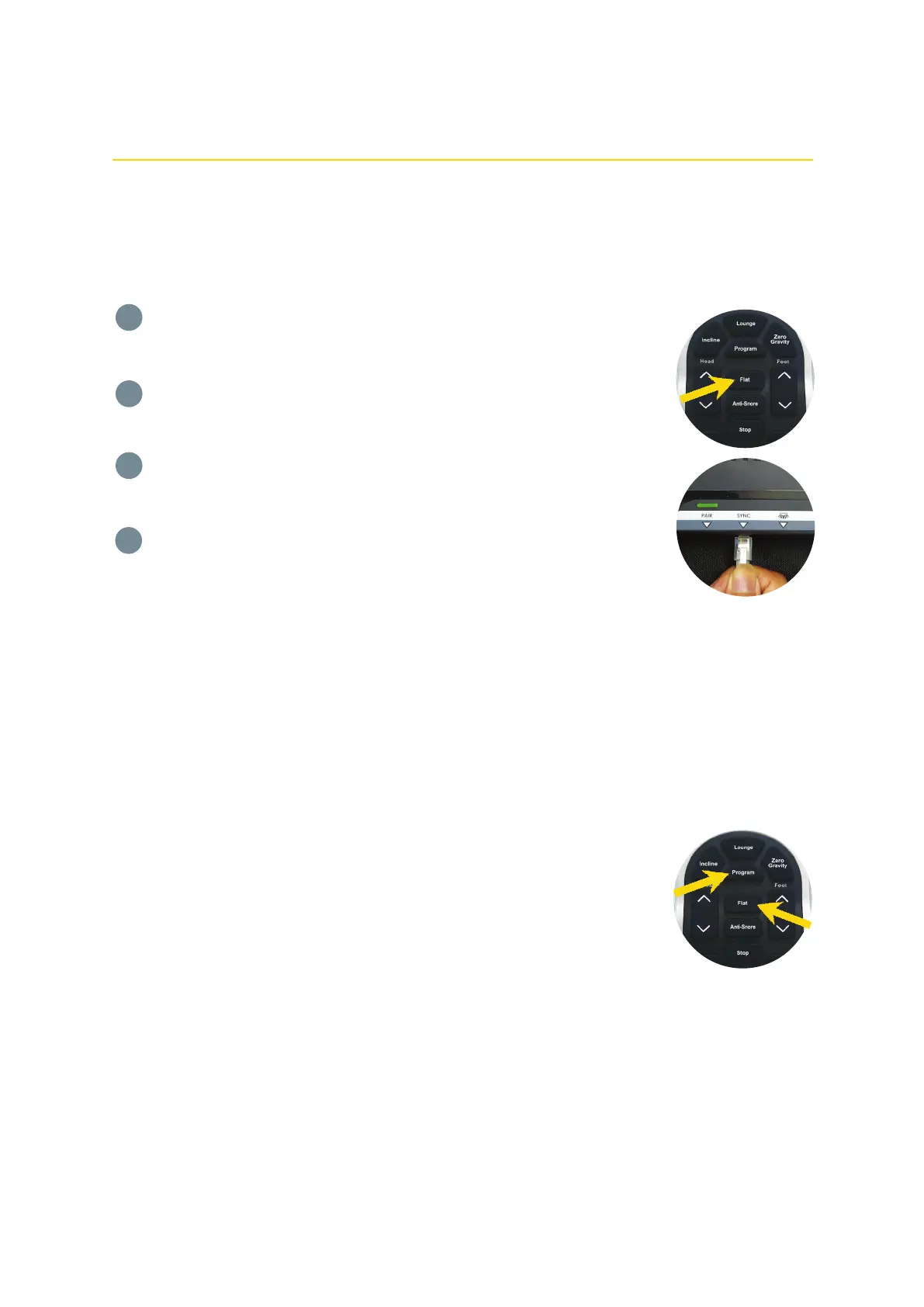
Before starting the sync process, make sure Bed A and Bed B are in a flat position. Press the
Flat button on Remote A and Remote B to align the beds properly.
Plug one end of the sync cable to the control box on Bed A. Insert it into the port labeled
"SYNC".
Plug the other end of the sync cable to the control box on Bed B. Insert it into the
port labeled "SYNC".
Beds A and B can now be controlled by both remote controls at any given time.
NOTE: When doing a tandem operation, both Bed A and Bed B should be plugged
into working electrical outlets.
1
2
3
4


 To Next Page