22 M2A Transmitter Operator’s Manual
Chapter 3: Installation & Startup
Overview
This chapter describes procedures to mount the M2A Transmitter in the monitoring environment and wire it to
input power and devices.
Mounting the M2A Transmitter
1. Select a mounting site that is representative of the monitoring environment. Consider the following when
you select the mounting site.
• Select a site where the M2A is not likely to be bumped or disturbed. Make sure there is sufficient room
to perform start-up, maintenance, and calibration procedures.
• Select a site where the target gas is likely to be found first. For lighter gases, mount the detector near the
ceiling; for heavier gases, mount the detector near the floor.
2. At the monitoring site, use #10 screws through the junction box’s two mounting holes to secure the junction
box to a vertical surface. Figure 13 - Figure 20 show the outline and mounting dimensions for each version
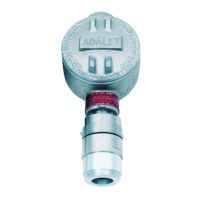
of the M2A. Mount the M2A with the detector facing down as shown in the following figures.
Figure 13: Outline & Mounting Dimensions, Catalytic LEL and ppm, UL Version
3/4 NPT
Conduit Port,
Plugged
7.7 max
2.3 max
5.23
5.00
2.41
.30 (2X)
.47 (2X)
3/4 NPT
Conduit Port
1 1/2-20 For
Calibration Cup
4.59
5.86
1.02
w ww. . com
information@itm.com1.800.561.8187



 To Next Page