EasyManua.ls Logo

RKI Instruments M2A - User Manual

Default Icon
81 pages
Print Icon
To Next Page IconTo Next Page
Loading...
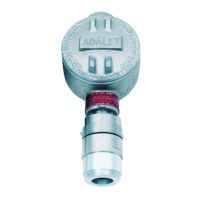
M2A Transmitter
Operator’s Manual
Part Number: 71-0305RK
Revision: R
Released: 3/10/21
w ww. . com
information@itm.com1.800.561.8187

Questions and Answers

RKI Instruments M2A Specifications

General IconGeneral
Output Signal4-20 mA
Humidity Range0-95% RH (non-condensing)
Enclosure RatingNEMA 4X
Measurement Range0-100% LEL
Sensor TypeElectrochemical, Catalytic Bead, Infrared (depending on target gas)
Target GasCombustible gases, Oxygen, Toxic gases (depending on sensor)

Summary

Chapter 1: Introduction

Overview

Describes the chapter's content and the M2A Transmitter Operator's Manual.

About the M2 A Transmitter

Introduces the M2A Transmitter, its features, and operating modes.

About this Manual

Explains the conventions used for notes, cautions, and warnings.

Chapter 2: Description

Overview

Describes the chapter's content regarding M2A components.

External Description

Details the external components of the M2A transmitter, including the junction box.

M2 A External Components

Magnetic Wand

Describes the tool used for non-intrusive calibration and operation.

Gas Detectors

Introduces the different types of gas sensors available for the M2A.

Detector Types

Infrared (IR) Detectors

Details the specifications for Infrared (IR) detectors used with the M2A.

Sensor Technologies

Oxygen Detectors

Describes the various types of oxygen sensors compatible with the M2A.

Gas Specific Sensors

CO and H2 S Detectors

Explains the features and types of Carbon Monoxide and Hydrogen Sulfide detectors.

Chapter 3: Installation & Startup

Overview

Describes the chapter's content regarding installation and startup.

Mounting the M2 A Transmitter

Provides instructions for selecting a mounting site and securing the M2A.

Internal Description

Overview

Describes the chapter's content regarding internal components.

Terminal PCB

Explains the function of the terminal printed circuit board for wiring and signals.

Internal Component Details

Detector Terminal Strip

Describes the terminal strip used for connecting various detector types.

M2 A Internal Connections

Modbus Terminal Strip

Details the connections for Modbus communication.

Control PCB

Describes the main control board with display, buttons, and LEDs.

Control Interface

OLED Display

Describes the primary display screen for readings and messages.

Control Buttons

Explains operation via push buttons and magnetic switches.

Status LEDs

Details indicator lights for device status like alarms and fail conditions.

Wiring the M2 A Transmitter

WARNING

Critical safety precautions before making any wiring connections.

Detector Wiring

Explains how to connect various detector types to the terminal strips.

Start Up Procedures

Introducing Incoming Power

Steps for powering up the M2A transmitter after installation.

Adjusting the Fresh Air Reading

Procedure for setting the zero point of the detector in fresh air.

Non-Intrusive Fresh Air Signal Adjustment

Method for adjusting the fresh air reading without opening the unit.

Chapter 5: Operation

Overview

Describes the chapter's content regarding M2A operation.

Normal Operation

Defines the conditions for normal operation of the M2A.

Information Screen

How to access and view device status and firmware information.

4 - 20 mA Signal Output Operation

Explains the analog output signal and its behavior in different modes.

Alarm and Status Indicators

Alarm Indications

Describes visual and audible alerts for alarm conditions.

Alarm Condition Responses

Alarm 1 Condition

Details the indications for an Alarm 1 condition.

Responding to an Alarm 1 Condition

Actions to take when an Alarm 1 condition occurs and how to reset it.

Alarm 2 Condition

Details the indications for an Alarm 2 condition.

Responding to an Alarm 2 Condition

Actions to take when an Alarm 2 condition occurs and how to reset it.

Device Failure States

Fail Condition

Describes indicators and causes for a device fail condition.

Responding to a Fail Condition

Steps to take to diagnose and resolve a fail condition.

Low Power Alarm

Indicates a low power condition and its associated alerts.

Low Power Condition Handling

Responding to a Low Power Condition

Steps to resolve issues related to low power supply.

Chapter 6: Configuration Mode

Overview

Describes how to view and change M2A parameters using Configuration Mode.

Viewing & Changing M2 A Parameters

Guides users through adjusting device settings and parameters.

Chapter 7: Gas Type Configuration

Overview

Describes how to use Gas Type Mode to select the M2A's gas type.

Selecting the Gas Type

Provides instructions for choosing the target gas and detection range.

Chapter 8: Maintenance

Overview

Describes procedures for maintenance, calibration, and troubleshooting.

Preventive Maintenance

Recommends a schedule for daily, quarterly, and biannual maintenance.

Troubleshooting

Guide for diagnosing and resolving common M2A problems.

Calibration Procedures

Calibration Frequency

Guidance on how often calibration should be performed.

Calibration, Combustible Gas, CO2, and Toxic Versions

Step-by-step guide for calibrating combustible, CO2, and toxic gas versions.

Special Note About Calibrating a CIO2 Detector

Specific instructions for calibrating Chlorine Dioxide (ClO2) detectors.

Calibration Methods

Non-Intrusive Calibration

Performing calibration without removing the junction box cover.

Calibration Gas Response Memory Feature

Explains the feature that remembers detector response during calibration.

Preparing for Calibration

Steps required before performing a calibration procedure.

Calibration Adjustments

Adjusting the Fresh Air Reading

Setting the zero point of the detector using fresh air or zero gas.

Adjusting the Span Setting

Setting the detector's response to a known calibration gas.

Oxygen Sensor Calibration

Overview

Describes the chapter's content regarding oxygen sensor calibration.

Preparing for Calibration

Steps required before performing oxygen sensor calibration.

Oxygen Calibration Steps

Adjusting the Fresh Air Setting

Setting the zero point for the oxygen sensor.

Adjusting the Zero Setting

Setting the span point for the oxygen sensor.

Chapter 9: Replacing Components

Overview

Describes the chapter's content regarding component replacement.

Replacing the Gas Detector

Procedure for replacing the main sensor unit of the M2A.

Component Replacement Procedures

Replacing the CO, H2 S, or CT-7 Series Plug-in Sensor

Replacing specific plug-in sensor types for CO, H2S, and CT-7 series.

Sensor and Filter Replacements

Replacing the CO Sensor Charcoal Filter

Procedure for replacing the charcoal filter in CO sensors.

Replacing an Oxygen Plug-in Sensor

Procedure for replacing the oxygen plug-in sensor module.

Specific Sensor and Membrane Replacements

Replacing an ESM-01 Plug-in Sensor

Procedure for replacing ESM-01 plug-in sensor modules.

Replacing the Hydrophobic Membrane (Non-XP CO, H2 S, and O2 Detectors)

Procedure for replacing the sensor's hydrophobic membrane.

Membrane Replacement Details

Replacing the Hydrophobic Membrane (CT-7 Series Toxic Detector)

Procedure for replacing the hydrophobic membrane on CT-7 series sensors.

Chapter 10: RS-485 Modbus Output

Overview

Describes the chapter's content regarding Modbus output and configuration.

Wiring the M2 A in a Modbus System

How to connect the M2A to a Modbus network.

Ground Jumper

Configuration of the ground jumper for Modbus system installations.

Modbus System Configurations

Recommended Modbus Wiring

Standard wiring diagram for connecting M2A to a Modbus system.

Alternate Modbus Wiring For Existing Installations

Wiring options for systems with pre-existing wiring configurations.

Modbus Communication Settings

Using the M2 A in a 4-wire Modbus System

Adapting M2A wiring for use with 4-wire Modbus controllers.

Modbus Mode

How to access and configure Modbus parameters.

Modbus Functionality

Supported Modbus Functions

Overview of Modbus functions supported by the M2A.

Function Code 03: Read Holding Registers

Details on reading device data and status via Modbus Function Code 03.

Registers 1 - 2

Specific register information for numerical readings and status.

Modbus Write Functions

Function Code 16: Write Registers

Details on writing to device registers via Modbus Function Code 16.

Register 16

Specific register used for button functions like alarm reset.

Chapter 11: Parts List

Table 20: Parts List

A comprehensive list of replacement parts and accessories for the M2A.

Appendix A: Control Button Quick Reference

Control Button Quick Reference Chart

Summary of button combinations for modes, alarms, and parameter adjustments.

Appendix B: PLC and DCS Wiring

PLC and DCS Device Wiring

Instructions for wiring the M2A to Programmable Logic Controllers (PLCs) and DCS.

Appendix C: Function Code 16 Registers

Register 1

Description of Register 1 for Alarm 1 set point.

Register 2

Description of Register 2 for Alarm 1 trigger.

Register 3

Description of Register 3 for Alarm 1 relay state.

Register 7

Description of Register 7 for Alarm 2 set point.

Register 16

Description of Register 16 for calibration timeout.

Related product manuals