Bluetooth Pairing and Connection
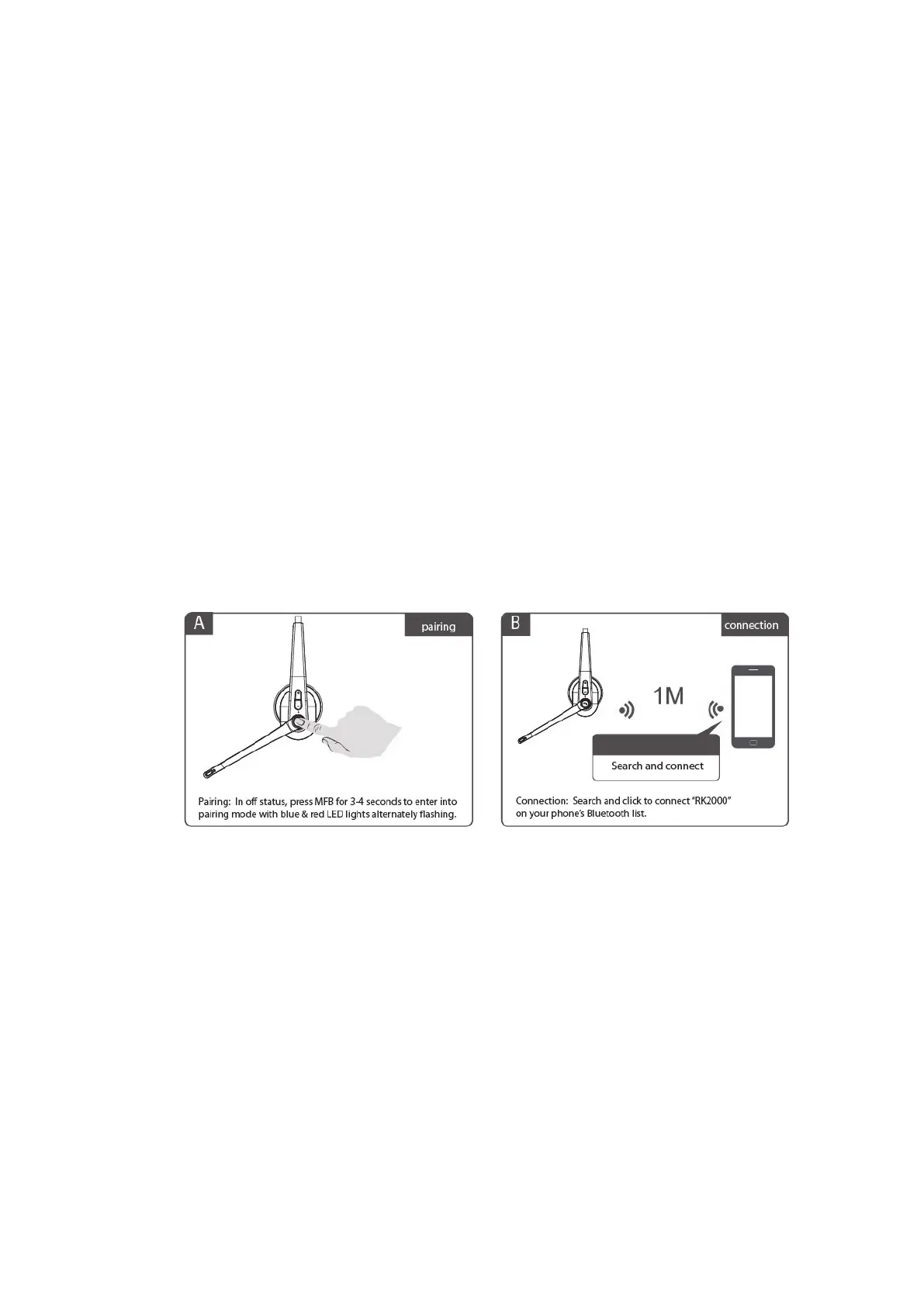
A.
When device is off, press and hold the Multi-Function Button (MFB) for
3-4 seconds to enter into pairing mode. The blue & red lights should
alternate flashing.
B.
Search and click "RK2000" to connect the headset to your phone's
Bluetooth. Once connected, the blue LED light will flash, and you can
now play music from your phone to the headset.
C.
You can press the MFB and Volume +/- on the Bluetooth headset to
control calls and music.



 To Next Page