4. OPERATION
10
4.1 CONTROL PANEL
» Put the ON/OFF key switch on.
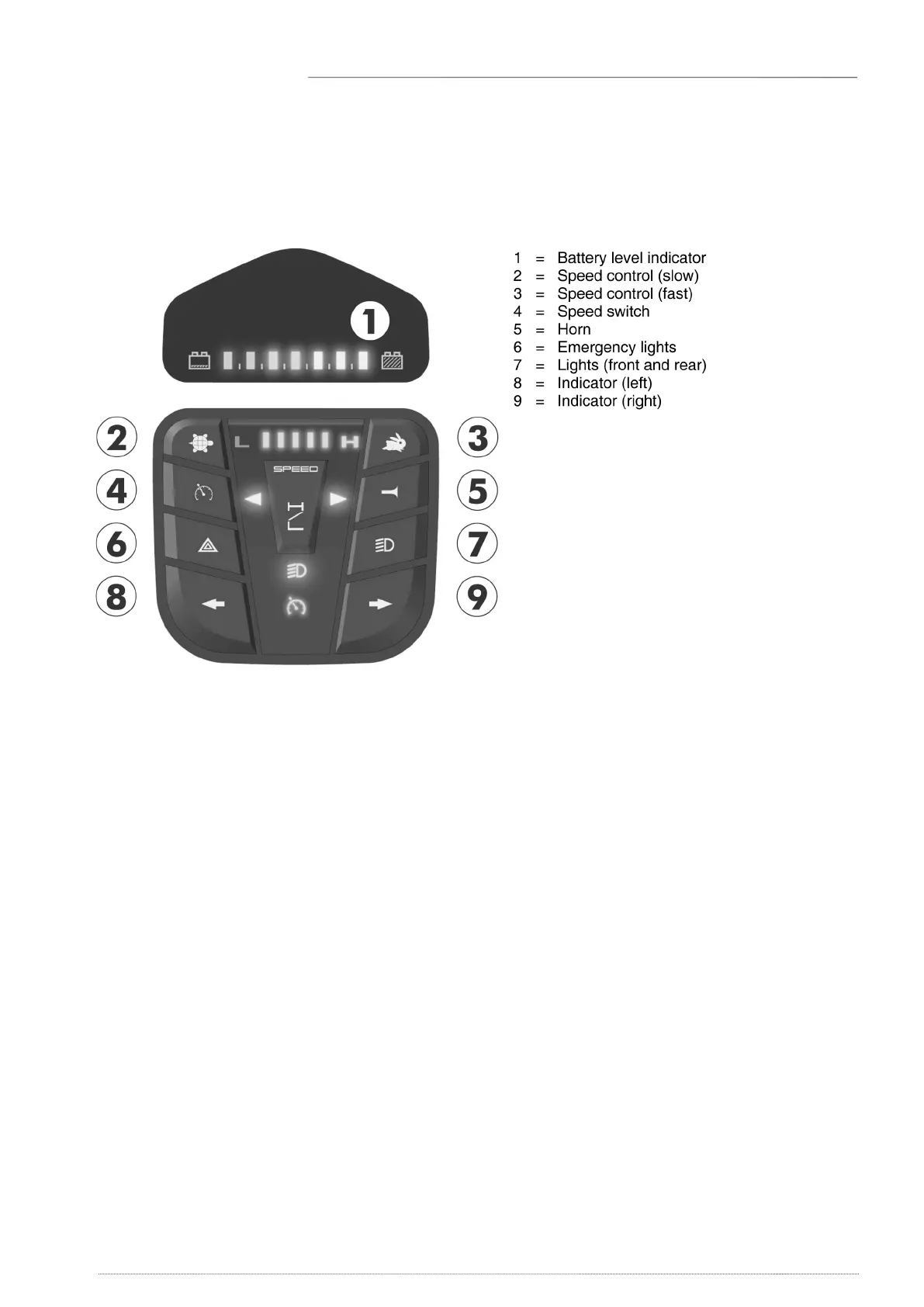
» The battery level indicator shows the current level of your batteries
» Now turn the speed control to the desired driving speed.
» Pull the drive lever with your ngers toward the handle bars (right lever for forward
movement, left lever for backward movement).
» To sound the horn, press the horn button.
» To put on the front and back lights, press the lights button (7).
» To put on the emergency ashers, press button (6).
» To put on the indicator lights, press the desired button (8-9)
(left = left indicator, right = right indicator).


 To Next Page