7
Access Keypad Installation Guide
Access Keypad Notes and Diagrams
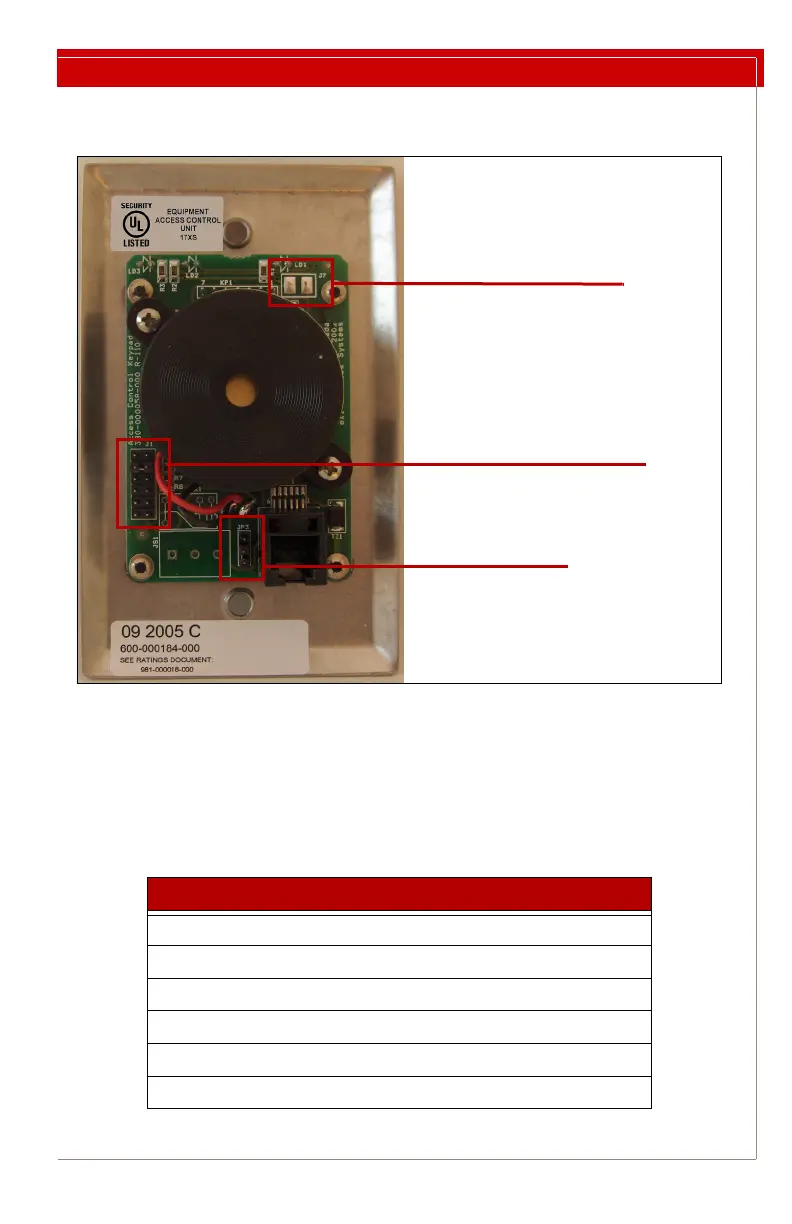
Figure 1: Keypad Jumper Locations
Connecting a Third-Party Keypad to a Controller
Third-party keypads can be connected to a Halo or RoamAlert R3 controller using a
6P6C modular plug according to the following pin-outs at the controller keypad jack,
from left (pin 1) to right (pin 6):
Pin Description
1 +12V DC
2 Ground
3 BYPASS_IN
4 RESET_IN
5 ALARM_OUT
6 BYPASS_OUT
J1 – Speaker Volume
Top Pair = OFF
Bottom Pair = Loudest
JP3 – Mode
Top Two = Mode 1
Bottom Two = Mode 2
J7 – Master Reset


 To Next Page