10 11
System Setup
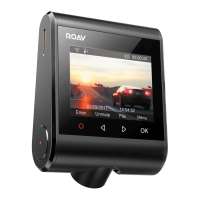
To adjust DashCam’s settings, tap .
Menu Options Description Available Options
Resolution
Set a desired video
resolution.
720P 30FPS / 720P
60FPS / 1080P 30FPS
Loop Recording
Set the duration of each
recording video clip.
1 Min / 3 Min / 5
Min / 10 Min
Sensitivity
Sensitivity for gravity helps
to detect vibration and
shock while driving and
makes DashCam to respond
appropriately.
Low / Medium /
High / O
Parking
Collision
Detection
Enable to keep DashCam in
standby mode. Motion will
be detected for 15 times and
DashCam starts recording a
30 second video each time.
Low / Medium /
High / O
WIFI Connect with smartphone. On / O
Date
Set date and time
Tap / to adjust
the value, tap to
next option, tap
to save
Language
Set on-screen display menu
language.
English / Deutsch /
日本語
/
简体中文
/
繁体中文
/
Español
/ Italiano / Français
LCD Auto O
Turn o the screen backlight
after a period of inactivity.
30 Seconds / 60
Seconds / O
Machine Sound
Mute or unmute. On / O
Default
Reset all options to the
default settings.
Cancel / OK
Format
Format the memory card and
all the data will be deleted.
Cancel / OK
Water Mark
Display / hide the date and
time on the recordings.
On / O
Car battery
protection
Detect and cut o voltage
when the voltage drops below
certain point.
On / Of
Frequency
Match the video frequency of
DashCam with the electrical
frequency of your location.
50 Hz (EU / China) /
60 Hz (US)
About
Check the current version
number.



 To Next Page