12 13
Button Function
Click repeatedly to select a setting; Click to confirm
a selection.
Toggle the next setting
Toggle the previous setting
Back to recording mode
Specifications
Specifications are subject to change without notice.
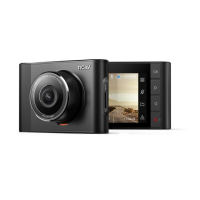
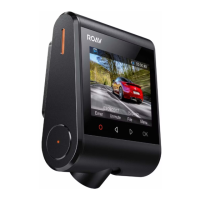
Screen: 2.4” LCD color TFT
Camera sensor: Sony IMX 323
Camera lens: wide-angle lens 145°
Chipset: NT96658
Power input: 5V 1A
Max video resolution: 1080P 30FPS (1920x1080)
Video clip format: .MOV
Wi-Fi: 2.4GHz Band
Operating temperature range: -20°C to 70°C / -4°F to 158°F
Weight: Approx. 87 g / 3 oz
Size: 83.4 * 56 * 35.4 mm / 3.3 * 2.2 * 1.4 in
FAQ
Can not record?
• Check if the memory card is inserted properly and there is
enough free capacity.
• Check the battery level.
Blurred image?
• Use a clean, soft lens-cleaning cloth to gently clean the lens.
Malfunction or crash?
• Long press the Reset slot by using a sharp pin for at least
2 seconds.
Blank screen?
• The screen saver is activated. Change settings to “O” if
required.
Fail to view and playback videos on your smartphone?
• Check on your smartphone if Wi-Fi is successfully
connected to the DashCam.
How to enable parking monitor?
• Press (Menu) , select “Parking Collision Detection”
> “ON”.
Worry about the memory card is full?
• Continuous loop recording allows to overwrite the old
unlocked files.
Will my data be used when my smartphone is connected with
DashCam?
• No. Data will be used only if you share the saved videos
via social apps.



 To Next Page